Category: Features

Product feature announcements and how-to-use-the-feature content

  • Introducing Salon Gift Cards: Sell 24/7

    Introducing Salon Gift Cards: Sell 24/7

    Most salons treat gift cards as an afterthought. A stack of paper cards behind the counter, a notebook to track balances, and a prayer that nobody loses track of what’s owed.

    That approach breaks down fast. A busy spa can sell dozens of cards in December alone.

    Without a system, you lose track of who redeemed what, how much balance is left, and when a card expires (if it expires at all).

    Gift cards also carry a business reality owners often miss: unredeemed balances are a liability on your books, not free revenue. You owe that service to someone.

    Software that tracks balances automatically keeps you accurate, not just organized.

    How PandaCue’s Gift Cards Feature Works

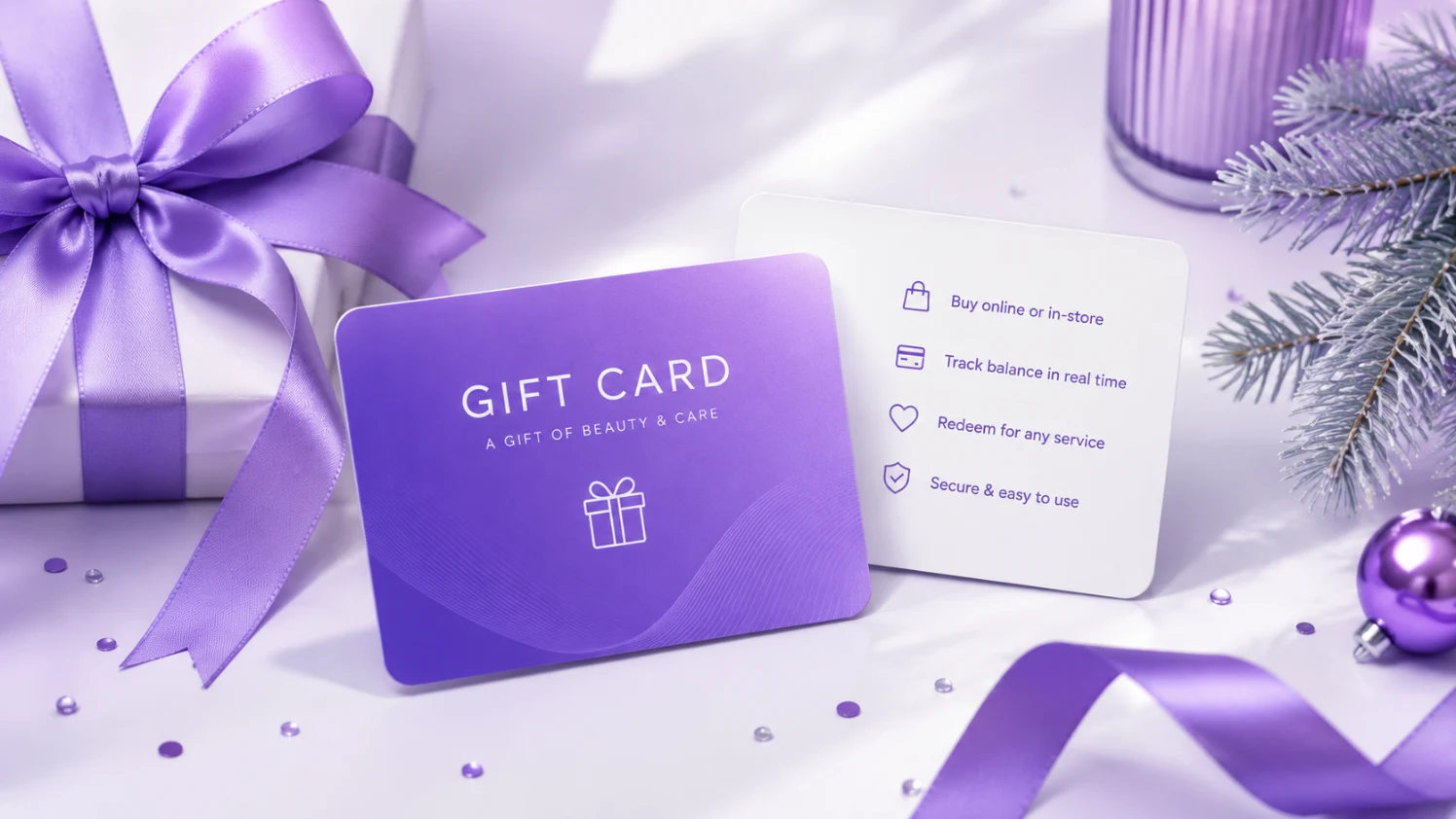
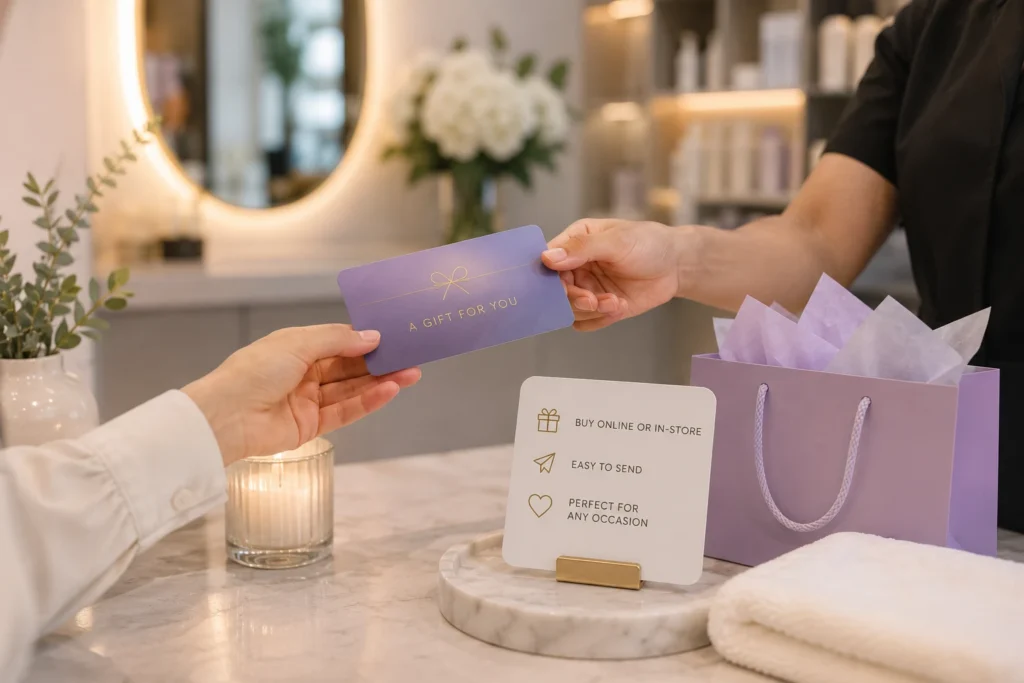
    PandaCue lets you sell, track, and redeem gift cards from one screen, whether the sale happens online, on a mobile app, or at your front desk during checkout.
    How PandaCue's Gift Cards Feature Works

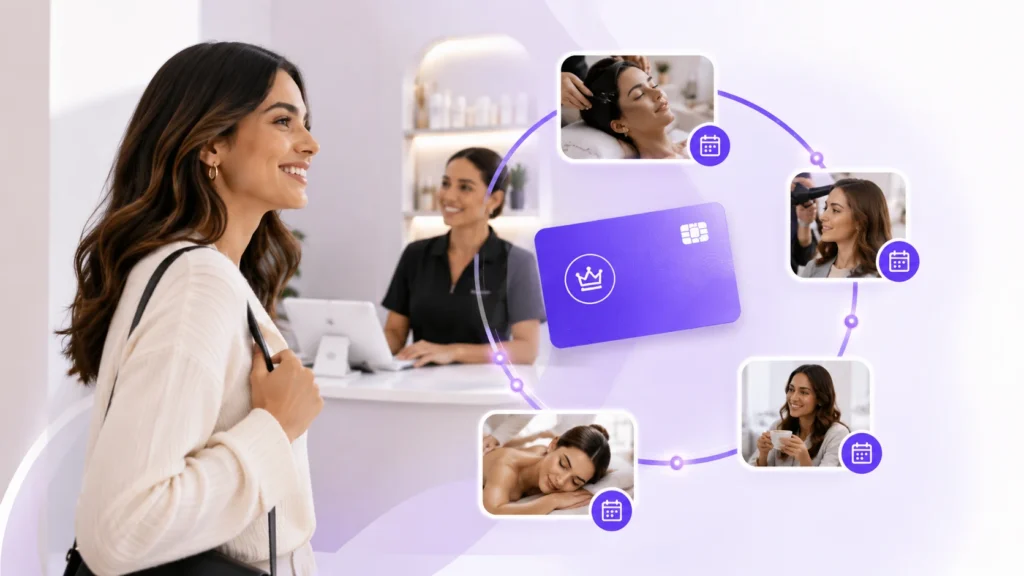
    Digital and physical cards

    You can sell an e-gift card that a client can send by text or email the same day, or issue a physical card at the counter. Both draw from the same balance system, so there’s no separate spreadsheet to reconcile.

    Automatic balance tracking

    Every time a card is used, PandaCue updates the remaining balance instantly. Your staff never has to do math at checkout or guess whether a card still has funds.

    No double redemption

    Each card has a unique code tied to your system. It can’t be used twice by accident, and it can’t be redeemed at a location that isn’t yours if you run multiple sites.

    Built-in reporting

    You can see outstanding gift card liability at any time, which matters for accounting and for knowing how much revenue is already “owed” to future visits.

    Works with the rest of your business

    A gift card purchase can trigger a client profile in your CRM, feed into your marketing list, and connect to Online Booking so the recipient can redeem it without a phone call.

    Key Concepts Every Owner Should Know
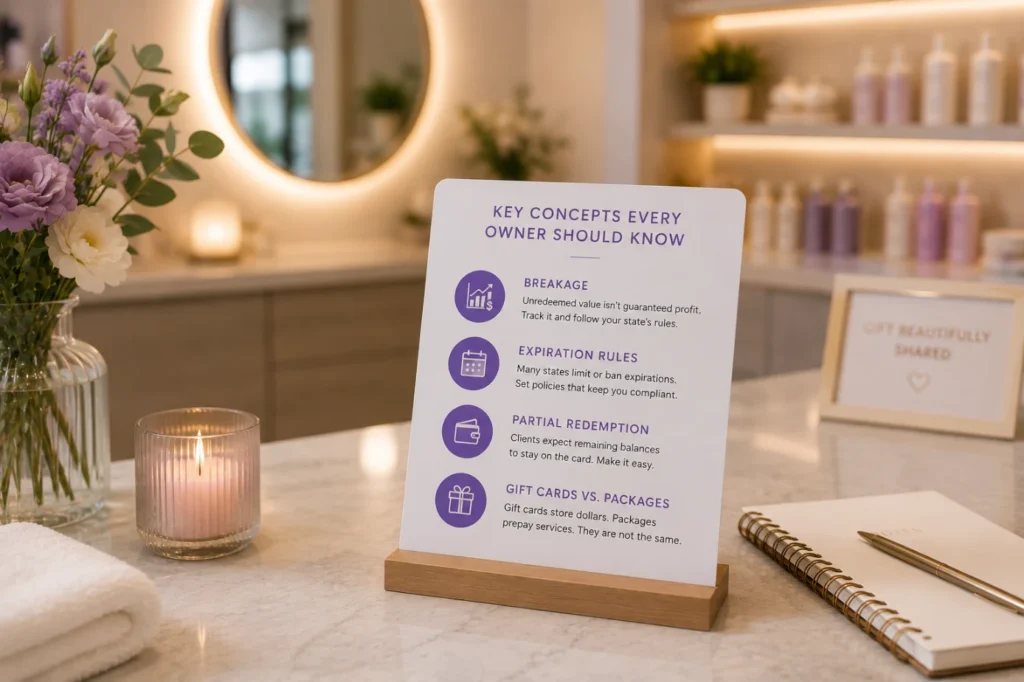
    Key Concepts Every Owner Should Know

    Breakage

    This is the industry term for gift card value that never gets redeemed. Some owners assume breakage is pure profit.

    It isn’t guaranteed, and depending on your state, unredeemed balances may need to be reported as unclaimed property after a certain period.

    Track it, don’t assume it.

    Expiration rules

    Many states restrict or ban gift card expiration dates entirely. Check your state’s rules before setting an expiration policy.

    PandaCue lets you configure expiration per your local requirements instead of forcing one rule on every card.

    Partial redemption

    A client with a $150 card who books a $90 service should walk out with a $60 balance, not a used-up card. This sounds obvious, but manual systems get it wrong constantly.

    Gift cards vs. packages

    A gift card is a stored dollar amount. A package is prepaid services, like five facials for one price. They solve different problems, and mixing them up in your system creates confusion for both staff and clients.

    How to Set Up Gift Cards in PandaCue
    How to Set Up Gift Cards in PandaCue
    1. Turn on the Gift Cards feature in your PandaCue dashboard.
    2. Set your card values or let clients choose their own amount.
    3. Choose expiration rules based on your state’s requirements.
    4. Connect gift cards to Online Booking so recipients can redeem without calling.
    5. Review liability reports monthly to stay ahead of accounting surprises.

    Frequently Asked Questions

    Do gift cards expire in PandaCue?

    Expiration is configurable. You can set a policy that matches your state’s laws, or leave cards with no expiration if your state requires it.

    Can clients buy gift cards online without calling the salon?

    Yes. PandaCue supports e-gift card sales through your booking page, so clients can purchase and send a card any time, day or night.

    What happens if a client only uses part of the balance?

    The remaining amount stays on the card automatically. There’s no manual recalculation needed at checkout.

    Do gift cards work across multiple locations?

    If you run more than one location under one PandaCue account, gift cards can be set up to work at all of them or restricted to a single site, depending on your policy.

    Is unredeemed gift card money considered profit?

    Not automatically. It’s typically treated as a liability until redeemed, and in some states, unclaimed balances after a certain time may need to be reported. Check with your accountant on the specifics for your state.

    Can I track how much I owe in outstanding gift cards?

    Yes. PandaCue’s reporting shows your total outstanding gift card liability so you always know where you stand.

    Bringing It Together

    Gift cards are one of the easiest ways to bring in cash before a service happens and introduce your business to someone new.

    The upside only holds up if the tracking behind it is solid.
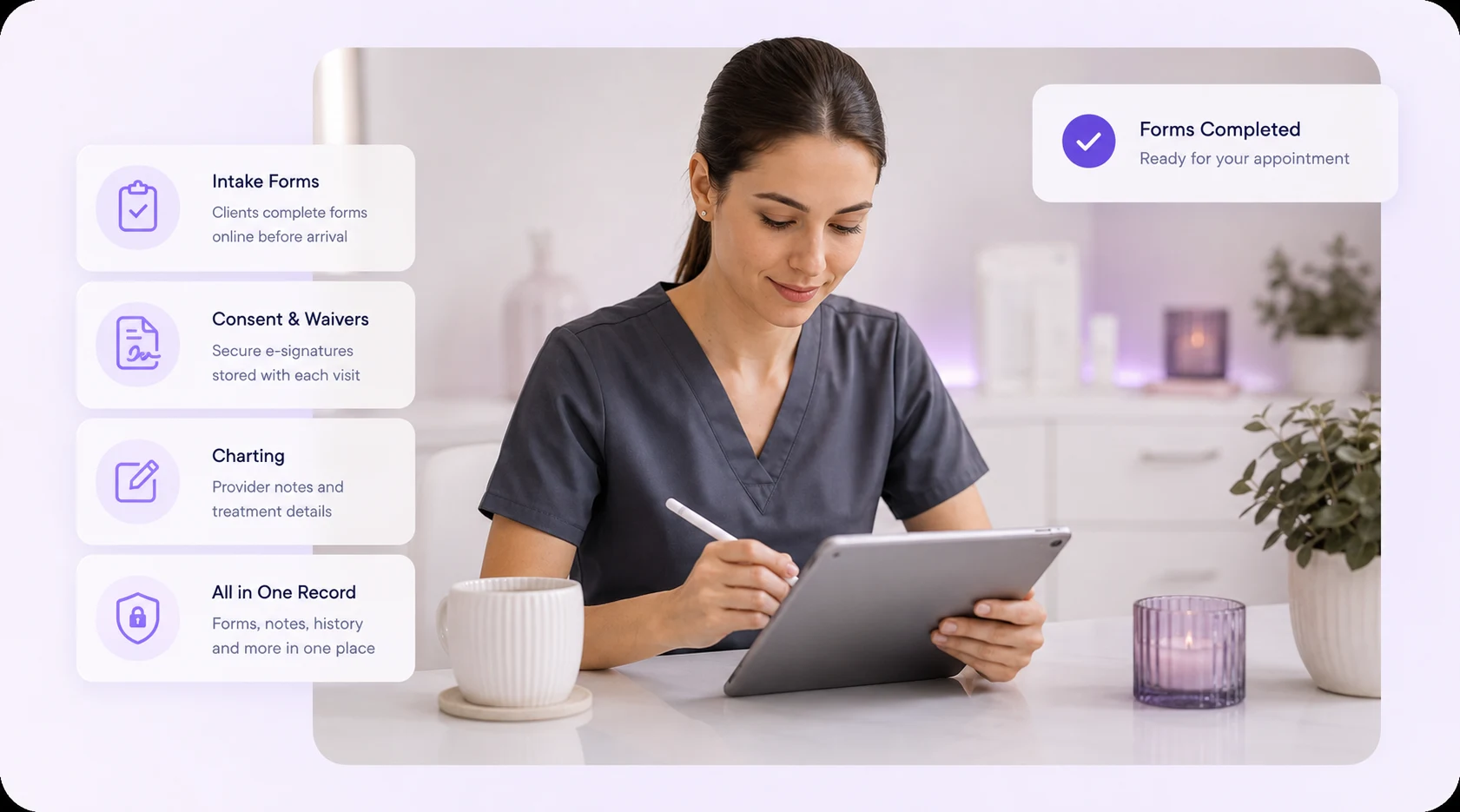
  • Forms & Charting: Replaces Paper Intake Sheets

    Forms & Charting: Replaces Paper Intake Sheets

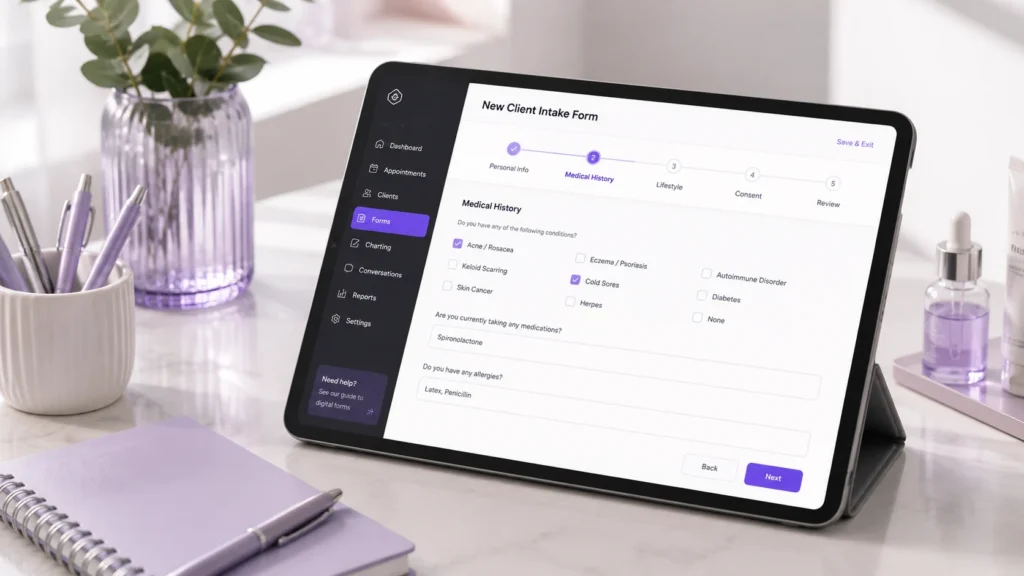
    Forms & Charting is the part of PandaCue where clients fill out intake and consent forms online, and your team records what happened during each visit.

    It replaces the clipboard at your front desk and the loose notes in a client’s file. Everything lives in one digital record tied to that client’s profile.

    If you run a salon, spa, or med spa, you already know the problem. Clients fill out the same health history every time they visit a new location. Staff can’t read old handwriting.

    A consent form goes missing right when you need it for a liability question. Forms & Charting fixes all three.

    What Counts as a “Form” in a Salon or Spa Setting?

    A form is any document a client fills out or signs before, during, or after a service.

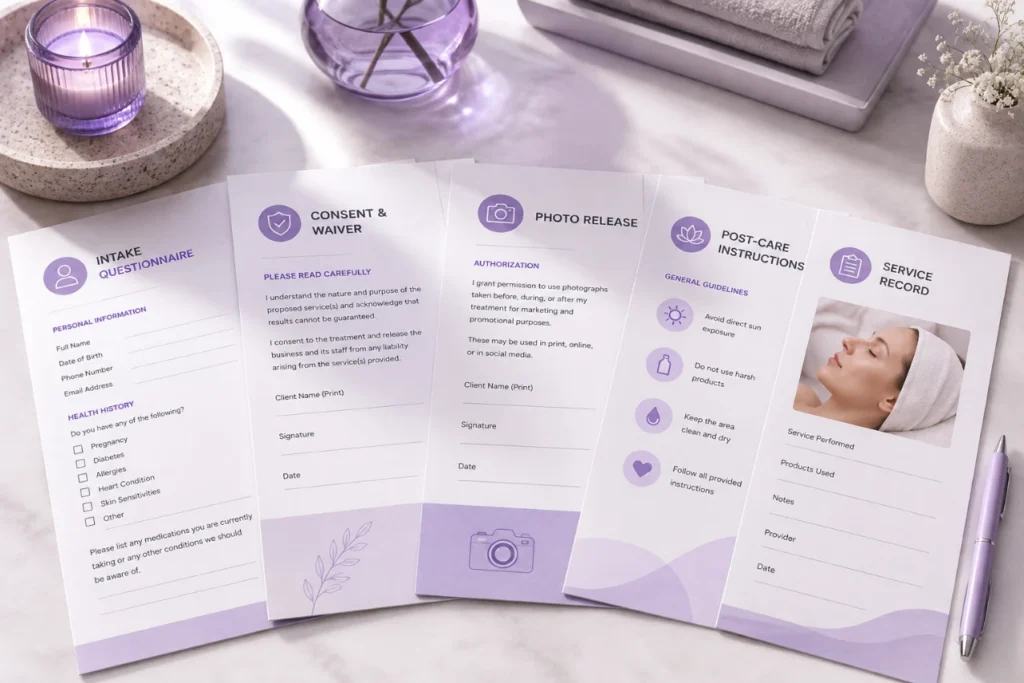
    This includes intake questionnaires, health history sheets, consent and waiver forms, photo release agreements, and post-care instructions.

    What Counts as a "Form" in a Salon or Spa Setting?

    In a med spa, forms often carry more weight. A Botox consent form or a chemical peel waiver protects the business if something goes wrong.

    In a hair or nail salon, forms are usually shorter but still matter for allergy disclosures and patch test records.

    What Is Charting, and Why Does It Apply Beyond Med Spas?

    Charting is the written record of what a provider actually did during an appointment. It answers a simple question: what happened, and what was used to make it happen?

    For a med spa, that might mean the units of neurotoxin injected, the lot number, the injection sites, and any reaction noted afterward.

    What Is Charting, and Why Does It Apply Beyond Med Spas

    For a spa, it might be the peel strength used on a facial or the pressure level in a massage.

    For a salon, it could be the exact color formula mixed for a client’s hair.

    Charting isn’t only a medical requirement. It’s how any business avoids repeating a mistake or forgetting what worked. A stylist who charts a color formula saves 20 minutes on the next visit.

    A med spa that charts injection sites protects both the client and the practice.

    Why Paper Forms and Notebooks Cause Real Problems

    Paper breaks down in three predictable ways.

    Why Paper Forms and Notebooks Cause Real Problems
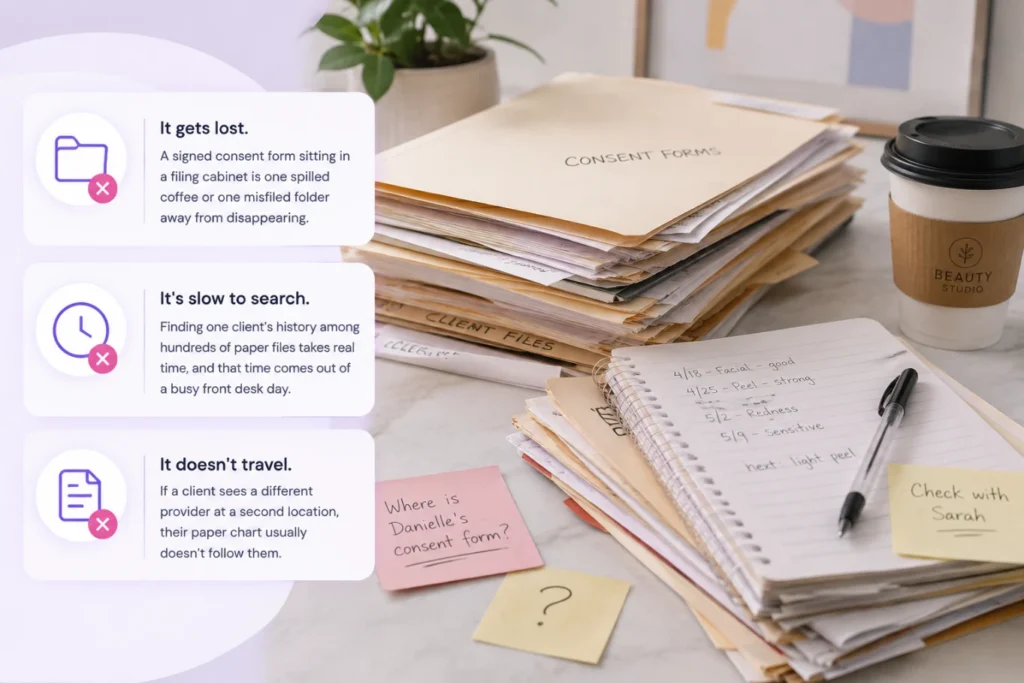
    • It gets lost. A signed consent form sitting in a filing cabinet is one spilled coffee or one misfiled folder away from disappearing.
    • It’s slow to search. Finding one client’s history among hundreds of paper files takes real time, and that time comes out of a busy front desk day.
    • It doesn’t travel. If a client sees a different provider at a second location, their paper chart usually doesn’t follow them.

    None of these are dramatic failures on their own. They just add friction, appointment after appointment, until someone finally asks why the front desk is buried in paperwork.

    How PandaCue Handles Forms & Charting

    PandaCue lets clients fill out intake and consent forms online before they arrive, so the form is already attached to their profile by the time they sit in the chair.

    How PandaCue Handles Forms & Charting

    Staff can build custom forms for different service types, and each signed form stays linked to the exact appointment it belongs to.

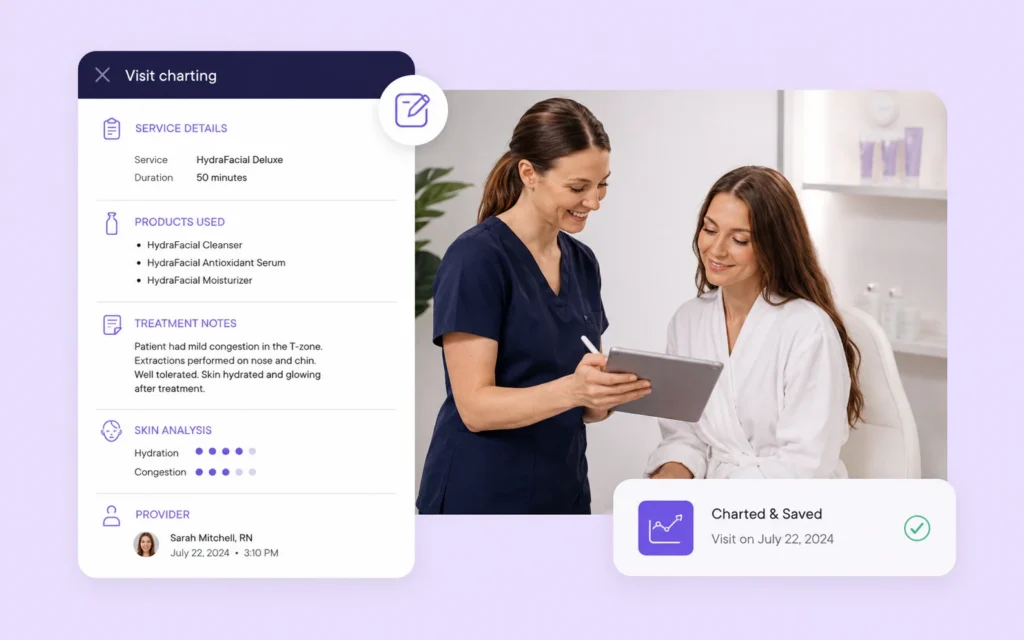
    For charting, providers add notes directly to the client’s record after a service.

    That note stays in the same place as their booking history, payment history, and past forms, so anyone on the team can pull up a full picture of a client in seconds instead of digging through paper.

    Setting Up Digital Forms and Charting: A Simple Walkthrough

    Setting Up Digital Forms and Charting A Simple Walkthrough
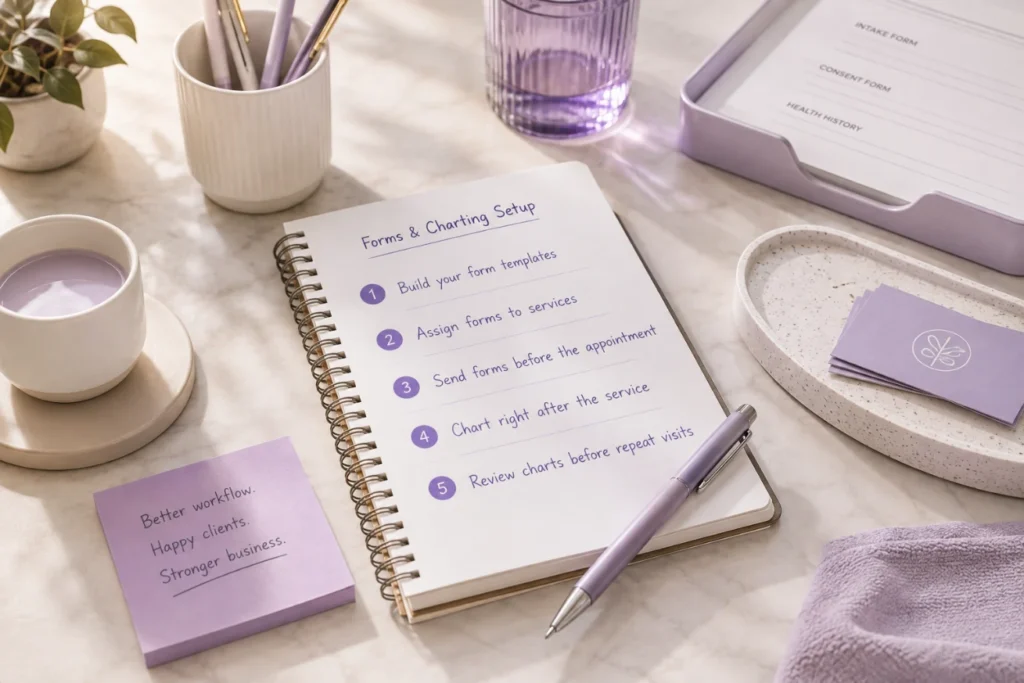
    1. Build your form templates. Start with the forms you use most: general intake, consent for your highest-risk service, and a basic health history.
    2. Assign forms to specific services. A Botox consultation and a manicure don’t need the same paperwork. Match the form to the service.
    3. Send forms before the appointment. Clients fill them out on their phone before they walk in, which cuts front desk wait time.
    4. Chart right after the service. Providers log what was done while the details are still fresh, not at the end of a long shift.
    5. Review charts before repeat visits. A quick look at the last note tells a provider what worked and what to avoid.
    HIPAA and Compliance Considerations for Med Spas

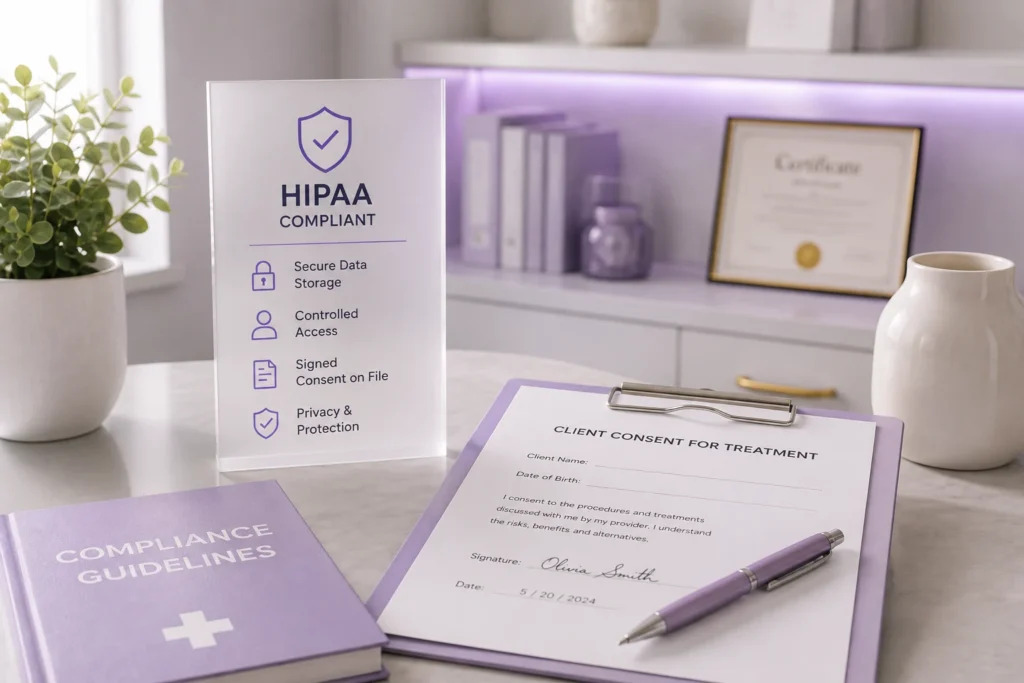
    Med spas that perform injectables, laser treatments, or other medical-adjacent services should treat client charts the way a medical office does.

    HIPAA and Compliance Considerations for Med Spas

    That means secure storage, controlled staff access, and a clear signed consent on file before any treatment.

    Salons and day spas usually don’t fall under HIPAA, but storing client health notes securely is still good practice.

    A client who discloses an allergy or a skin condition deserves to know that information is protected, not sitting in an unlocked drawer.

    FAQs

    Do all salons need digital consent forms, or is this only for med spas?

    Any business performing a service with risk, like chemical treatments, waxing, or injectables, benefits from a signed consent form. It protects both the client and the business if a reaction happens.

    How long should a treatment chart note be?

    Long enough to answer “what did we use and what happened.” A few sentences with product names, settings, and any client reaction is usually enough.

    Can clients fill out forms on their phone before arriving?

    Yes. Digital forms sent ahead of time let clients complete paperwork from home, which shortens the check-in process at the front desk.

    What happens if a client doesn’t finish their form before the appointment?

    Most digital form systems flag incomplete forms so front desk staff can prompt the client to finish before their service starts.

    Do digital charts replace the need for provider judgment?

    No. Charts record what happened, but a provider still needs training and judgment to decide what’s safe for each client. Charts just make that decision easier the next time.

    Is charting only useful for legal protection?

    Legal protection is one reason, but the bigger daily benefit is consistency. Providers repeat what worked and avoid what didn’t, without relying on memory.

    Getting Started

    Paper forms and handwritten notes were never built to keep up with a growing salon, spa, or med spa. Every client visit that gets recorded properly today saves your team time on every visit after it.

    If you’re ready to see how digital Forms & Charting fits into the rest of your business, from scheduling to client management, PandaCue’s team can walk you through it.

  • Memberships & Packages: Turn One-Time Clients Into Regulars

    Memberships & Packages: Turn One-Time Clients Into Regulars

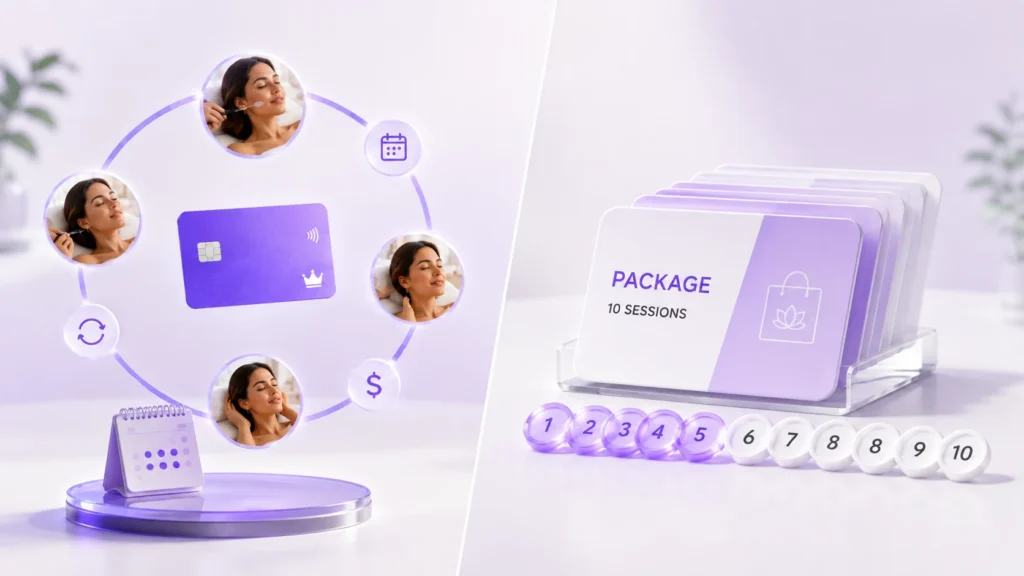
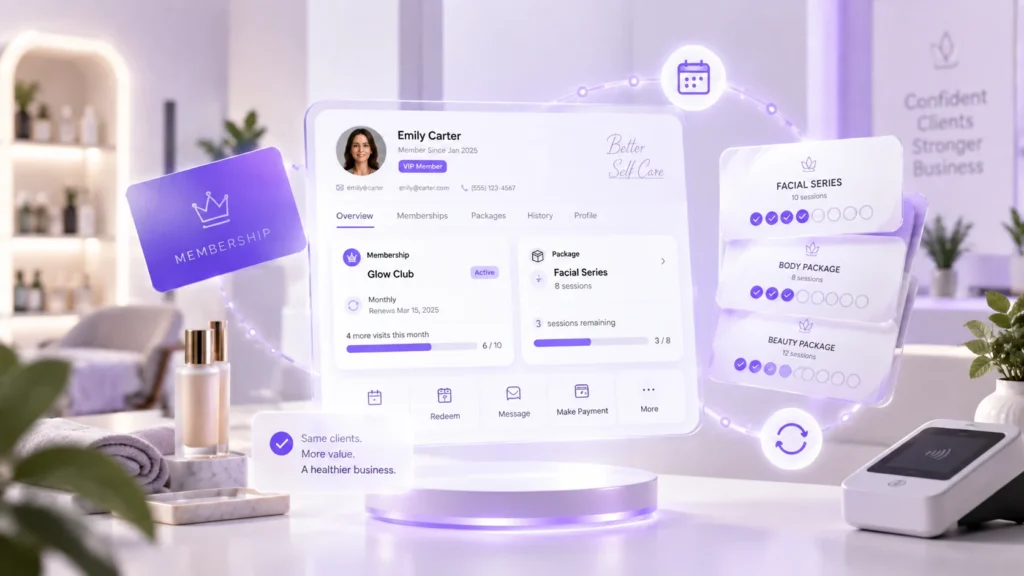
    A membership is a recurring plan clients pay for on a set schedule, usually monthly, in exchange for services, discounts, or perks.

    A package is a one-time prepaid bundle of sessions, like five facials or ten haircuts, paid upfront and used over time. PandaCue lets you sell, track, and bill both from one system.

    If you’re running either one on paper, spreadsheets, or a payment processor that wasn’t built for it, you already know the problem. Credits go untracked. Renewals get missed.
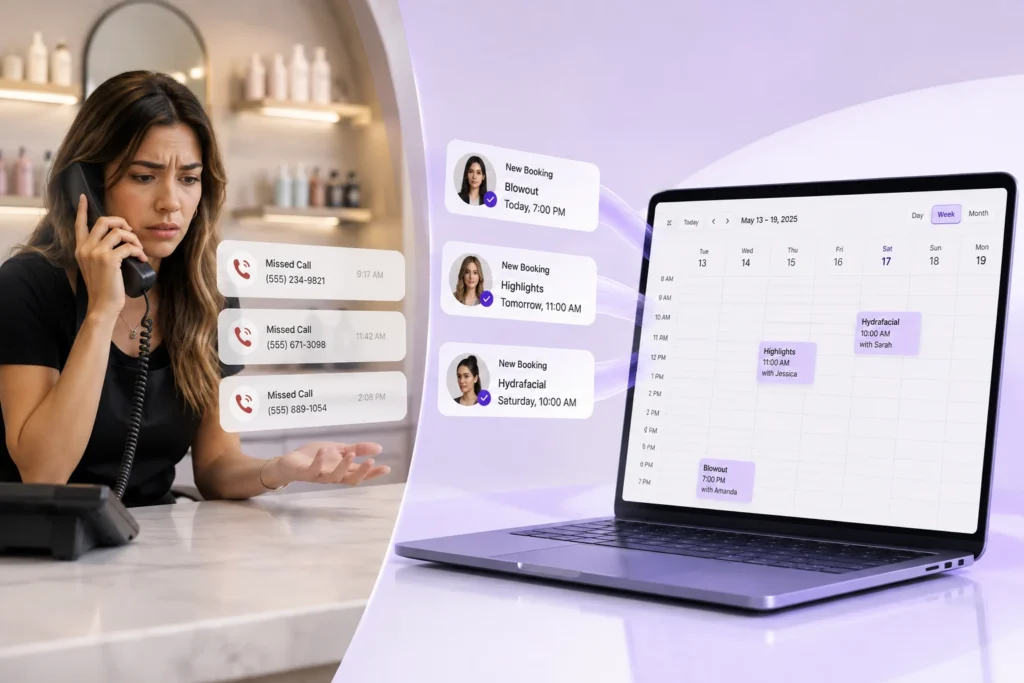
    Front desk staff spend their morning double-checking who paid and who didn’t.

    Why Memberships and Packages Matter for Your Business

    Recurring revenue changes how a salon or spa runs. Instead of guessing what next month looks like, you know a chunk of it is already booked and paid for.

    Why Memberships and Packages Matter for Your Business

    Packages do something different. They bring in cash today for services delivered later, which helps with slow weeks and gives clients a reason to commit past a single visit.

    Both tools also do something harder to measure but just as valuable: they turn a client who visits twice a year into someone who shows up every month.

    That’s the real difference between a business that’s always chasing new clients and one that keeps the ones it already has.

    Memberships vs. Packages: What’s the Real Difference?

    People use these words interchangeably, and that’s where confusion starts. They’re not the same thing, and mixing them up affects how you price and sell them.

    Memberships vs. Packages What's the Real Difference

    A membership is ongoing

    Clients are billed automatically on a recurring schedule and keep getting value as long as they stay enrolled. Think monthly facials, unlimited blowouts, or a discounted rate on every visit.

    A package is finite

    Clients pay once for a set number of sessions or a dollar amount of credit, use it down over time, and it’s done. No auto-renewal unless you build one in.

    Here’s a quick way to decide which one fits: if you want predictable monthly income and a reason for clients to stay enrolled indefinitely, sell a membership.

    If you want to move a specific service in bulk, like a facial series or a set of ten massages, sell a package.

    How PandaCue Handles Memberships and Packages

    PandaCue was built so you’re not stitching together a POS, a spreadsheet, and a separate billing tool just to sell a membership. Here’s what that actually looks like day to day.

    How PandaCue Handles Memberships and Packages

    Building a plan

    You set the price, the billing frequency, what services or credits are included, and whether it renews automatically. You can create as many tiers as your business needs, from a basic monthly plan to a premium one with extra perks.

    Selling it

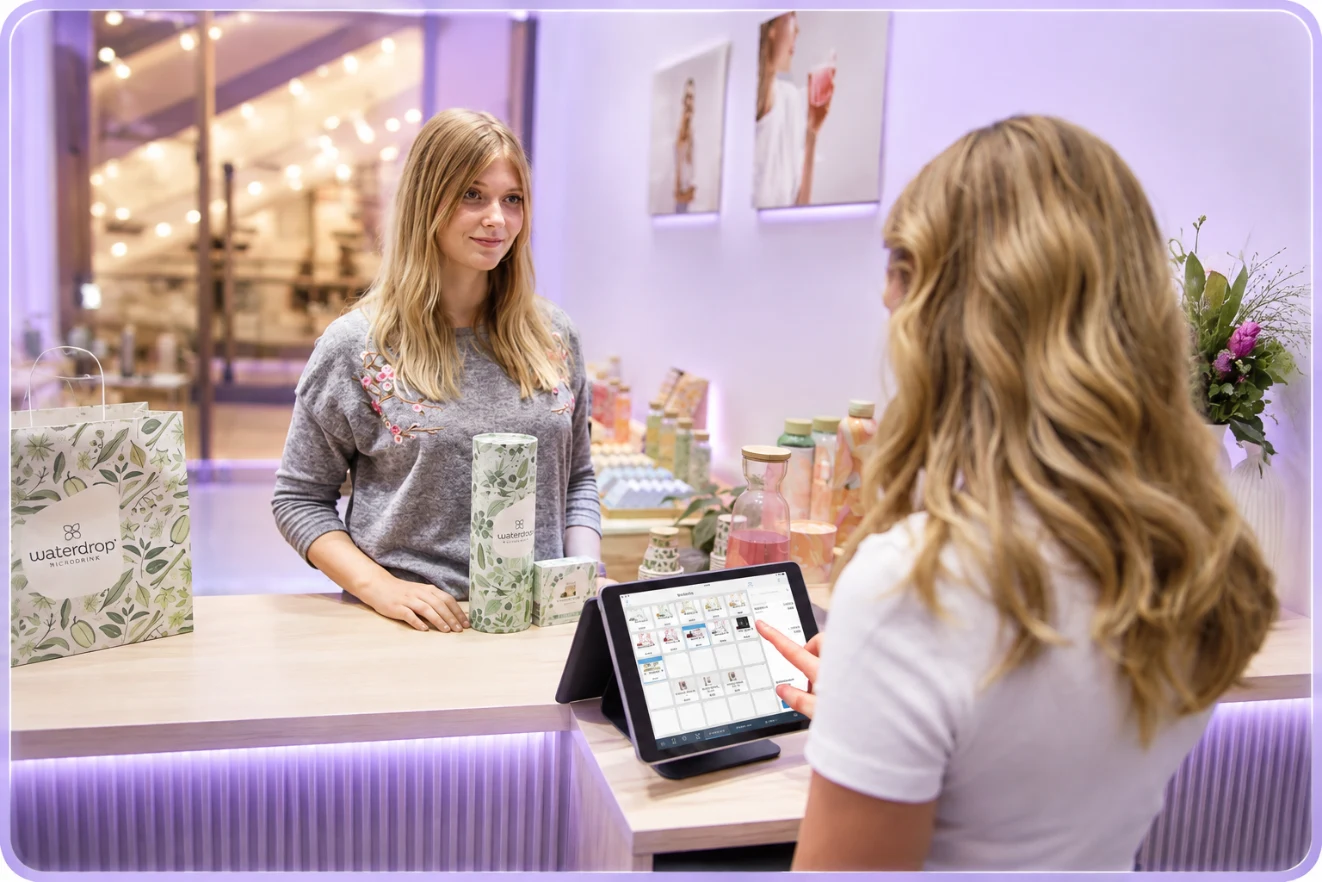
    Front desk staff can sell a membership or package right at checkout, or clients can buy one through your online booking page without anyone at the desk touching it.

    Tracking usage

    Every time a client redeems a credit or a membership visit, PandaCue logs it against their profile automatically. Staff can see remaining balance in seconds instead of asking a manager to look it up.

    Billing on schedule

    Recurring membership charges run automatically through PandaCue’s payment processing. You don’t have to remember to charge anyone, and clients don’t get surprised by a missed charge turning into an awkward conversation.

    Handling failed payments

    When a card declines, PandaCue flags it and can notify the client automatically, instead of a staff member finding out three weeks later that a membership has been running unpaid.

    Getting Started: A Simple Way to Structure Your First Membership

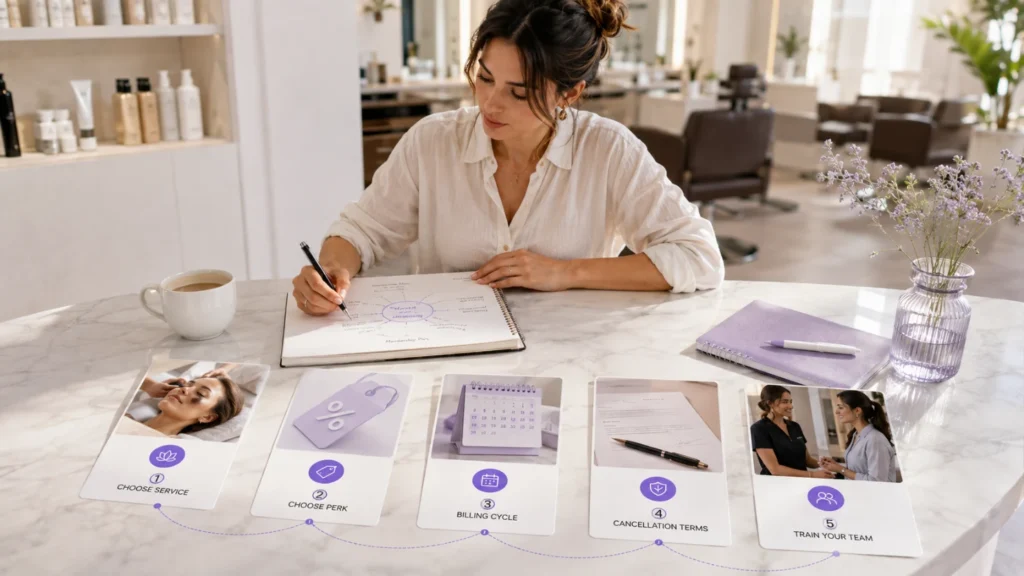
    Getting Started A Simple Way to Structure Your First Membership
    1. Pick one service to build around. Don’t launch five tiers on day one. Start with your most popular, repeatable service.
    2. Decide the discount or perk. A 10 to 15% discount off the normal price is a common starting point, but the size of the incentive should match what your margins can support.
    3. Set the billing cycle. Monthly is standard for most salons and spas. Some businesses running higher-ticket services use quarterly or annual billing instead.
    4. Write the cancellation terms. Decide if there’s a minimum commitment, a notice period, or a cancellation fee, and put it in writing before you sell the first plan.
    5. Train front desk staff to explain it in one sentence. If your team can’t describe the membership simply, clients won’t understand it either.

    FAQs

    What’s the difference between a membership and a package?

    A membership is a recurring plan billed on a schedule, like monthly, that renews automatically. A package is a one-time prepaid bundle of sessions or credit that clients use down over time and doesn’t renew on its own.

    Can clients cancel a membership anytime?

    That depends on the terms you set. Some businesses allow cancellation anytime with notice, while others require a minimum commitment period. PandaCue lets you set these terms per plan.

    Do package credits expire?

    Only if you set an expiration date when building the package. Many salons and spas set a 6 to 12 month window to keep credits moving and bookkeeping clean.

    How does billing work if a client’s card gets declined?

    PandaCue flags the failed charge and can automatically notify the client, so staff aren’t stuck manually chasing down payments during a busy day.

    Can I sell memberships and packages online, not just at the front desk?

    Yes. Clients can purchase either one directly through your online booking page, without a staff member handling the transaction.

    Should a new business start with memberships or packages?

    Packages are usually easier to launch first since they’re a single transaction with no ongoing billing to manage. Memberships take more planning around pricing, terms, and cancellation policy, but they build more predictable long-term revenue.

    The Bottom Line

    Memberships and packages are two of the more reliable ways to smooth out revenue in a salon or spa, but only if the tracking and billing behind them actually works without someone chasing it down every week.

    When credits are logged automatically and charges run on schedule, the program pays for its own admin time. PandaCue’s Memberships & Packages feature is built to handle that part, so the only thing left for your team to do is decide what to sell.

    Related PandaCue features worth exploring next: Client Management, Payments & POS, Marketing Automation, and Online Booking.

  • PandaCue Mobile App: Run Your Spa From Anywhere

    PandaCue Mobile App: Run Your Spa From Anywhere

    Your front desk closes at 7 PM. Your business doesn’t.

    A client wants to rebook while she’s still in the chair. A stylist wants to check tomorrow’s schedule from her couch. You want to know today’s revenue while you’re picking up your kids.

    None of that should require sitting down at a desktop computer.

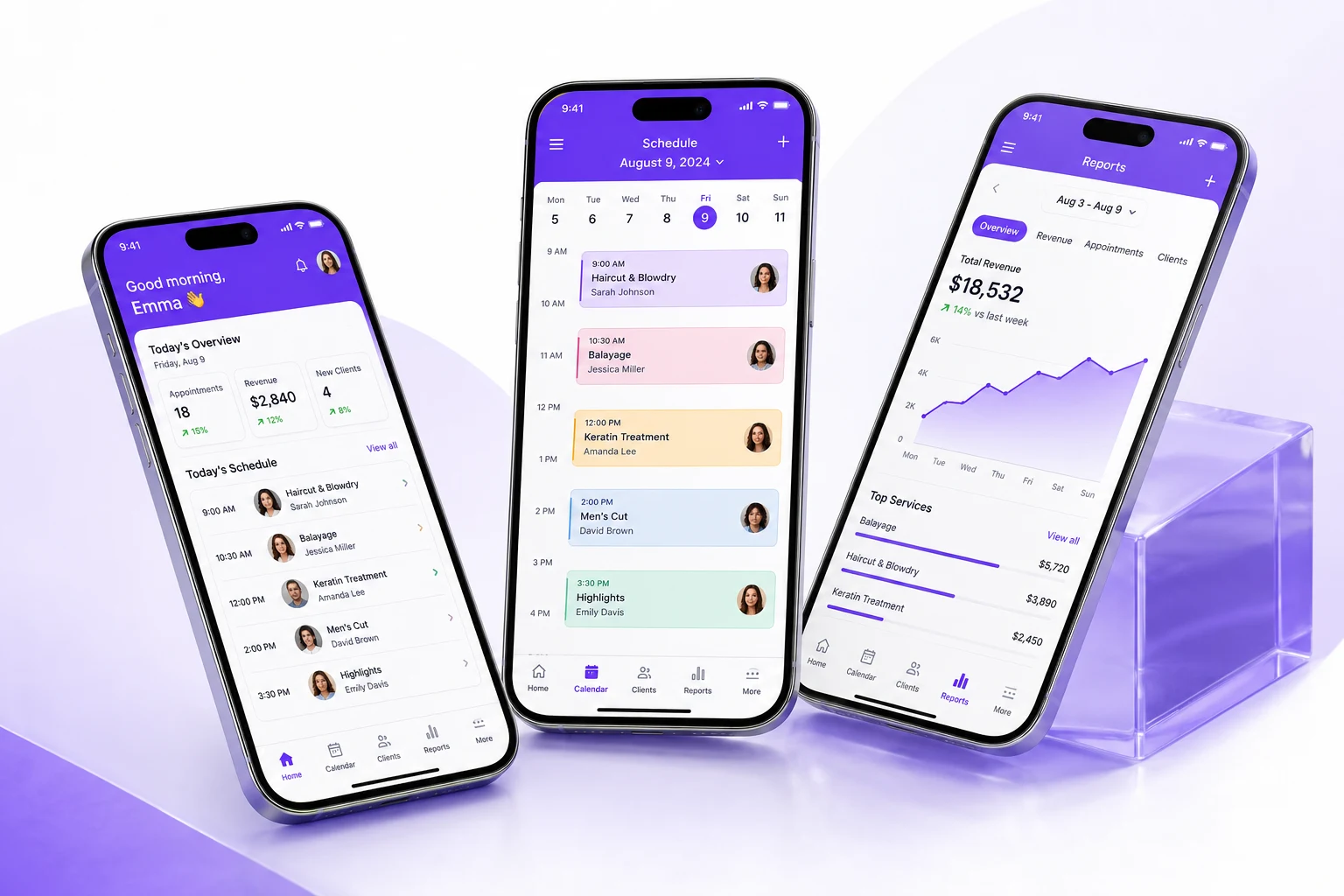
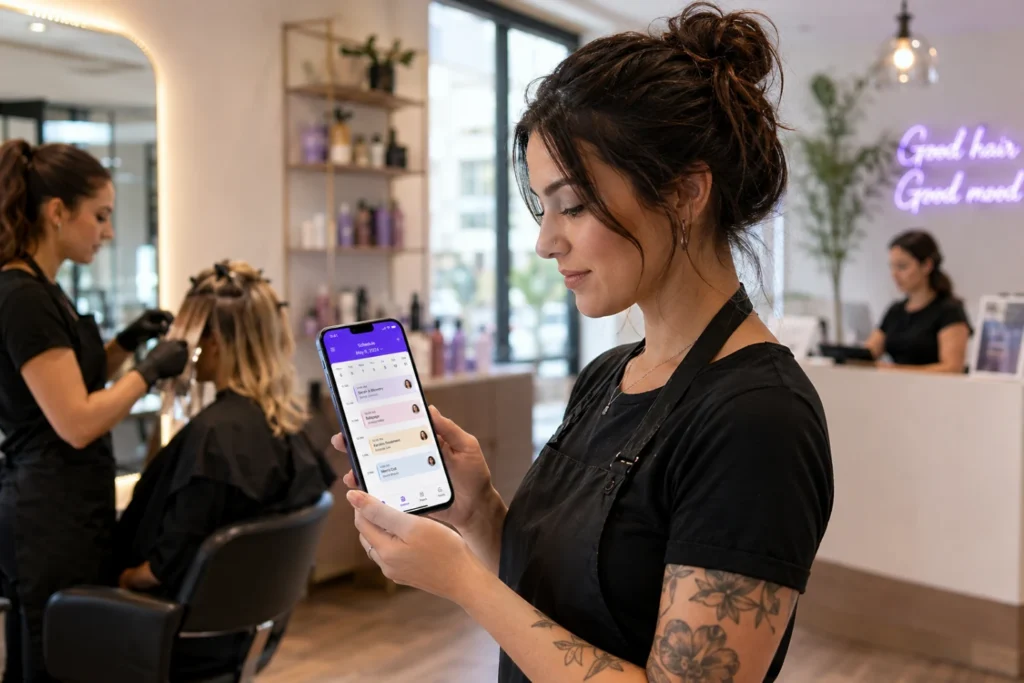
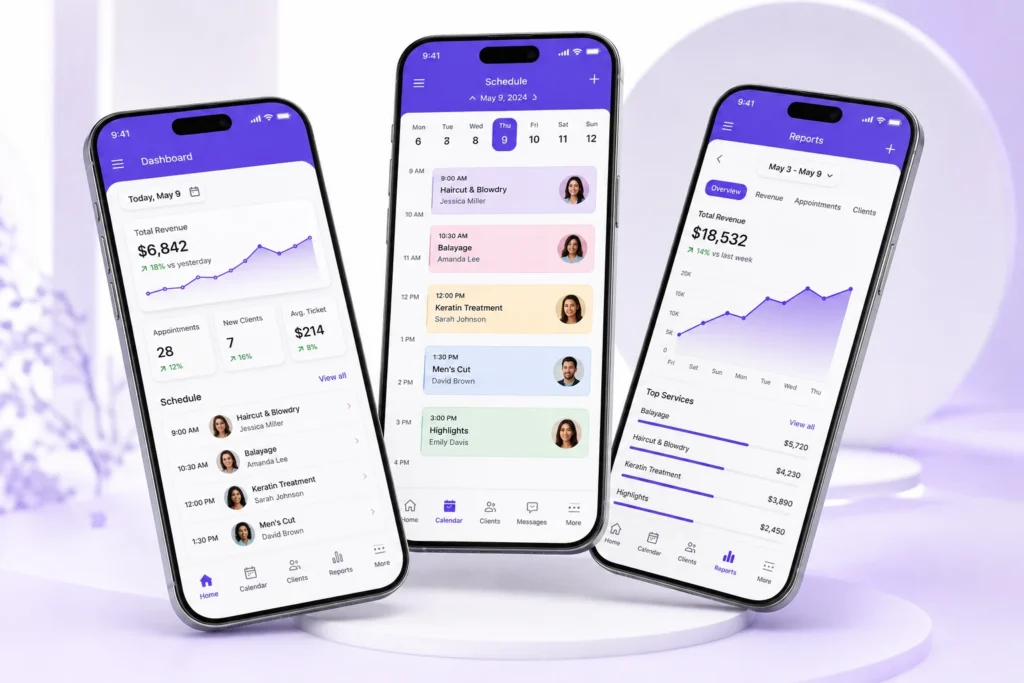
    PandaCue’s mobile app put your calendar, client records, payments, and reports on the phone that’s already in your pocket.

    Owners, managers, staff, and clients each get an app built for what they actually need to do not a shrunken version of desktop software that’s hard to tap through.

    Why Mobile Access Matters for Salons

    Salon work doesn’t happen behind a desk. Stylists move between stations. Estheticians step in and out of treatment rooms. Owners split time between the front desk, the back office, and home.

    Why Mobile Access Matters for Salons

    If your scheduling and client data only live on one computer at the front desk, everyone else is stuck waiting for information or making decisions blind.

    A stylist can’t confirm an opening without walking to the desk. A manager can’t approve a late cancellation from home without calling someone in.

    Mobile access removes that bottleneck. Whoever needs the information can pull it up wherever they are, without interrupting someone else’s work.

    What PandaCue’s Mobile App Actually Do

    PandaCue offers separate mobile experiences depending on who’s using them: business owners and managers, staff members, and clients.

    What PandaCue's Mobile Apps Actually Do

    For Owners and Managers

    You can check the day’s schedule, review revenue, approve time-off requests, and message staff without opening a laptop.

    If you manage more than one location, you can switch between them from the same app instead of logging into separate systems.

    Real-time reporting means you’re not waiting until Monday morning to find out how the weekend went. You see it as it happens.

    For Staff

    Employees can view their own schedules, get notified of new bookings or cancellations, clock in and out, and pull up client history before a service starts. A colorist walking into a room can check a client’s last formula without asking the front desk to print it out.

    This cuts down on the back-and-forth that slows a busy day down. Staff aren’t waiting on someone else to hand them information they could have looked up themselves.

    For Clients

    Clients get a simple way to book, reschedule, or cancel appointments, view their upcoming visits, and manage their payment method all without calling in. For a busy salon, that means fewer phone calls tying up your front desk during peak hours.

    Common Mistakes Salons Make With Mobile Access

    Giving everyone the same login

    When staff share one generic account, you lose the ability to track who did what, and permissions get messy fast. Each person needs their own login tied to their role.

    Common Mistakes Salons Make With Mobile Access

    Ignoring app notifications

    A missed push notification about a same-day cancellation is a wasted appointment slot. Staff need to actually have notifications turned on, not just the app installed.

    Treating the mobile app as a backup

    Some salons still print the schedule every morning “just in case.” If your team defaults to paper instead of the app, you’re not actually using mobile access you’re duplicating work.

    Not training new hires on it

    A new stylist who doesn’t know how to check their schedule or clock in on the app will keep asking someone else to do it for them. A five-minute walkthrough on day one saves weeks of confusion.

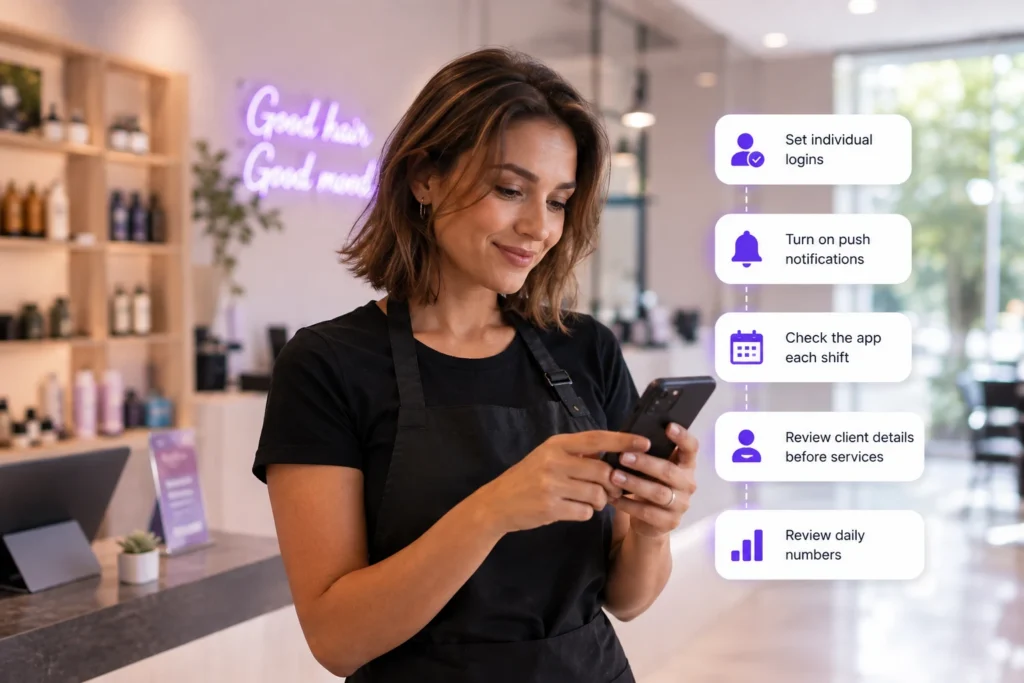
    How to Get the Most Out of a Mobile Salon App

    How to Get the Most Out of a Mobile Salon App
    1. Set individual logins for every team member, tied to their specific role and permissions.
    2. Turn on push notifications for new bookings, cancellations, and schedule changes.
    3. Check the app at the start of each shift, not just when something goes wrong.
    4. Use it to confirm client details before a service — allergies, product preferences, past notes — instead of relying on memory.
    5. Review daily numbers from the manager app instead of waiting for an end-of-week report.

    Where Mobile App Fit Into Your Bigger Systems

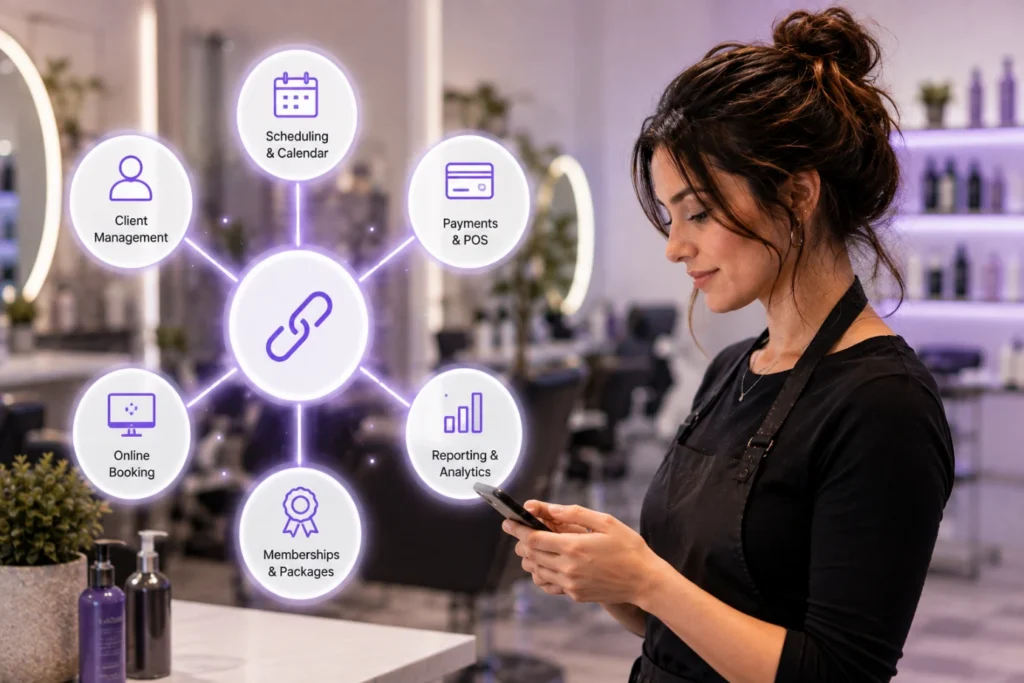
    Mobile app work best when they’re connected to the rest of your business, not sitting as a separate tool.

    Where Mobile Apps Fit Into Your Bigger Systems

    Your scheduling and calendar, client management records, and payments and point of sale should all update in real time, whether someone’s on a phone or a desktop.

    PandaCue builds mobile access directly into the same system that runs your online booking, memberships, and reporting.

    Nothing needs to sync separately or get re-entered later, so a booking made on a client’s phone shows up instantly on a stylist’s app.

    FAQs

    Do staff need to download a separate app for each feature?

    No. With PandaCue, staff use one app to check schedules, view client details, and manage time tracking. There’s no need to juggle multiple logins or app for different tasks.

    Can clients book appointments through the mobile app?

    Yes. Clients can book, reschedule, or cancel directly from their phone, which cuts down on calls to your front desk during busy hours.

    Does the mobile app work for multi-location salons?

    Yes. Owners and managers can switch between locations inside the same app instead of logging into separate accounts for each one.

    Can staff see client history on their phones before a service?

    Yes. Staff can pull up past visits, product preferences, and notes right from the app, so they’re prepared before the client sits down.

    Is data on the mobile app updated in real time?

    Yes. Bookings, cancellations, and payments sync immediately across the app and your desktop system, so everyone’s looking at the same information.

    Do I need a tablet at the front desk if my team uses the mobile app?

    Not necessarily, though many salons keep one for walk-ins and checkout. The mobile app can handle most day-to-day tasks on its own.

    Final Words

    Running a salon from a single desktop is a habit left over from a time when that was the only option. It isn’t anymore.

    Whether you’re checking tomorrow’s schedule from your couch or approving a payment between clients, mobile access means the software works around your day, not the other way around.

  • PandaCue’s Client Management Feature: Stop Losing Client Info

    PandaCue’s Client Management Feature: Stop Losing Client Info

    Clients notice when you remember them. They also notice when you don’t.

    If a stylist asks “have you been here before?” to someone on their fifth visit, that client feels like a number. If the front desk can’t find a client’s allergy note before a facial, that’s not just awkward it’s a real risk.

    Good client management fixes three things at once:

    • It protects revenue. You can see who hasn’t booked in 60 days and reach out before they find another salon.
    • It protects service quality. Notes on color formulas, pressure preferences, or product sensitivities travel with the client, not just with one stylist’s memory.
    • It protects your team’s time. Nobody has to call a former employee to ask “what was that client’s usual order again?”

    Salons and spas run on repeat business. Most of your revenue comes from clients who’ve already been in your chair.

    A system that helps you keep them is doing the most important job in your business.

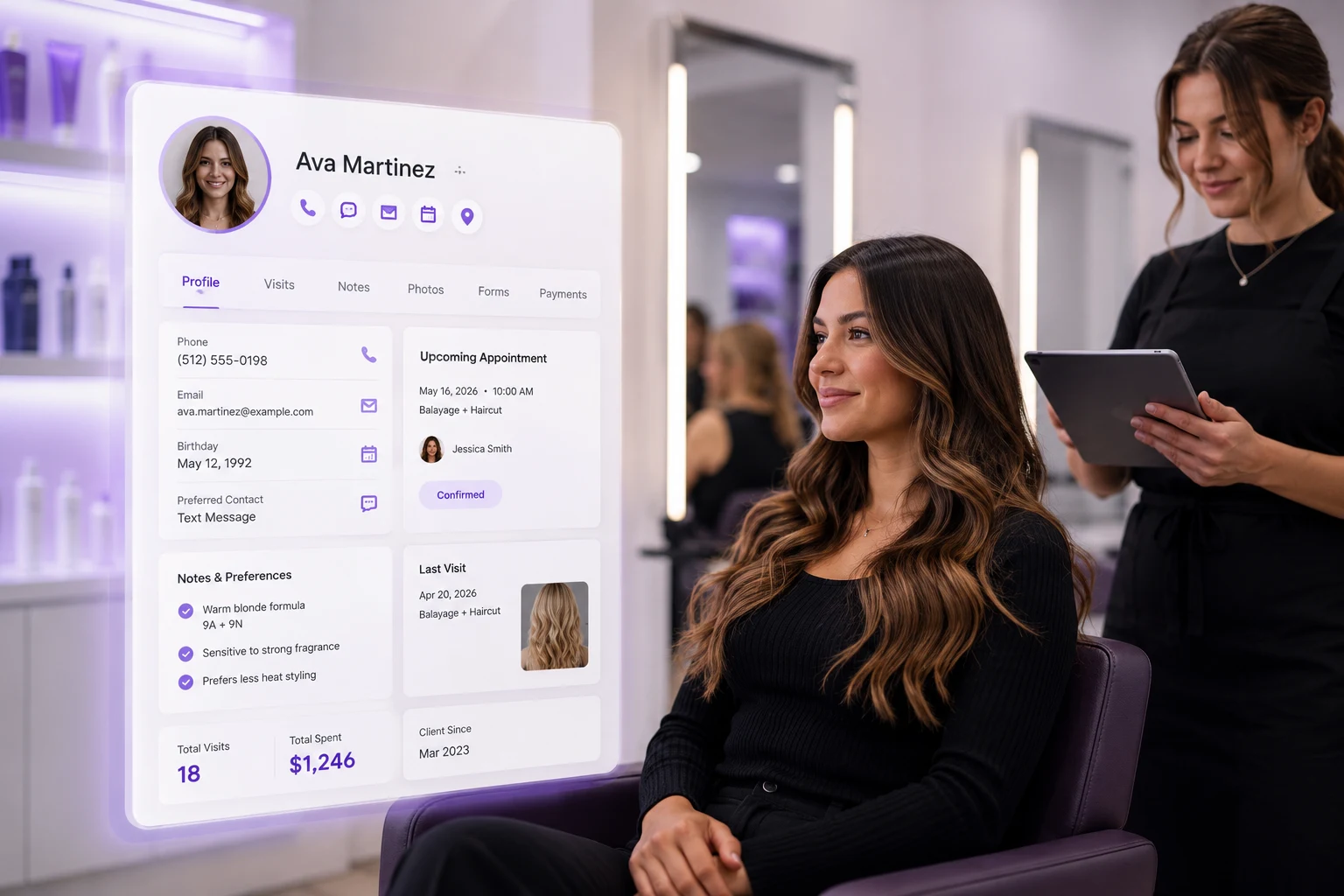
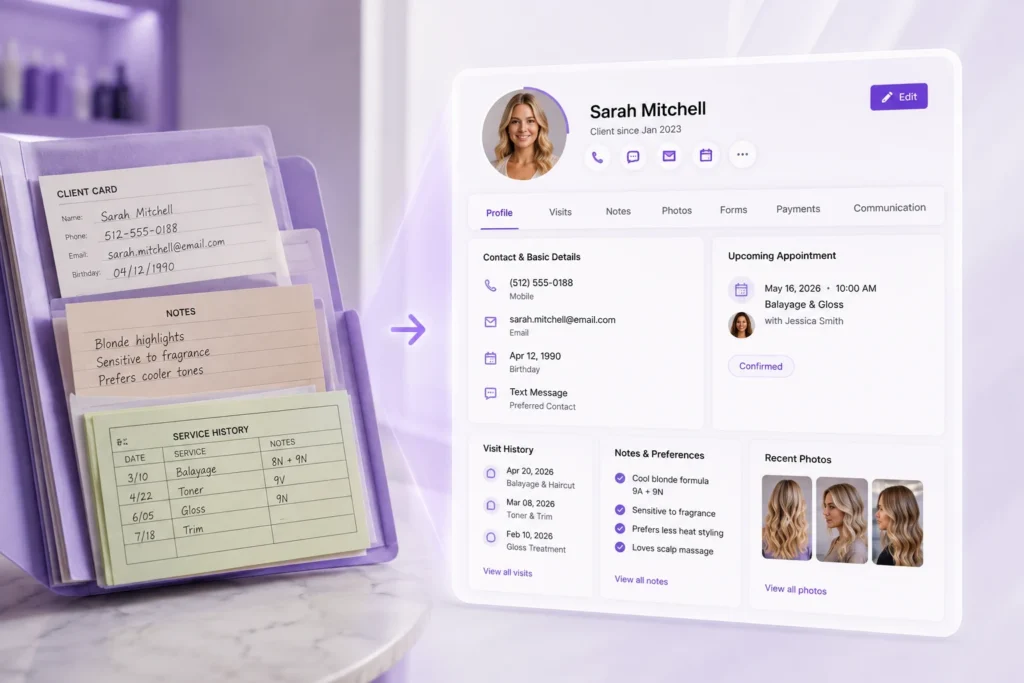
    What Belongs in a Client Profile

    Not every business needs every field. But a solid client profile usually includes these pieces.

    What Belongs in a Client Profile

    Contact and Basic Details

    Name, phone, email, birthday, and how they prefer to be reached. Simple, but easy to get wrong when it’s scattered across three tools.

    Visit and Purchase History

    Every appointment, every product bought, every service completed. This tells you what a client actually does, not just what they say they like.

    Notes and Preferences

    Color formulas, allergy warnings, pressure settings, product recommendations, or anything a stylist would want to know before the client sits down.

    Photos

    Before-and-after shots are useful for both the client and the provider, especially for services like color correction or skin treatments where progress matters.

    Forms and Consents

    Intake forms, waivers, and consent documents attached directly to the profile instead of a paper folder in a drawer.

    Payment Methods

    A saved card on file speeds up checkout and supports things like membership billing or no-show fees.

    Communication History

    Texts, emails, and calls in one thread, so anyone on your team can see what’s already been said.

    Common Mistakes Salons Make With Client Data

    Common Mistakes Med Spas Make With Client Communication 1 PandaCue's Client Management Feature: Stop Losing Client Info

    Keeping notes in someone’s head instead of the system

    If only one stylist knows a client’s color formula, you have a problem the day that stylist calls in sick.

    Using a paper client card that never leaves the station

    It works until the card gets lost, coffee-stained, or left behind when a client switches providers.

    Splitting data across too many tools

    Contact info in one app, appointment history in another, payment details somewhere else. Every switch is a chance to miss something.

    Never updating old information

    A profile with an outdated phone number or a preference that changed two years ago is worse than no profile at all, because it creates false confidence.

    Treating client notes as optional

    Front desk staff under time pressure skip the notes step. Over months, that gap adds up to lost personalization.

    How to Set Up Client Management the Right Way

    How to Set Up Client Management the Right Way

    Start with one system of record

    Pick a single place where client data lives. Every booking, note, and payment method should route back to that one profile.

    Decide what fields actually matter to your business

    A nail salon needs different notes than a med spa. Build your profile around what your team will actually use, not every field a piece of software offers.

    Train staff to update notes in real time

    The best time to log a preference is right after the appointment, while it’s fresh. Waiting until end of day means details get lost.

    Connect client data to booking and checkout

    A profile is far more useful when it’s part of the same flow as scheduling and payment, not a separate lookup step.

    Review and clean up old profiles regularly

    Duplicate entries and outdated contact info pile up over time. A quarterly cleanup keeps your data trustworthy.

    Keeping this organized by hand gets harder as a business grows. Software like PandaCue keeps client profiles, visit history, and communication together automatically, so your team isn’t re-entering the same information across different tools.

    How Client Management Connects to the Rest of Your Business

    Client data doesn’t do much sitting on its own. It’s most useful when it’s linked to the tools your team already uses every day.

    When client profiles connect to online booking, returning clients get a faster, more personal scheduling experience instead of filling out the same form every time.

    How Client Management Connects to the Rest of Your Business

    When they connect to payments and checkout, saved cards make it easy to charge for memberships, packages, or no-show fees without chasing clients down.

    When they connect to marketing tools, you can send a rebooking reminder to clients who haven’t visited in a while, based on real visit history instead of guesswork.

    And when they connect to your calendar and scheduling, staff can see client notes right on the appointment card, not buried in a separate tab.

    PandaCue keeps these pieces linked from the start, so a client’s profile updates automatically as they book, pay, and interact with your business — no manual syncing required.

    FAQs

    What’s the difference between a CRM and client management software for a salon?

    A generic CRM is built for sales pipelines and leads. Client management software for salons is built around the actual client journey: booking, service history, notes, and rebooking. It fits how a salon or spa really works.

    Do small, single-location salons need client management software? Yes, even more than larger businesses in some ways. A solo stylist relying on memory has no backup if they get sick, take time off, or simply forget a detail. A digital profile protects that knowledge.

    Can client management software help with no-shows?

    Yes. Saved payment methods and visit history let you apply no-show fees fairly and spot patterns, like a client who repeatedly cancels last minute, so you can address it directly.

    Is client data in this kind of software secure?

    Reputable salon and spa software encrypts client data and restricts access based on staff roles. Front desk staff might see contact info and appointments, while only certain roles can view saved payment details.

    How is this different from just using a spreadsheet?

    A spreadsheet doesn’t update itself when someone books, pays, or cancels. It also doesn’t sync with your calendar or checkout, so someone has to manually keep it current which is where most spreadsheets fall apart.

    Can client profiles carry over across multiple locations?

    With the right software, yes. A client who visits one location shows up with full history at another, instead of starting over as a stranger each time.

    The Bottom Line

    Client management isn’t about collecting data for its own sake. It’s about making sure the right details show up at the right moment, so every visit feels personal, even as your business grows.

    The salons and spas that keep clients longest aren’t necessarily the ones with the fanciest services. They’re the ones that remember.

    Software just makes that memory reliable instead of hoping one person’s notebook never gets lost.

  • Enjoy Calls, Texts, and Web Chat in One Place

    Enjoy Calls, Texts, and Web Chat in One Place

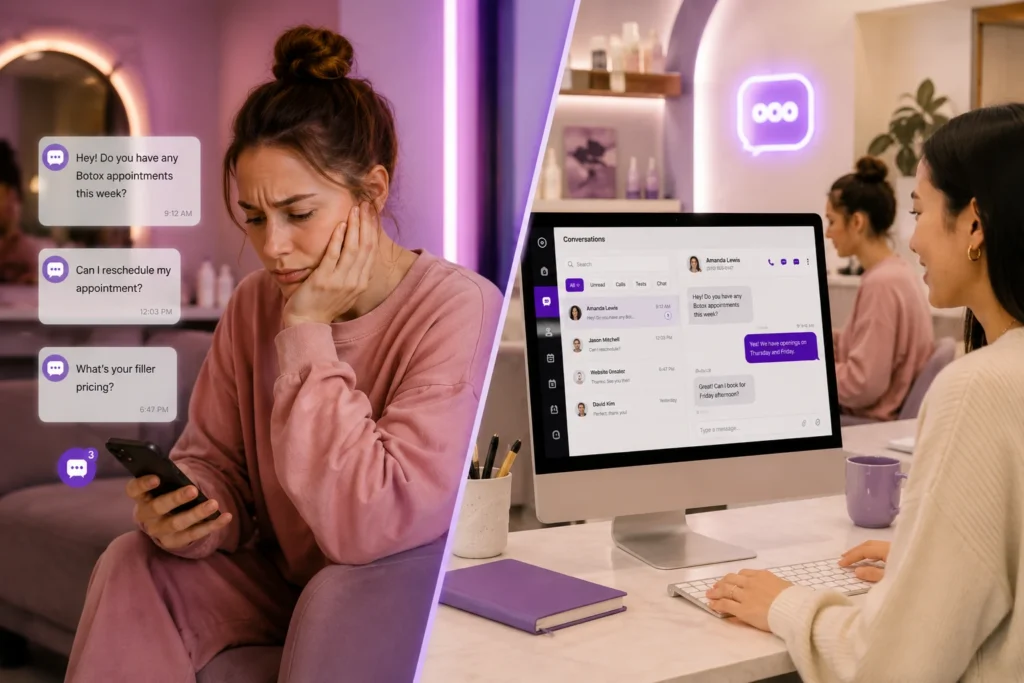
    Your front desk answers the phone. A text comes in on a different number. A website visitor asks a question and nobody sees it until the next morning.

    That’s three conversations happening in three places, and none of them talk to each other.

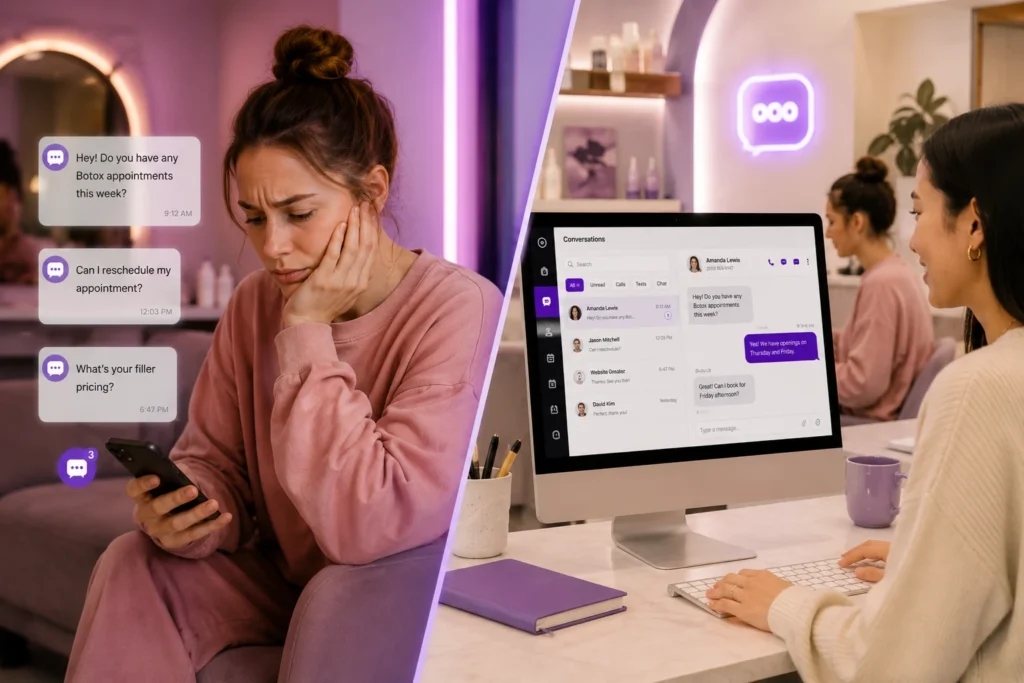
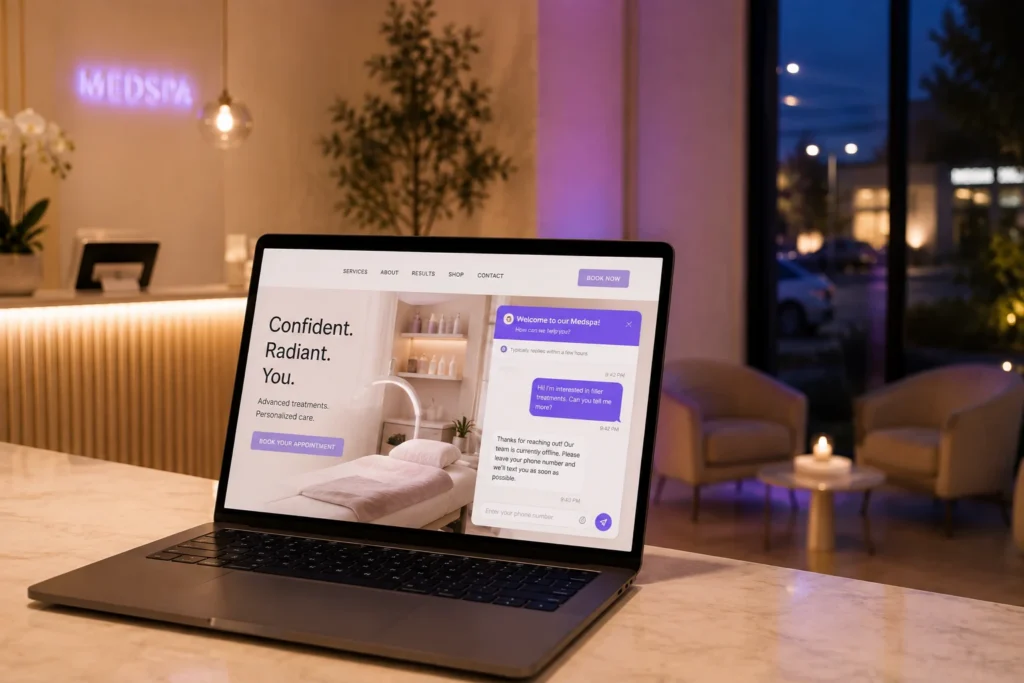
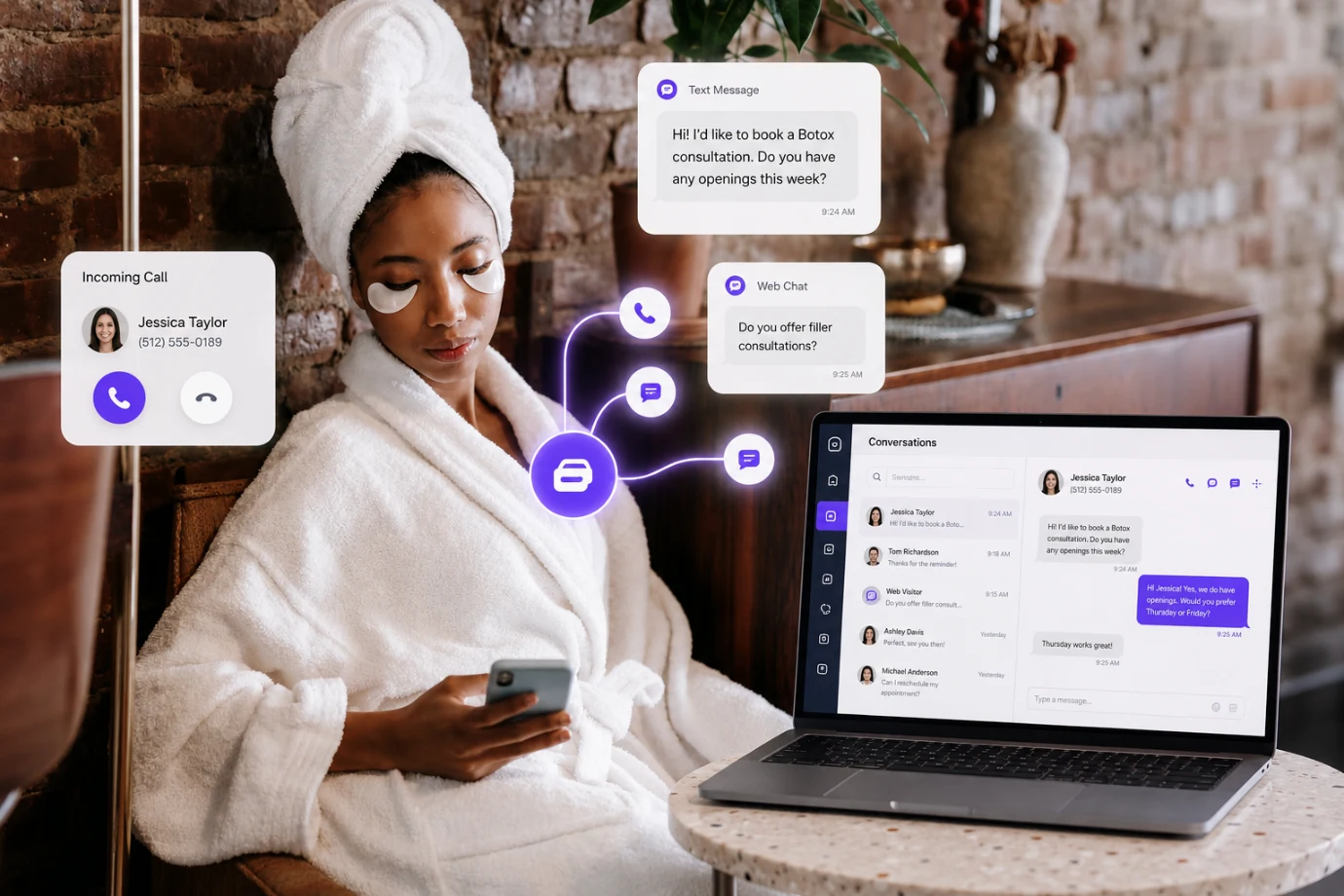
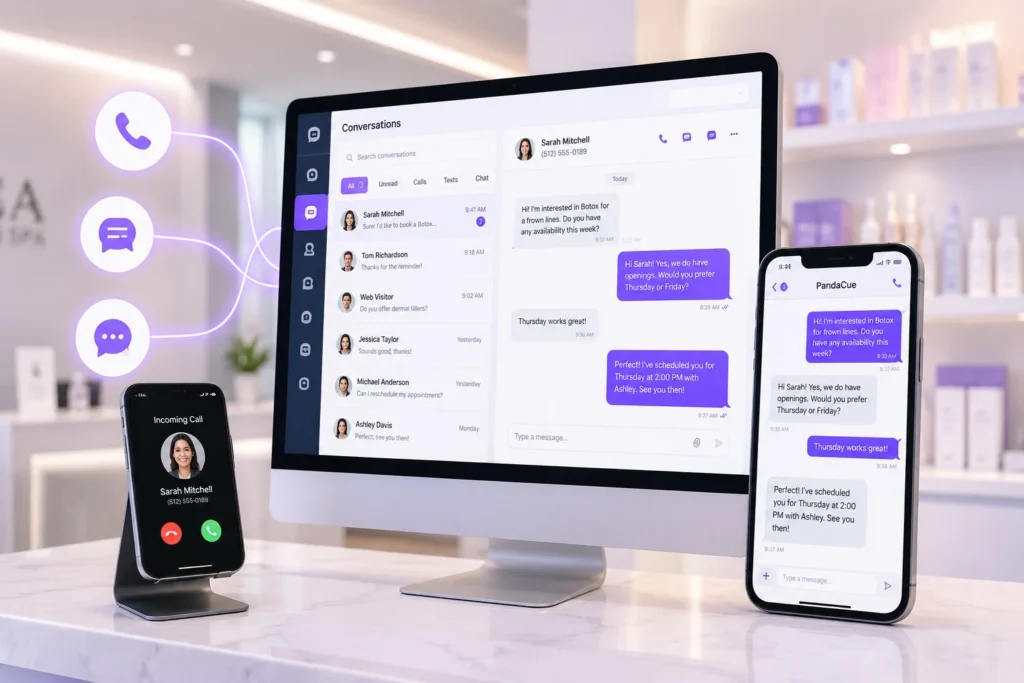
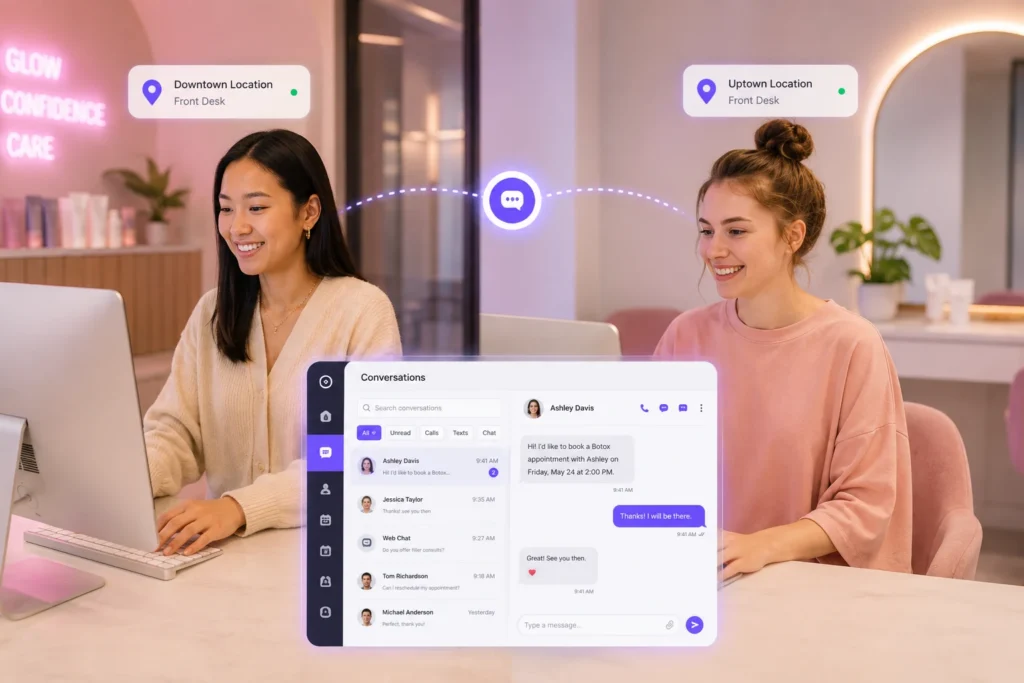
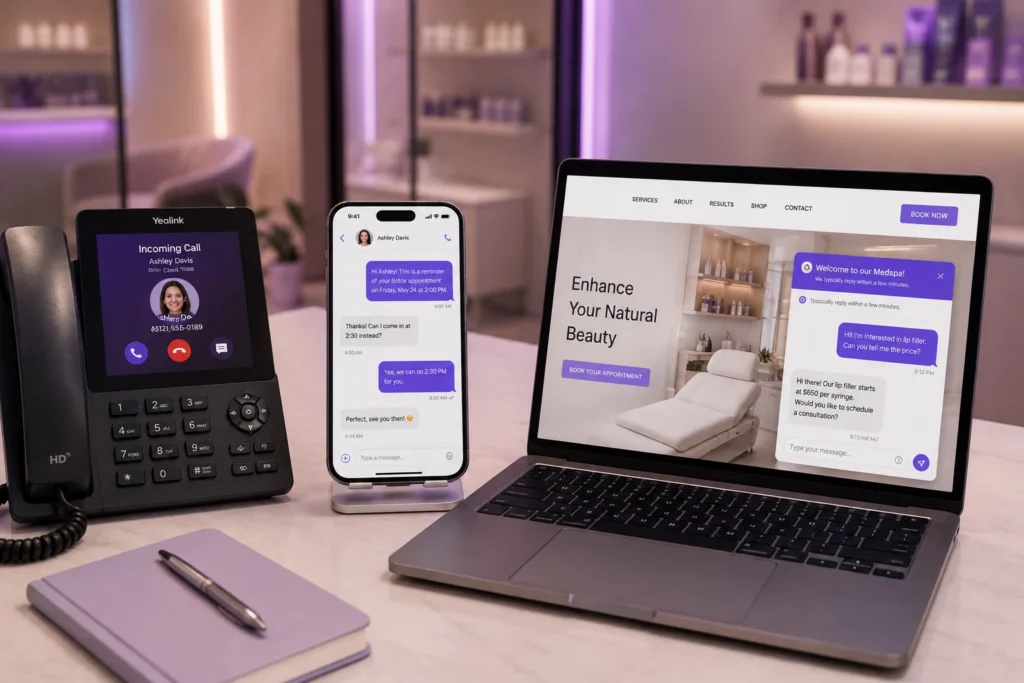
    We built PandaCue Conversations to fix that. It’s one inbox for every way a client reaches you: phone calls, text messages, and live chat on your website.

    What Is PandaCue Conversations?

    PandaCue Conversations is a communication feature inside PandaCue that brings phone calls, two-way texting, and website chat into a single inbox tied to each client’s profile.

    What Is PandaCue Conversations

    Your staff sees the full history of a conversation, no matter how it started, without switching apps or checking a personal phone.

    This matters for med spas because most missed leads aren’t lost to a competitor. They’re lost because nobody saw the message in time.

    Why Scattered Communication Hurts a Med Spa

    Think about a typical Tuesday. Your coordinator is checking in a client at the desk. A text about a Botox touch-up comes through on the practice cell phone sitting in a drawer.

    Why Scattered Communication Hurts a Med Spa

    A website visitor is typing a question about filler pricing right now, but there’s no one watching the chat widget.

    Each of those is a real client with a real question. If the answer takes six hours, that client often books somewhere else. Med spas run on trust and timing, and slow replies quietly cost revenue every single week.

    There’s a second problem too. When staff text clients from personal phones, that conversation lives on a device you don’t control.

    If that employee leaves, the message history and the client relationship can walk out the door with them.

    The Three Parts of PandaCue Conversations

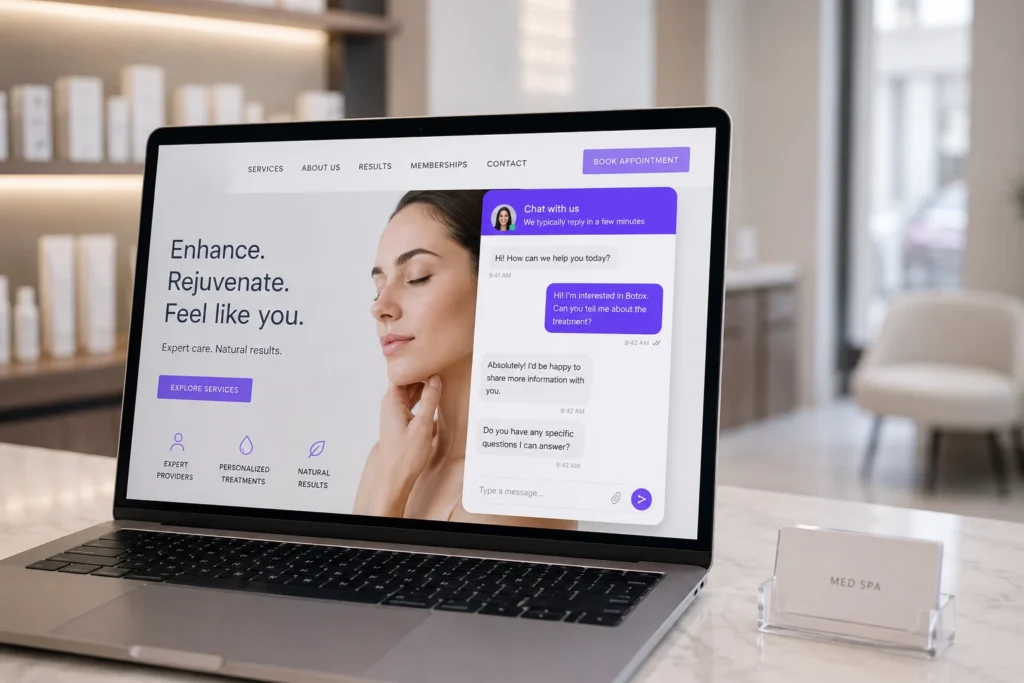
    Web Chat

    A chat widget sits on your website so visitors can ask a question without picking up the phone. If someone lands on your Botox page at 9 p.m. wondering about downtime, they can ask right there instead of leaving the site to search Google.

    The Three Parts of PandaCue Conversations

    When your team is busy or closed, the widget asks for a phone number so you can follow up by text once you’re free.

    Every conversation lands in the same inbox your front desk already checks, so nothing needs a second login.

    What it does:

    • Gives website visitors a way to ask questions instantly
    • Collects a phone number when no one is available to reply
    • Sends a desktop and mobile alert the moment a message comes in
    • Connects the conversation to the client’s existing profile if they’re already in your system

    Phone Calls

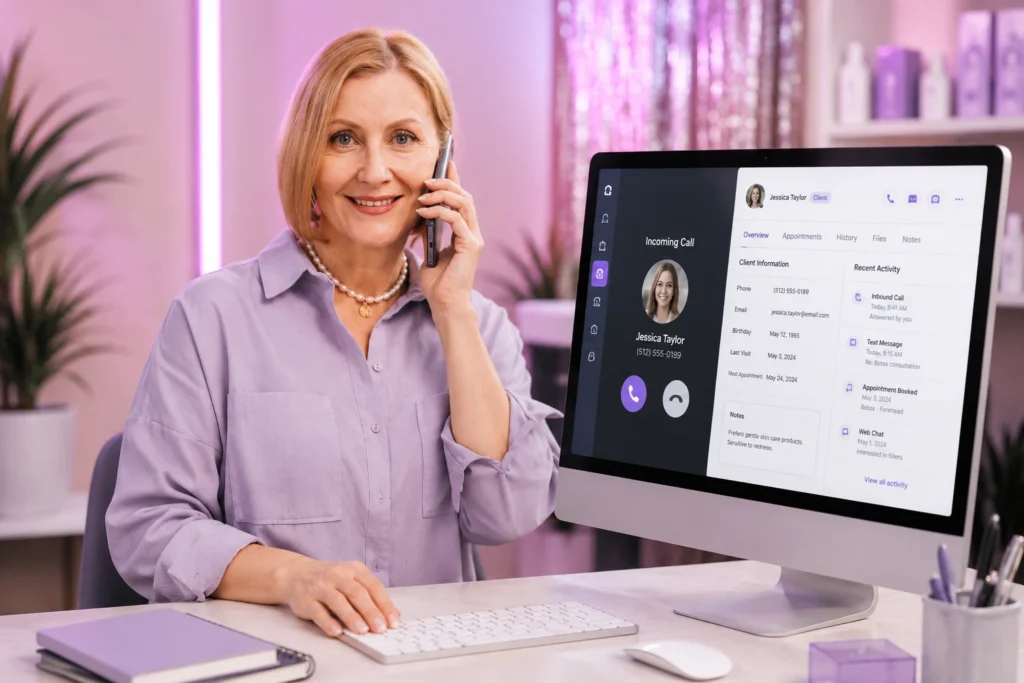
    PandaCue gives your practice one dedicated number for calls, synced directly with your client list.

    When the phone rings, your staff sees who’s calling and can pull up that person’s appointment history before saying hello.

    Phone Calls

    Calls can go out from the desktop app too. Tap a client’s number, and PandaCue rings your staff member’s phone first, then connects the call automatically.

    If that call turns into a booking, the system suggests scheduling the exact person on the line, so nobody has to re-enter details they just heard.

    Staff can also toggle their own availability off after hours. That one setting is what stops a 10 p.m. text from turning into a personal phone call nobody wanted.

    What it does:

    • Uses one number for the whole practice instead of personal cell phones
    • Shows caller identity and history before you pick up
    • Lets staff dial from a client’s profile in the desktop app
    • Gives each team member control over when they’re reachable

    Two-Way Texting

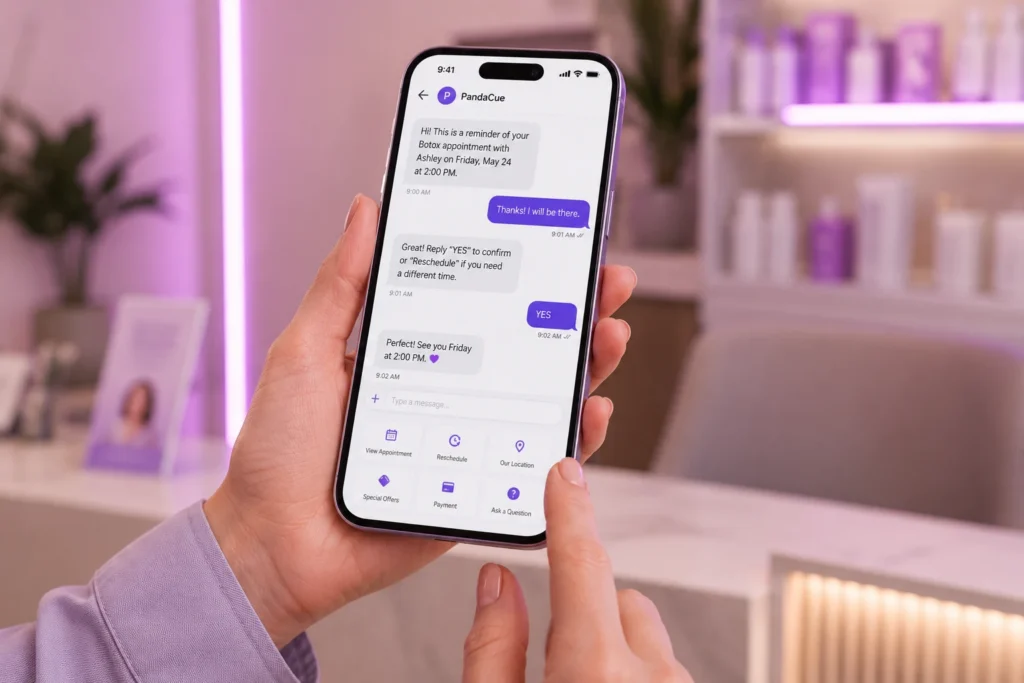
    Appointment reminders, confirmations, and casual check-ins all run through the same number clients already recognize.

    There’s no confusion between “the booking number” and “the number that actually replies.”

    Two-Way Texting

    A client running late can text instead of calling and waiting on hold. Your team replies from the same inbox where the call history and web chat already live, so context never gets lost between channels.

    What it does:

    • Sends and receives texts from the same number used for calls
    • Keeps every reply attached to the client’s profile automatically
    • Lets front desk staff answer from a computer instead of a phone
    • Reduces no-shows by making it easy for clients to reply to reminders

    A Realistic Example

    Picture a med spa with two locations and a front desk team of three. Before Conversations, one staff member kept the “business phone” in her bag.

    Texts about rescheduling would sit unanswered for hours whenever she was off.

    A Realistic Example

    After switching to one shared inbox, any team member on shift can answer a text or take a call, because the conversation isn’t tied to one person’s device.

    The owner also noticed something simple: website chat questions about pricing turned into booked consultations the same day, instead of visitors bouncing to search for answers elsewhere.

    The lesson isn’t that texting is new. It’s that communication only works when the whole team can see it, not just whoever happens to be holding the phone.

    Common Mistakes Med Spas Make With Client Communication

    Common Mistakes Med Spas Make With Client Communication

    1- Using personal phones for business texts

    It feels convenient at first, but you lose the message history the moment that employee leaves, and there’s no record for compliance or dispute resolution.

    2- Ignoring the website chat gap

    Many med spas add a chat widget and never staff it. An unanswered chat window can feel worse to a visitor than no chat option at all.

    3- Treating calls, texts, and chat as separate systems

    If a client calls about something they already texted, and your staff has no memory of that text, the client has to repeat themselves. That’s a small thing that adds up to a client feeling unheard.

    How This Fits Into the Rest of PandaCue

    Conversations isn’t a separate tool bolted onto your account. Every call, text, and chat ties directly into the same client profile your team already uses for scheduling and treatment history.

    How This Fits Into the Rest of PandaCue

    A reminder your client replies to over text shows up next to the appointment it’s tied to, not in a separate app.

    It also connects with marketing automation, so a client who books through web chat can be added to the right follow-up sequence automatically, and with reputation management so a happy client can be asked for a review right after a great visit, all from tools your team is already using.

    Frequently Asked Questions

    Can more than one staff member use the phone number at once?
    Yes. Multiple team members can take calls or reply to texts from the same number, and you control who has access to what.

    What happens if no one is available to answer a web chat message?
    The widget asks the visitor for a phone number, so your team can send a text reply as soon as someone is free.

    Does this work across multiple locations?
    Yes. Each location gets its own dedicated number, and conversations stay organized by location inside your account.

    Will our staff need training to use this?
    Most teams pick it up in a single shift. The inbox works like a normal messaging app, and calls work like a normal phone, just with client history attached.

    Is client communication through PandaCue Conversations secure?
    Yes. Conversations run through the same HIPAA-aware infrastructure as the rest of your PandaCue account, so client information stays protected.

  • Express Booking: Book Clients in 3 Taps

    Express Booking: Book Clients in 3 Taps

    Express Booking is a fast, guided booking flow that lets a client go from “I want an appointment” to a confirmed spot in under a minute. No account creation. No long forms. No back-and-forth calls with your front desk.

    If a client has to click through five or six screens just to book a haircut or a facial, most of them won’t finish. They’ll close the tab and call a competitor instead.

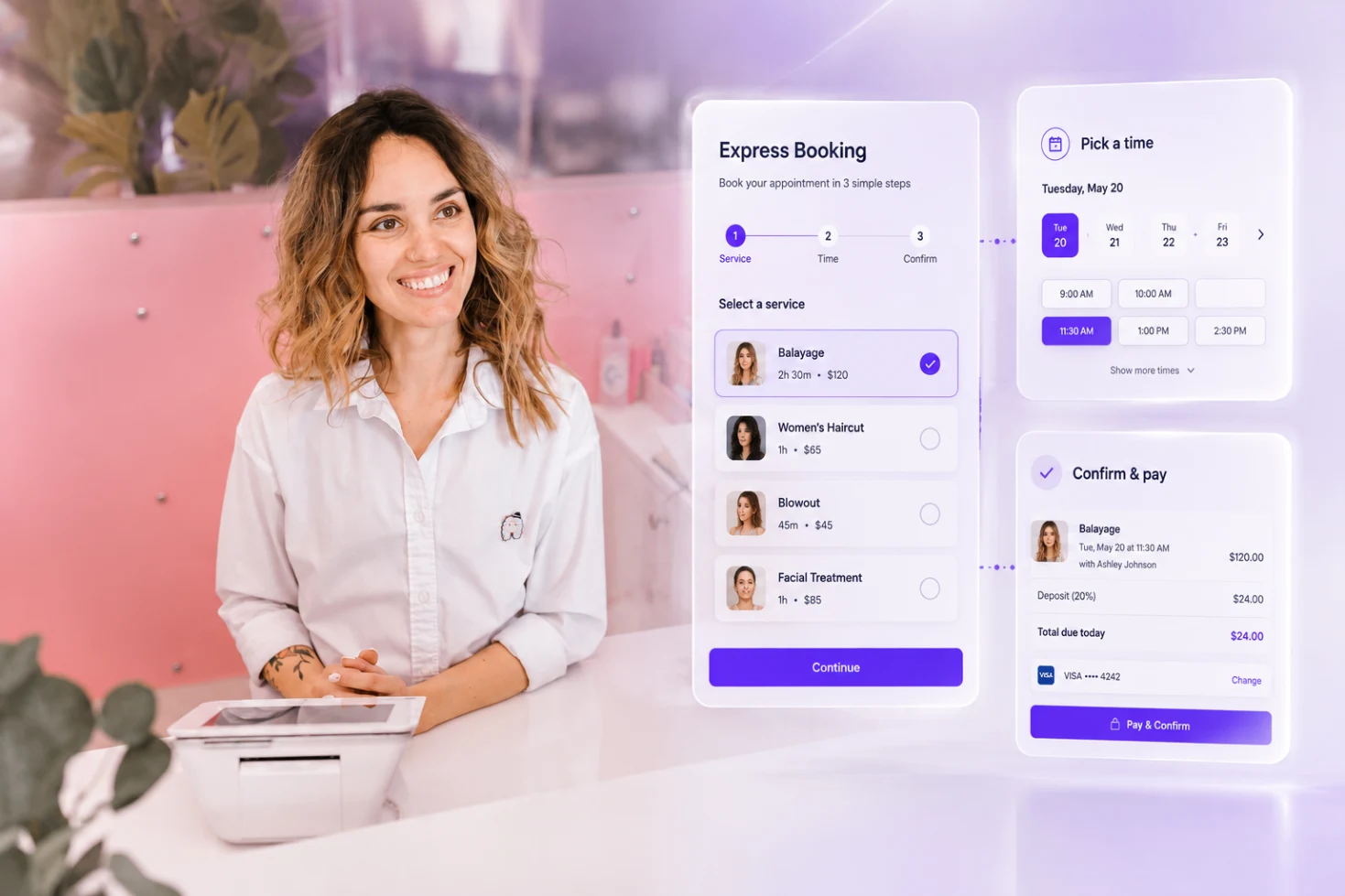
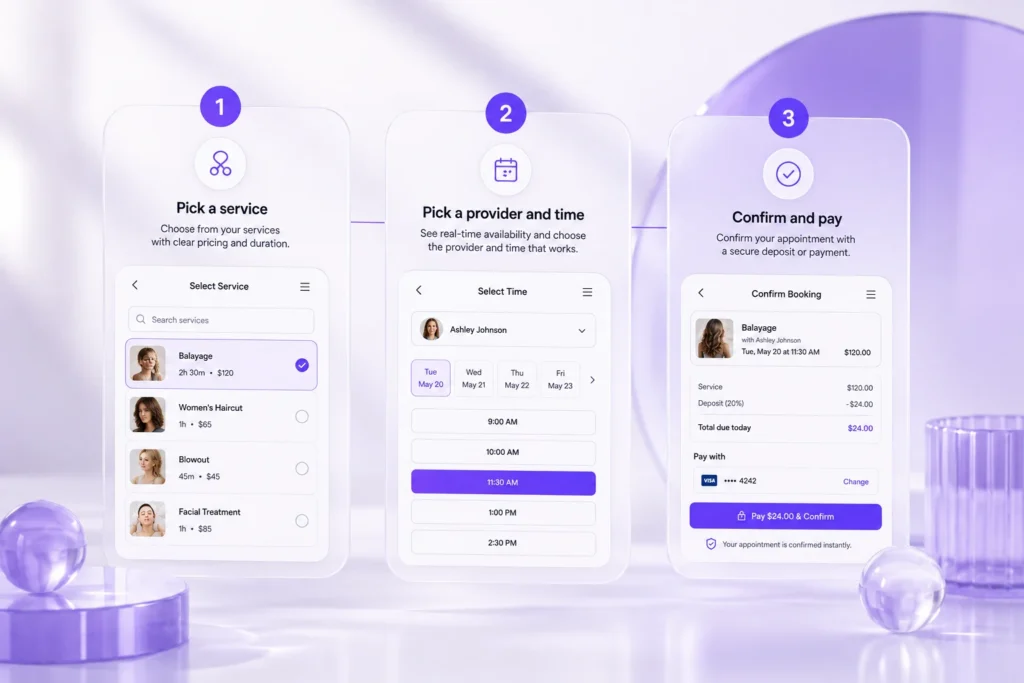
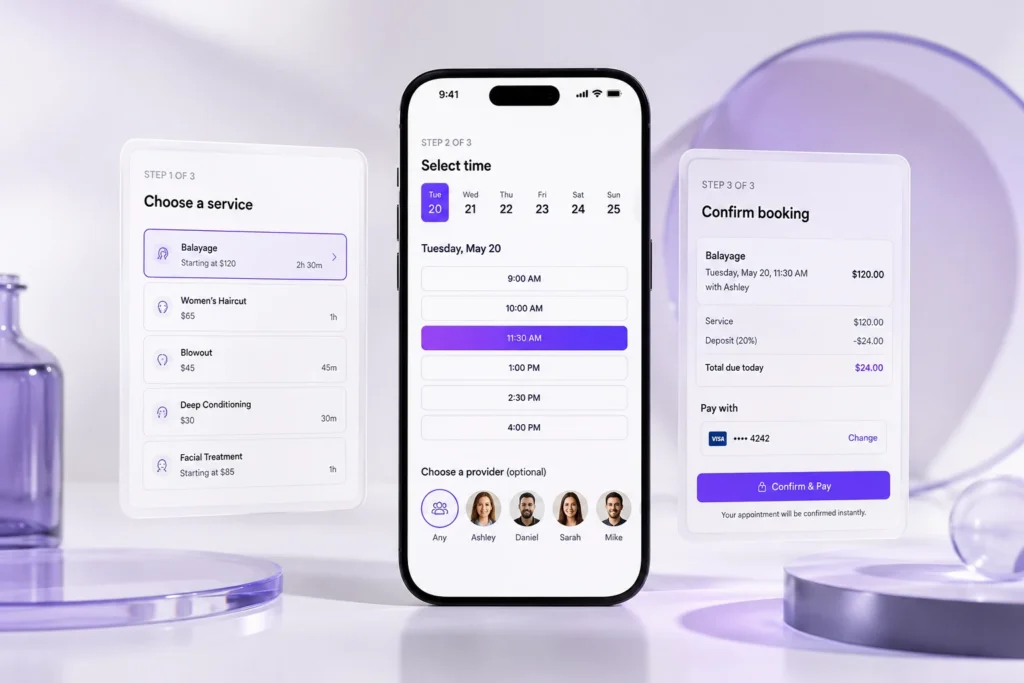
    Express Booking removes that friction by cutting the process down to three simple steps: pick a service, pick a time, confirm.

    Why Booking Speed Actually Matters

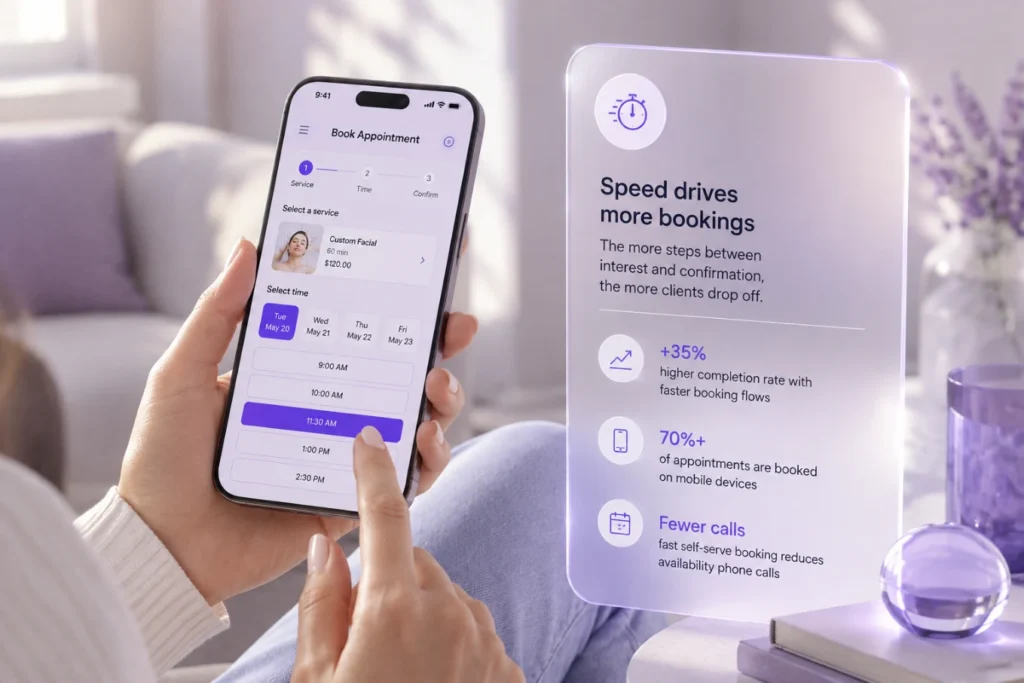
    Every extra step in a booking flow gives a client a reason to stop. Studies on online checkout behavior consistently show the same pattern: the more clicks between “I’m interested” and “I’m done,” the more people drop off before finishing.

    Why Booking Speed Actually Matters for salon businesses

    A salon or spa feels this directly. A client scrolling Instagram at 9 p.m. wants to book right then, not fill out a five-field form and wait for a confirmation email that takes ten minutes to arrive.

    Speed also matters for your front desk. A fast, self-serve flow means fewer phone calls asking “do you have anything open Thursday?” Your team gets that time back for the clients standing in front of them.

    How Express Booking Works

    Express Booking strips the traditional scheduling flow down to the parts a client actually needs.

    How Express Booking Works

    1. Pick a service

    Clients choose from a clean, categorized list of your services, with pricing and duration shown up front so there’s no guessing.

    2. Pick a provider and time

    Real-time availability shows only open slots, so a client never books a time you can’t actually deliver. They can pick a specific staff member or let the system suggest the next opening.

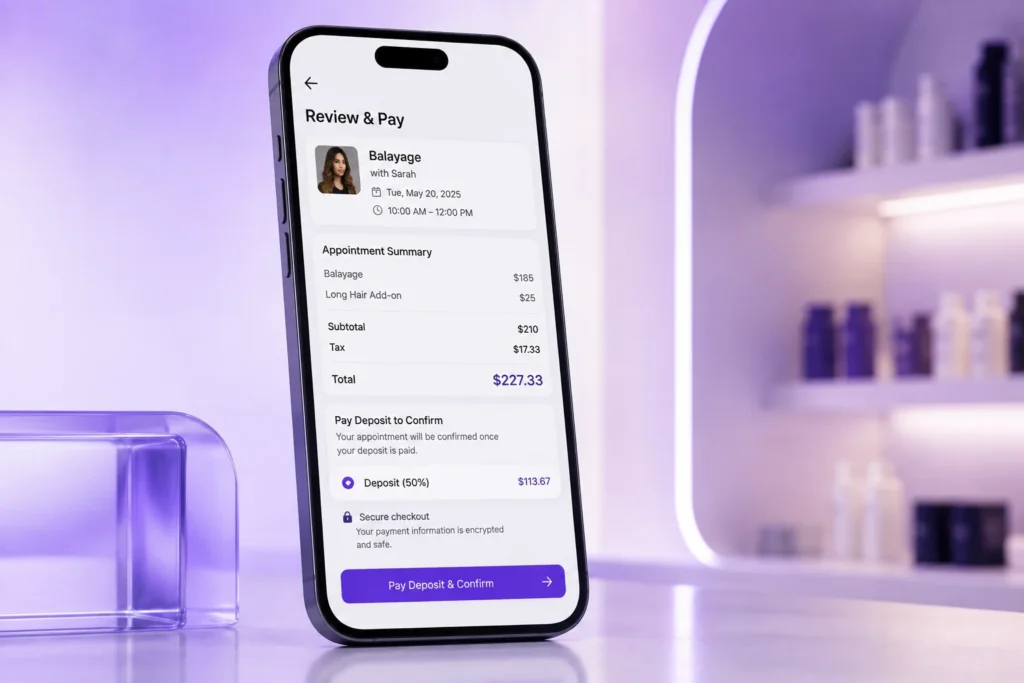
    3. Confirm and pay

    A short deposit or full payment can be collected right there, on a mobile-optimized checkout screen. The appointment is locked in immediately, and both you and the client get an instant confirmation.

    That’s it. No login walls, no repeated contact forms for returning clients, no waiting on a callback.

    Express Booking Inside PandaCue

    PandaCue’s online booking system is built around this same idea: fewer steps, faster confirmations.

    Clients pick a service, choose an available time, and confirm with a deposit, all inside one mobile-friendly flow that matches your brand’s colors and fonts.

    Express Booking Inside PandaCue

    Because booking connects directly to your calendar, every confirmed appointment updates in real time, so double-bookings and stale availability aren’t a problem.

    And once someone books, their info flows straight into your client profiles, so returning clients never have to fill out the same form twice.

    For salons and spas running memberships or package deals, that same fast flow applies. A member can rebook a recurring service in a couple of taps, since PandaCue already knows their membership details and preferred provider.

    Practical Advice for Getting the Most Out of a Fast Booking Flow

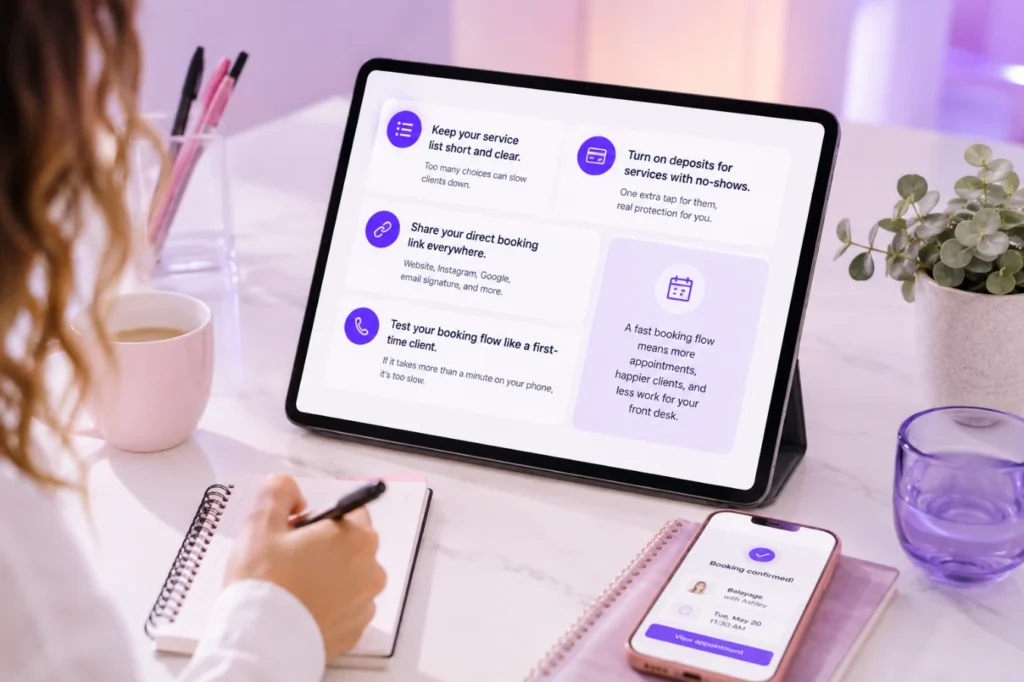
    Keep your service list short and clear. If clients see twenty near-identical service names, they’ll hesitate, which defeats the purpose of a fast flow.

    Turn on deposits for any service where no-shows have been a problem. It takes one extra tap for the client and saves you real revenue.

    Practical Advice for Getting the Most Out of a Fast Booking Flow

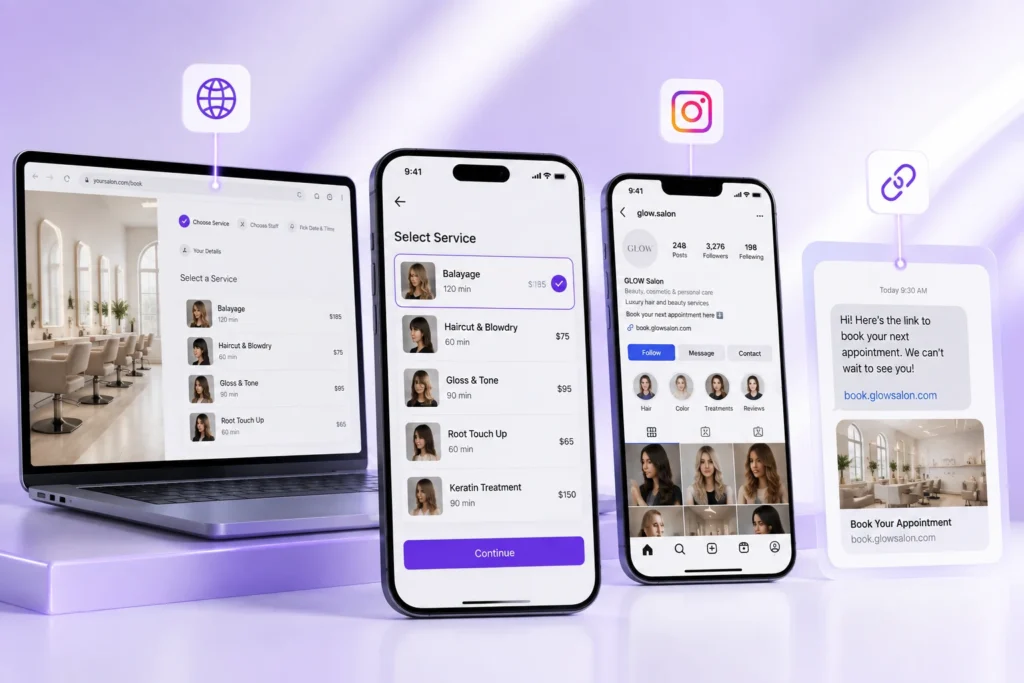
    Share your direct booking link everywhere, not just your website. Put it in your Instagram bio, your Google Business Profile, and your email signature.

    Every extra step between a client seeing your name and finding your booking link is a chance for them to book somewhere else instead.

    Review your booking flow the way a first-time client would. Open it on your phone. If it takes you more than a minute to book a fake appointment, it’s too slow for someone who’s never used it before.

    Frequently Asked Questions

    What is Express Booking?

    Express Booking is a short, guided flow that lets clients book an appointment in three steps: choose a service, pick an available time, and confirm with a deposit or payment. It removes extra forms and account requirements that slow clients down.

    Does Express Booking work on mobile?

    Yes. Most salon and spa bookings happen on a phone, so a fast booking flow needs to work smoothly on mobile first, not as an afterthought.

    Can clients book without creating an account?

    Yes, and they should be able to. Requiring an account before booking is one of the most common reasons people abandon the process partway through.

    Does Express Booking support deposits?

    Yes. A deposit step can be built directly into the flow, so clients confirm and pay in the same few taps instead of a separate transaction later.

    Will a faster booking flow actually reduce no-shows?

    Faster booking on its own won’t stop no-shows, but pairing it with upfront deposits and automated reminders does. The two work together: speed gets the booking made, deposits and reminders keep it kept.

    Is Express Booking only for new clients?

    No. Returning clients benefit too, since their saved details and preferred provider can pre-fill the flow, making rebooking even faster than a first visit.

    Closing Thoughts

    A booking flow is often the first real interaction a client has with your business. If it’s slow or confusing, that first impression works against you before an appointment is even on the calendar.

    Cutting the process down to a service, a time, and a confirmation isn’t a small design choice. It’s the difference between a client who books right now and one who closes the tab and forgets to come back.

    If your current booking page still asks for more than it needs, that’s worth fixing before anything else on your marketing list.

  • Online Booking That Fills Your Chair 24/7 | PandaCue

    Online Booking That Fills Your Chair 24/7 | PandaCue

    Online booking lets clients schedule appointments on their own, any time of day, without calling your front desk. For a salon or spa, that means fewer missed calls, fewer scheduling mistakes, and a calendar that keeps filling even after you’ve gone home for the night.

    If you’ve ever lost a booking because someone called during a service and nobody picked up, you already know why this matters.

    PandaCue’s Online Booking feature was built to close that gap, and it does a lot more than take names and times.

    Why Online Booking Matters for your Salon

    Most new clients decide where to book within a few minutes of searching. If your booking page is slow, confusing, or doesn’t exist, they move to the next result.

    Why Online Booking Matters for your Salon

    That’s a real client, and real revenue, gone before your team even knew they existed.

    A good booking system does three things well. It captures the client the moment they’re ready to commit. It stops double-bookings before they happen.

    And it collects the information your staff needs before the client ever walks in.

    Phone-only booking can’t do any of that outside business hours. PandaCue clients using Online Booking see roughly 3x more bookings compared to phone-only scheduling, simply because the calendar never closes.

    What a Modern Online Booking System Should Include

    Not every booking widget is built the same. Here’s what separates a system that actually protects your revenue from one that just looks nice.

    What a Modern Online Booking System Should Include

    24/7 Self-Booking From Anywhere

    Clients shouldn’t have to find your website to book you. PandaCue lets clients book directly from your website, your Instagram page, Google Search, or a simple link you text or email. Wherever they find you, they can book you.

    Deposit Collection at the Time of Booking

    No-shows cost salons and spas real money every week. Requiring a deposit at booking filters out casual cancellations and makes clients think twice before skipping.

    PandaCue’s Online Booking lets you require deposits automatically, and clients using this feature see up to a 40% reduction in no-shows.

    Smart Scheduling That Closes Gaps

    An empty 20-minute window between appointments is wasted chair time. PandaCue’s scheduling engine looks for gaps and offers those slots to clients booking online, so your calendar fills tighter without you doing anything manually.

    Multi-Staff and Service Assignment

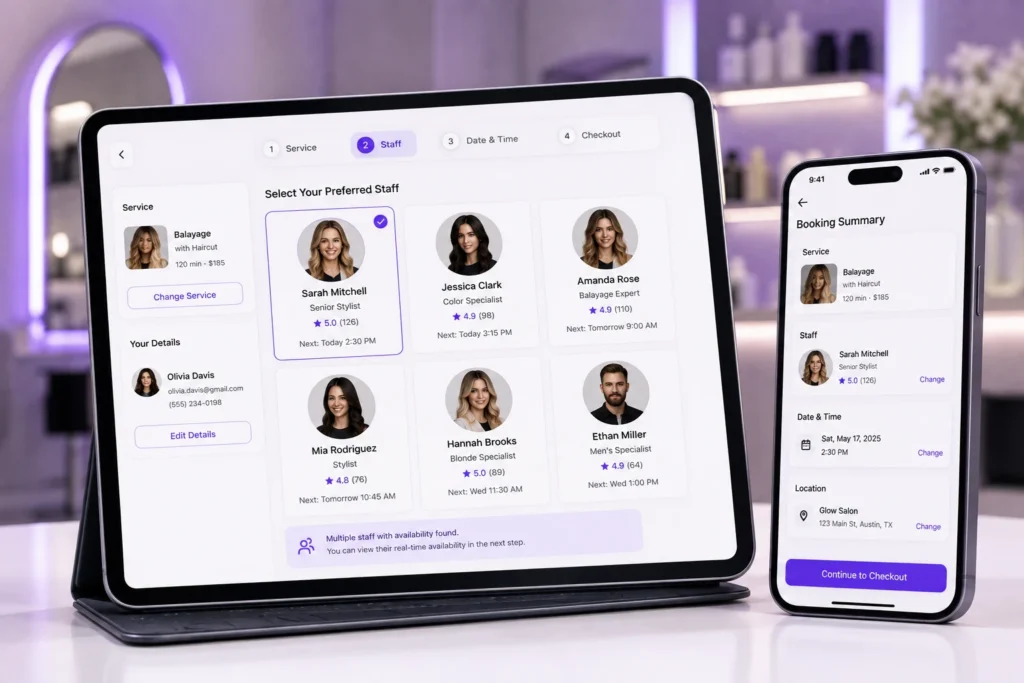
    Clients often have a favorite stylist, injector, or esthetician. PandaCue lets you assign services to specific staff members, so clients can pick their preferred provider, and your team’s individual schedules stay accurate.

    Automated Reminders

    A missed appointment is rarely intentional. It’s usually forgotten. Automated SMS and email reminders keep the appointment on the client’s radar without your front desk making a single phone call.

    Waitlist Management

    When someone cancels last minute, that slot doesn’t have to go empty. PandaCue automatically offers the opening to clients on your waitlist, so a cancellation doesn’t turn into lost revenue.

    Common Mistakes Salons Make With Online Booking

    Common Mistakes Salons Make With Online Booking

    Making the booking flow too long.

    If a client has to click through six screens before confirming, some will give up halfway. Keep the path from “select service” to “confirmed” as short as possible.

    Not requiring deposits for high-demand services.

    Popular time slots and premium services are the ones most likely to get no-showed. A deposit protects exactly those slots.

    Ignoring mobile design.

    Most booking happens on a phone, often while someone is scrolling Instagram. If your booking widget isn’t built for mobile, you’re losing bookings you never see.

    Skipping intake forms at booking.

    Asking for medical history or consent forms after the client arrives slows down your whole day. Collecting them during booking means your staff walks in prepared.

    How PandaCue’s Booking Widget Works

    Your booking page is often the first real interaction a client has with your brand. It should look like it belongs to you, not like a generic third-party tool.

    PandaCue’s booking widget is fully branded with your colors, fonts, and service descriptions.

    How PandaCue's Booking Widget Works

    Clients can browse service categories and add-ons, read staff bios before choosing a provider, and check out from a mobile-optimized screen.

    The whole flow feels like an extension of your website, because it is one.

    Behind the scenes, the calendar logic does the heavy lifting. PandaCue manages buffer times between services, enforces advance booking windows, and lets you block off personal time or breaks, so the schedule your staff sees is always accurate.

    Who Uses Online Booking, and How

    Hair salons let clients choose a stylist, pick a service length, and lock in a time without a single phone call.

    Med spas and injectables clinics capture deposits and collect intake or consent forms automatically, so consultations are ready to go the moment the client sits down.

    This pairs naturally with Custom Forms and CRM & Client Management, which keep client history and consent on file.

    Who Uses Online Booking and How Online Booking That Fills Your Chair 24/7 | PandaCue

    Wellness centers and IV therapy clinics use online booking to manage classes, private sessions, and recurring appointments from one shared calendar, which connects directly to Calendar Management.

    Once a client is booked, keeping them coming back is its own job. That’s where features like Memberships and Marketing Campaigns come in, turning a single booking into a repeat client.

    Frequently Asked Questions

    What is online booking for a salon or spa?

    Online booking is a system that lets clients schedule their own appointments through a website, social media page, or direct link, without calling the business. It runs around the clock and syncs directly with your calendar.

    Does online booking actually reduce no-shows?

    Yes, mainly through deposits and reminders. Requiring a deposit at booking and sending automated SMS or email reminders can cut no-shows significantly, since clients have both a financial reason and a memory nudge to show up.

    Can clients choose their preferred staff member when booking online?

    Yes, with a system like PandaCue. Clients can view staff bios and pick their preferred stylist, injector, or provider directly in the booking flow, and the appointment routes straight to that person’s calendar.

    Is online booking mobile friendly?

    It should be. Most clients book from their phones, often on social media. A booking widget that isn’t optimized for mobile checkout will lose bookings before they’re ever completed.

    Does online booking work with intake or consent forms?

    Yes. PandaCue lets you attach digital intake forms directly to the booking flow, so client information and consent are collected before the appointment, not scrambled together at the front desk.

    How is PandaCue’s Online Booking different from a basic scheduling app?

    Basic scheduling apps take a name, date, and time. PandaCue’s Online Booking adds deposit collection, automated waitlists, gap-minimizing calendar logic, staff-specific scheduling, and branded checkout, all built to protect revenue, not just fill a calendar slot.

    The Bottom Line

    Online booking isn’t just a convenience for clients. It’s a system that protects the hours your business runs on.

    Every gap it fills, every no-show it prevents, and every form it collects ahead of time adds up to a calendar that runs itself.

    If your current setup still relies on phone calls and sticky notes, it’s worth seeing what a real booking system looks like.

    You can book a live demo or try PandaCue free to see how Online Booking fits into your day-to-day.

  • Payments & Point of Sale: One Checkout for Your Whole Salon

    Payments & Point of Sale: One Checkout for Your Whole Salon

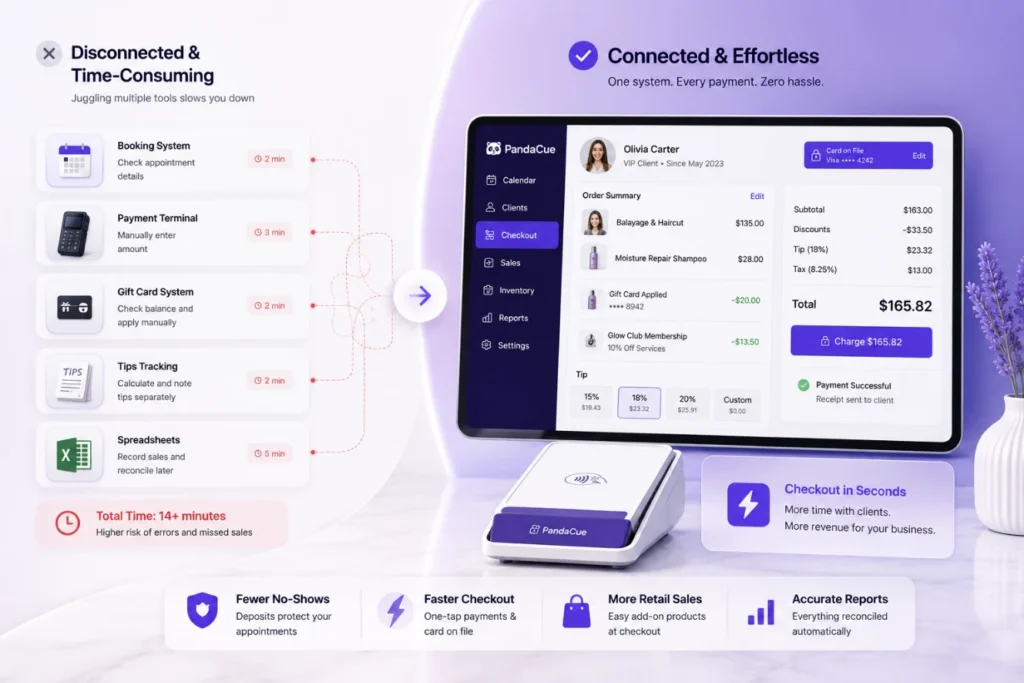
    Getting paid should be the easiest part of running a salon or spa. For most owners, it isn’t.

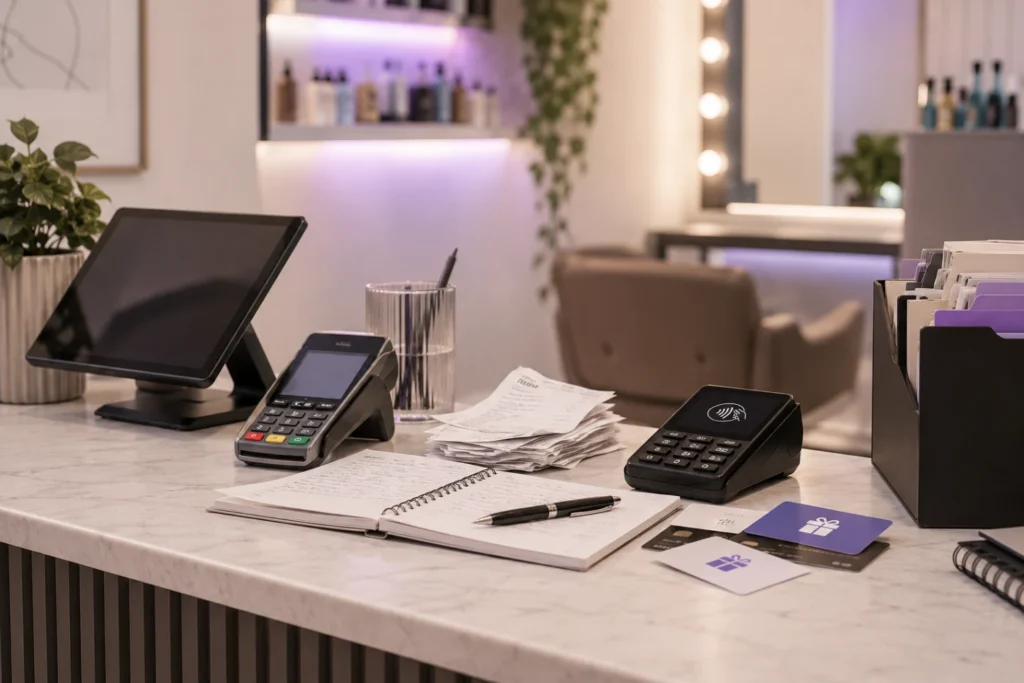
    You’ve got a card reader from one company, a booking app from another, a separate system for gift cards, and a spreadsheet for tips. Checkout takes longer than the service itself.

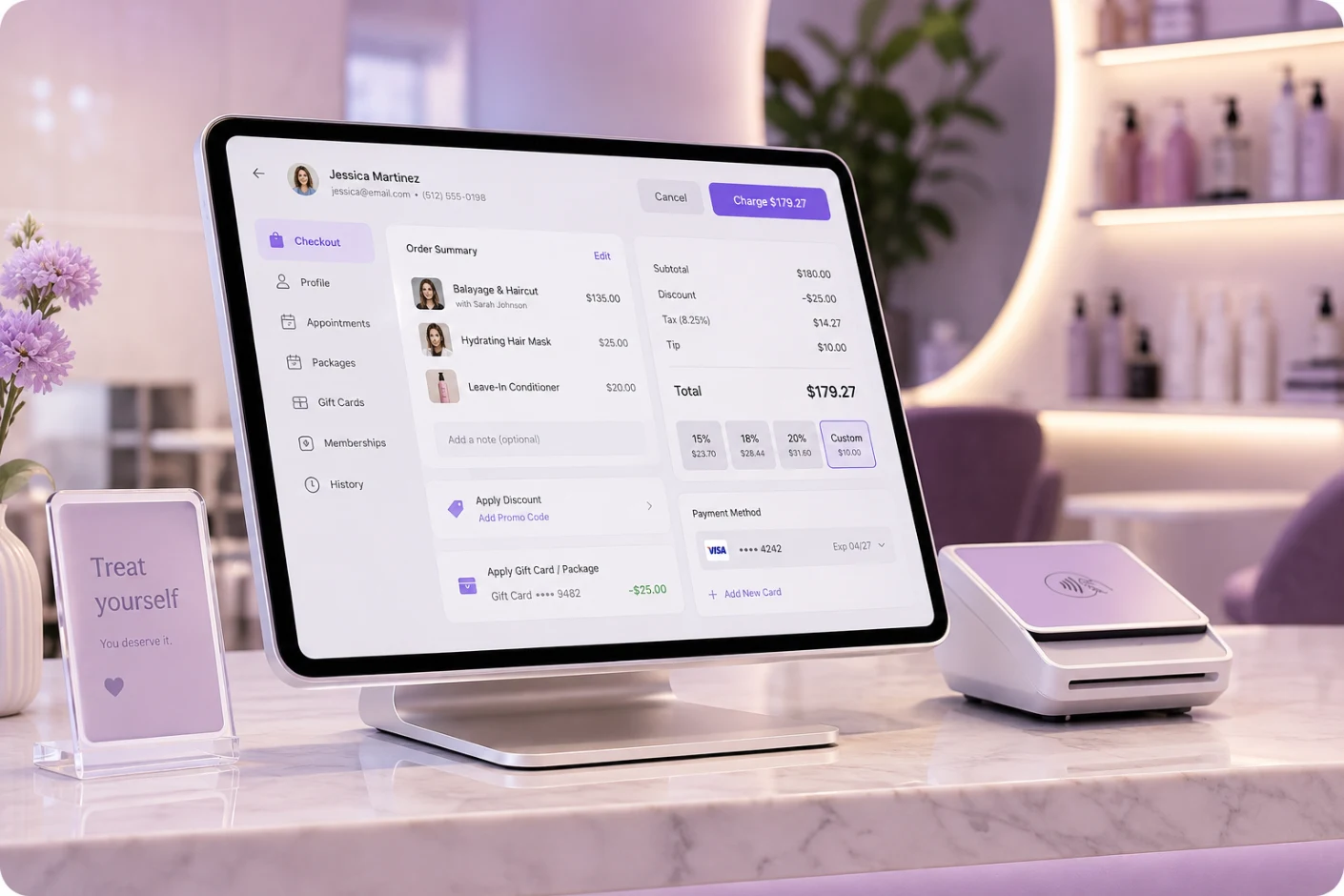
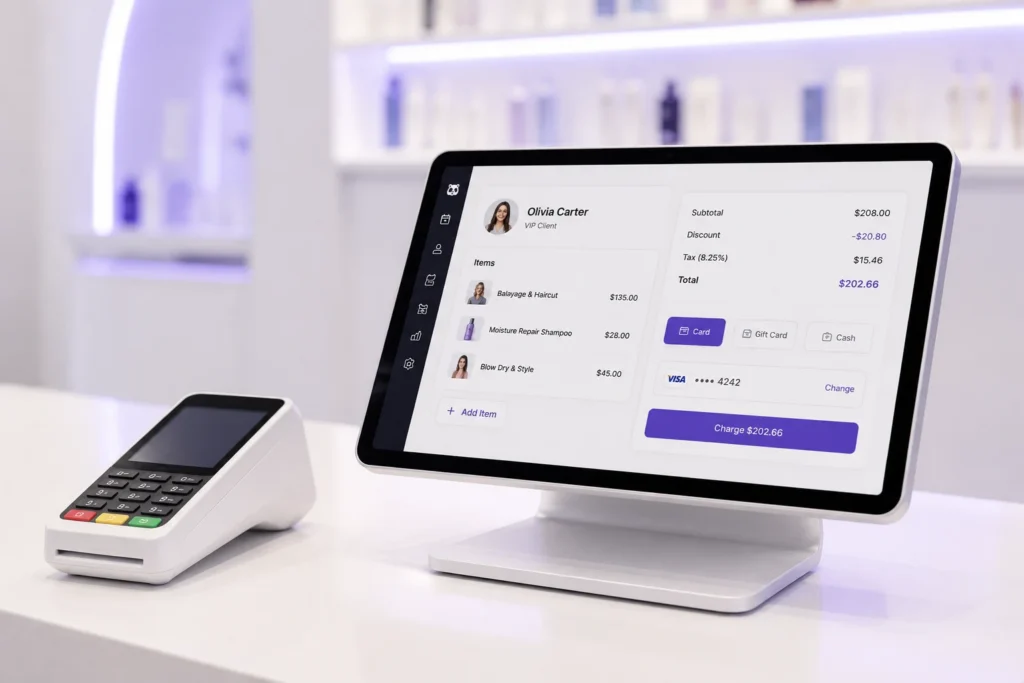
    PandaCue’s Payments & Point of Sale feature puts all of that in one place, so your front desk can check a client out in seconds instead of minutes.

    What Is Payments & POS in PandaCue?

    Payments & POS is the part of PandaCue that handles every dollar moving through your business.

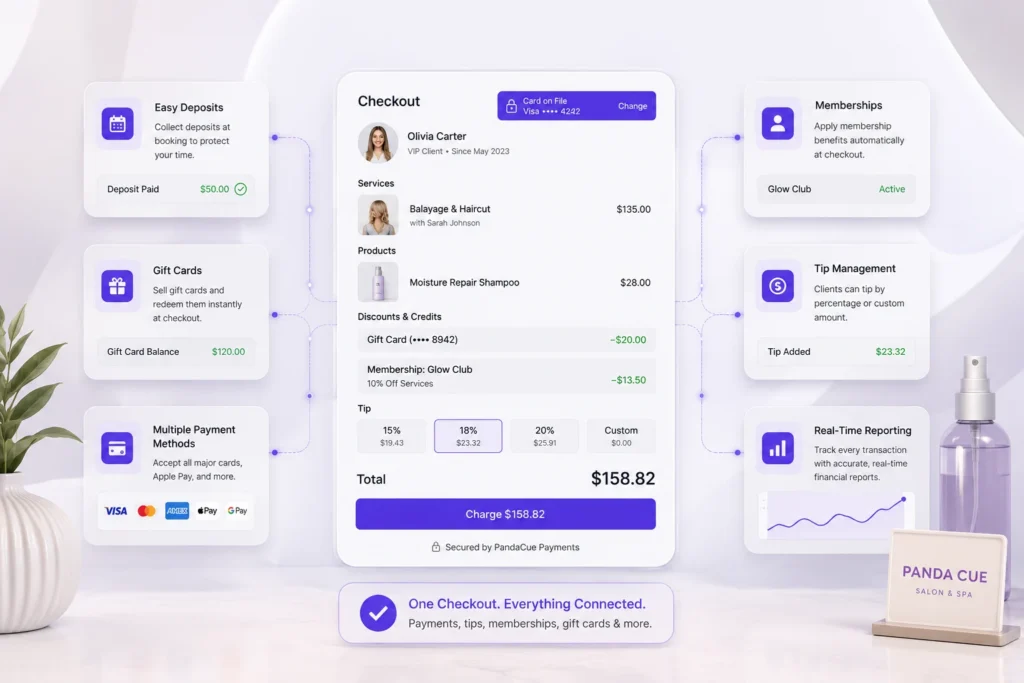
    It combines card processing, deposits, retail sales, tips, gift cards, and financial reporting into one checkout screen.

    What Is Payments & POS in PandaCue?

    Your staff never has to switch between a booking system and a separate payment terminal.

    This matters because checkout is where most small mistakes happen. A missed tip. A gift card that doesn’t sync with the calendar.

    A deposit that never got collected before a no-show. One connected system removes most of that risk.

    Why a Connected Payment System Matters More Than It Seems

    A lot of salon and spa owners treat payments as an afterthought. It’s the last click before a client walks out the door.

    But how you collect money shapes almost everything else in your business.

    Why a Connected Payment System Matters More Than It Seems

    Deposits protect your calendar

    If you don’t collect anything upfront, a last-minute cancellation costs you a filled appointment slot you can’t get back. A deposit, even a small one, gives clients a reason to show up.

    Card on file speeds up every future visit

    Once a client’s card is stored securely, rebooking and checkout take seconds. No fumbling for a wallet. No re-entering card numbers.

    Retail sales depend on a smooth checkout

    If ringing up a bottle of serum next to a facial takes an extra five minutes of app-switching, your staff will stop suggesting it. A combined checkout makes upselling retail a natural part of the conversation, not an extra chore.

    Clean reports save you at tax time

    When payments, tips, and product sales all live in one system, your reports already match your bank deposits. You’re not reconciling three different tools every month.

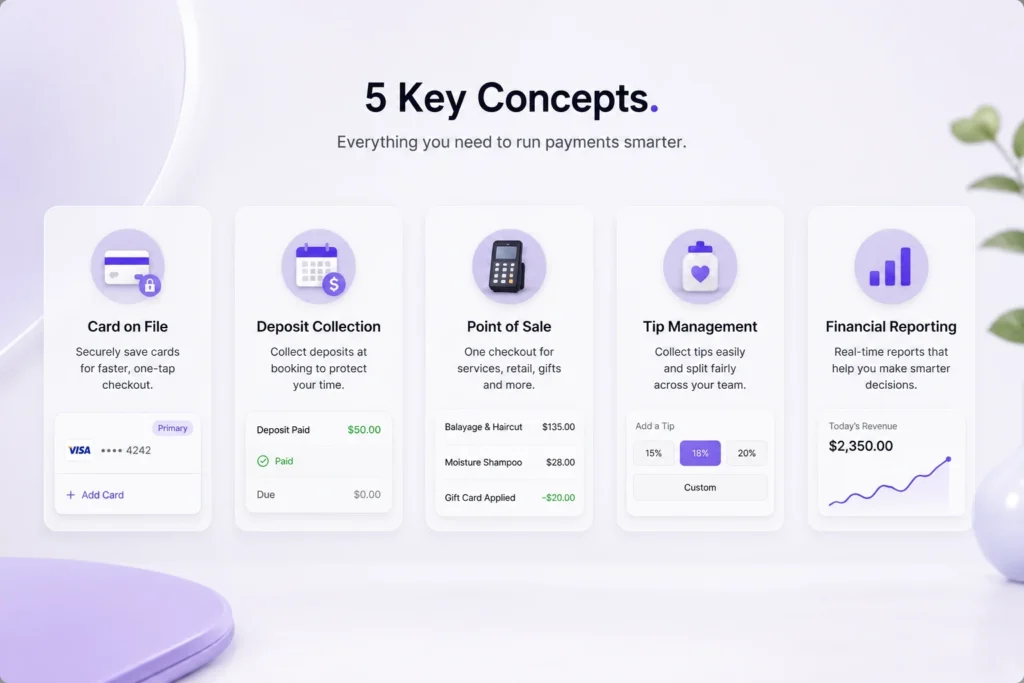
    Key Concepts Every Owner Should Understand

    Key Concepts Every Owner Should Understand

    Card on File

    This means a client’s payment card is stored securely in their profile, ready for future charges. It’s what makes one-tap checkout possible, and it’s also how you enforce a no-show or late cancellation fee without an awkward conversation.

    Deposit Collection

    A deposit is money collected at the time of booking, before the appointment happens. It protects the time slot for you and shows the client is serious about keeping it.

    Many owners set this up for high-value or high-demand appointments only.

    Point of Sale (POS)

    POS refers to the actual checkout moment, whether that’s a service, a retail product, a membership payment, or a gift card redemption.

    In PandaCue, all of these can happen in a single transaction instead of four separate ones.

    Tip Management

    This is how tips get collected, split between staff, and reported. A good system lets clients tip by percentage or dollar amount and splits automatically between multiple providers if more than one person worked on the appointment.

    Financial Reporting

    These are the reports that tell you what actually happened financially: revenue by service, by staff member, by location, and by day.

    Reporting turns raw transactions into decisions, like which services are worth promoting and which staff members are driving the most retail sales.

    Common Payment Mistakes Salons and Spas Make

    Common Payment Mistakes Salons and Spas Make

    Not collecting deposits for popular time slots

    Friday afternoons and weekend mornings get booked fast and cancelled often. Skipping a deposit here is where owners lose the most revenue to no-shows.

    Running retail and service payments through separate systems

    This forces staff to do double the work at checkout, which means they eventually stop bothering with retail suggestions altogether.

    Splitting tips manually with cash or notes

    Manual tip tracking creates disputes between staff and makes payroll take longer than it should.

    Ignoring reports until tax season

    Waiting until March to look at a year of revenue reports means you’re reacting to problems instead of catching them early.

    Storing card details in unsecured spreadsheets or notebooks

    This is a serious compliance risk. Card data needs to sit inside a system built for it, not a paper file or a notes app.

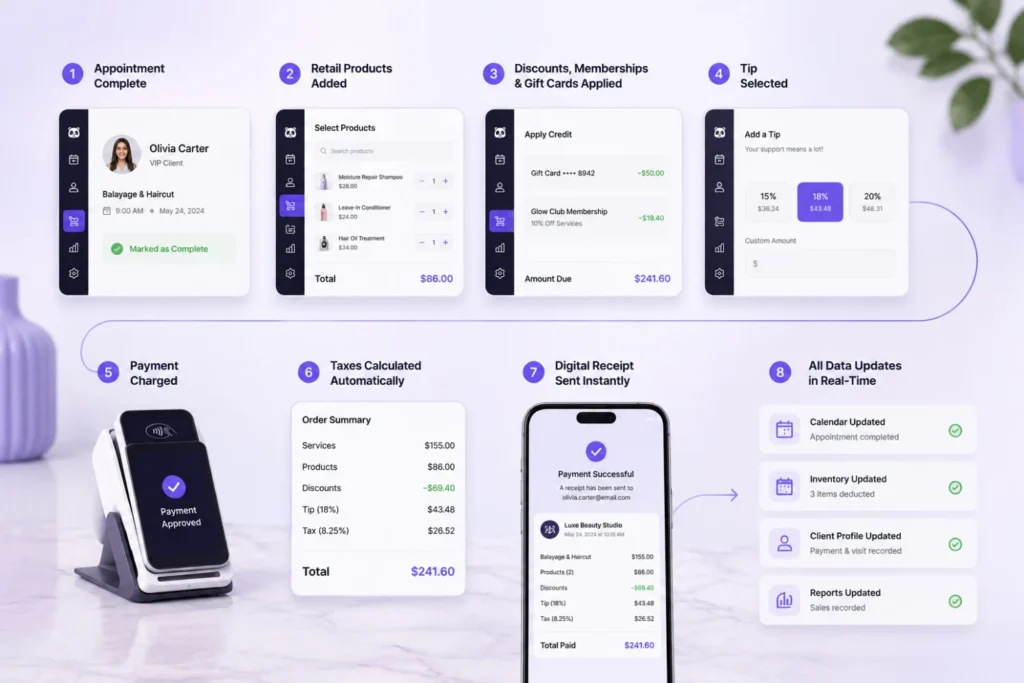
    How Checkout Works With PandaCue’s Payments & POS

    How Checkout Works With PandaCue's Payments & POS
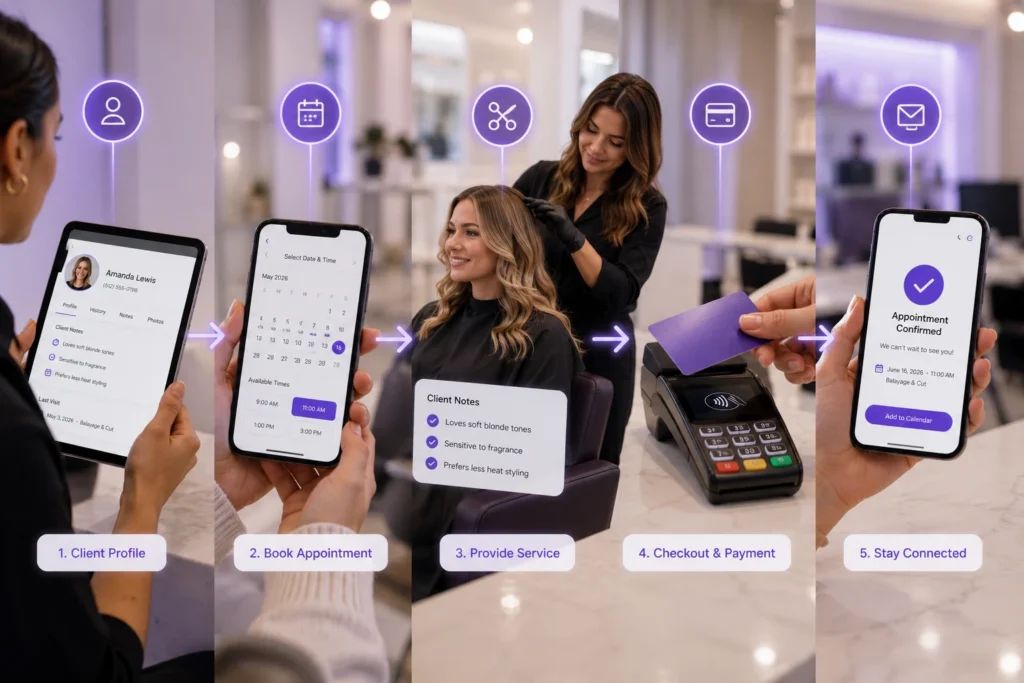
    1. A client arrives for their appointment. Their profile, including any card on file, membership, or package balance, is already pulled up.
    2. The service is marked complete. The system moves the appointment straight into checkout, with the service total already calculated.
    3. Retail products get added if needed. A staff member can scan or select a product, and inventory updates automatically.
    4. Gift cards, memberships, or packages are applied. Any credit or discount the client has gets applied without manual math.
    5. A tip prompt appears. The client can tip by percentage or a custom amount, right on the checkout screen.
    6. Payment is charged. For a returning client with card on file, this is a single tap. Taxes calculate automatically.
    7. A digital receipt sends instantly. No paper, no printer jams, no lost receipts.

    The whole process usually takes under a minute, even with retail added on.

    Payments and POS Connect to the Rest of Your Business

    Payments don’t exist in isolation. They connect to nearly every other part of how a salon or spa runs.

    Deposits collected at online booking protect your calendar before a client ever walks in.

    Payments and POS Connect to the Rest of Your Business

    A client’s payment history feeds directly into their profile inside your CRM and client management tools, so front desk staff always know who’s a regular and who owes a balance.

    Memberships and package redemptions get applied automatically at checkout instead of tracked on a separate spreadsheet. And gift cards sold at checkout can be redeemed the same way, months later, without anyone digging through old records.

    Keeping payments manually separate from booking and client records gets harder as a business grows.

    Software like PandaCue connects checkout directly to your calendar, client profiles, memberships, and gift cards, so your staff spend less time reconciling numbers and more time with clients.

    Frequently Asked Questions

    Does PandaCue replace my card reader?

    PandaCue’s Payments feature includes integrated card processing, so you don’t need a separate standalone terminal system running alongside your booking software.

    Can I require a deposit for only certain services?

    Yes. Most salons and spas set deposit requirements on high-demand or high-value appointments, like injectables or color services, while leaving simple services deposit-free.

    How does tip splitting work if two staff members worked on one client?

    The checkout screen lets you split a single tip between multiple staff members based on percentage or a fixed amount, and it reports correctly for each person’s payroll.

    Is storing a client’s card on file safe?

    Yes, as long as it’s stored through a proper payment system rather than a spreadsheet or notes file. This is also what allows for no-show fee enforcement without manual card entry each visit.

    Can I track which staff member sells the most retail?

    Yes. Financial reporting breaks down revenue by staff member, so you can see who’s driving product sales alongside services.

    Do reports work for tax season?

    Reports are exportable and organized by day, week, and month, covering revenue, tips, and taxes, so they’re ready to hand to an accountant without extra cleanup.

    Final Words

    Payments are the one part of your business every single client interacts with, every single visit.

    A slow or disconnected checkout costs you time today and revenue over the long run, through missed deposits, forgotten retail sales, and messy reports.

    A connected Payments & POS system fixes the small leaks that add up over a year: the no-show that could’ve been prevented, the retail sale nobody suggested, the tip that got miscounted.

    Get checkout right, and the rest of your operations get a little easier too.

  • Calendar & Scheduling: The Command Center Every Salon Front Desk Needs

    Calendar & Scheduling: The Command Center Every Salon Front Desk Needs

    A Salon calendar is the busiest part of the business. Injectors, estheticians, and nurses all need different time slots, different rooms, and sometimes different equipment. One overbooked hour can throw off an entire day.

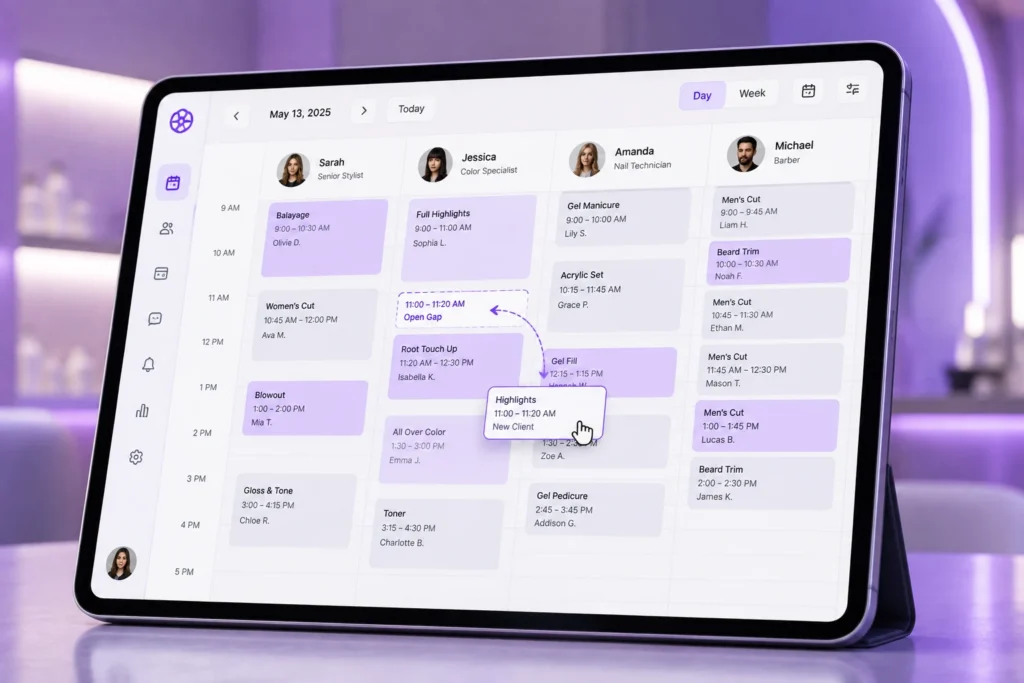
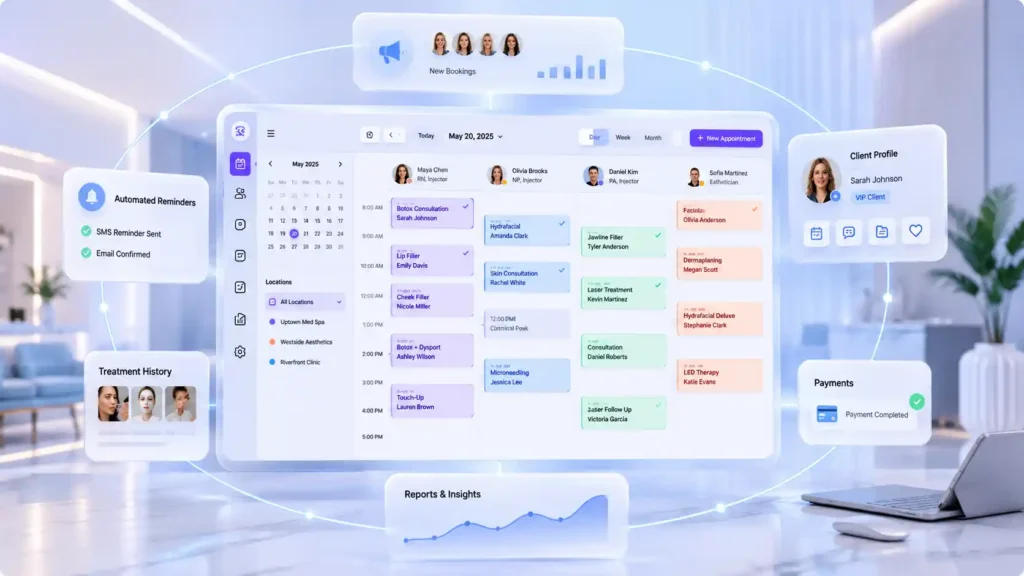
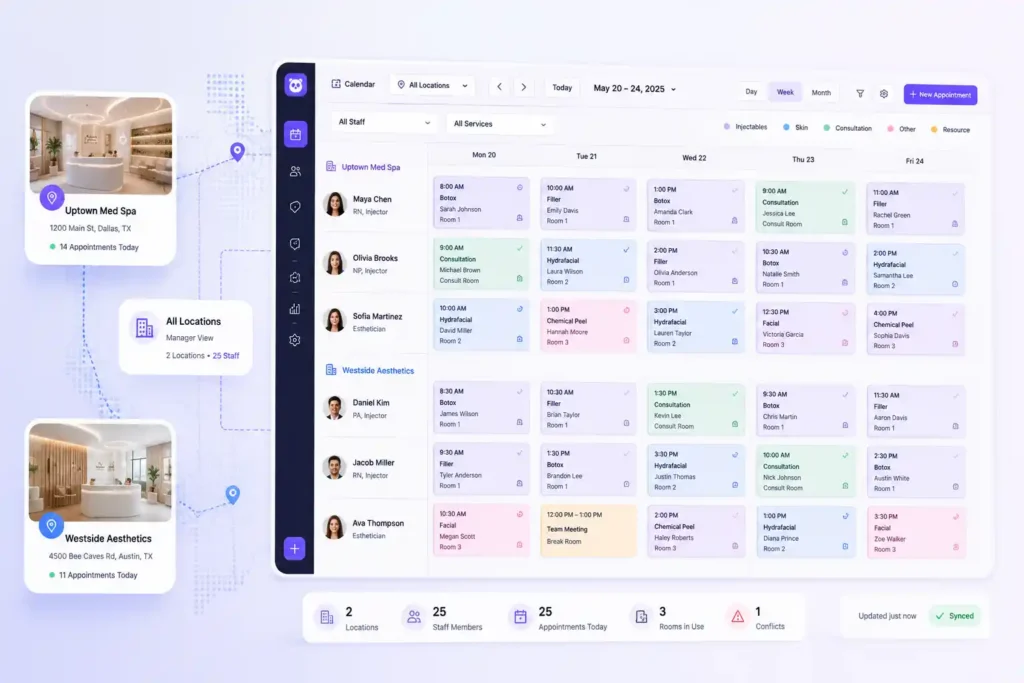
    PandaCue’s Calendar & Scheduling feature gives your front desk one screen that shows every provider, every room, and every appointment in real time.

    No more flipping between spreadsheets or texting a manager to check if a room is free.

    Why Scheduling Is the Backbone of a Spa

    Every other part of your clinic depends on the calendar. Marketing drives people to book. Payments happen after the appointment. Client records get updated during the visit.

    Why Scheduling Is the Backbone of a Spa

    If the schedule is wrong, everything downstream gets wrong too.

    Spas have it harder than most clinics. A single provider might offer Botox, filler, and a facial, each needing a different amount of time and a different room setup.

    A front desk person juggling this by hand will eventually make a mistake. It’s not a skill problem. It’s a math problem, and there are too many moving parts for one person to track in their head.

    Common Scheduling Problems Salon Run Into

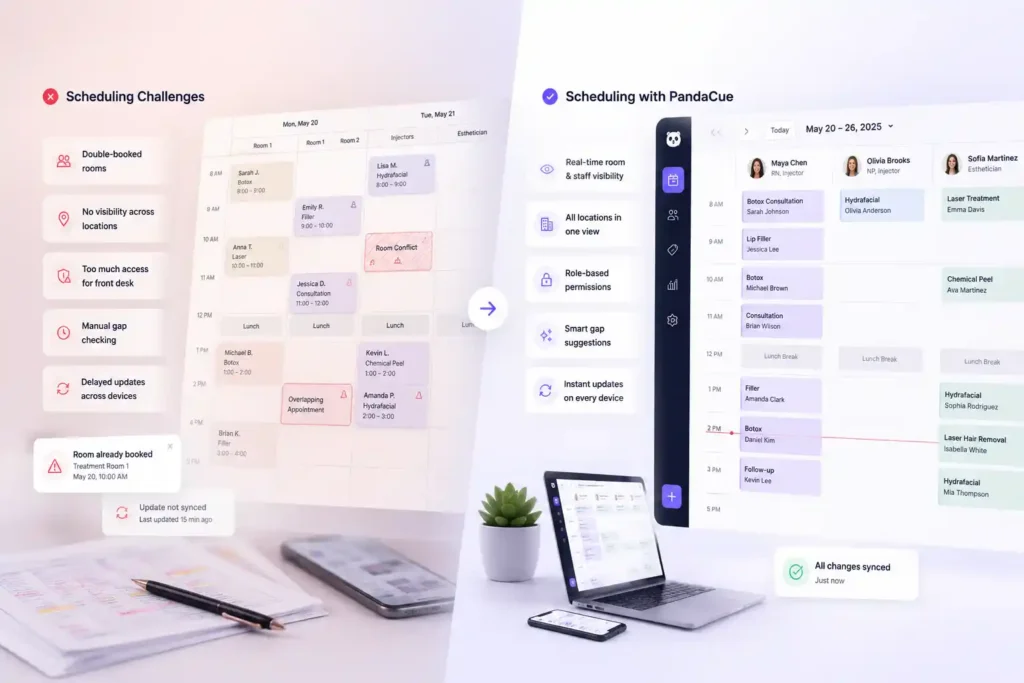
    Most clinics don’t realize how much time they lose to a weak calendar system until they switch to a better one. Here are the patterns that show up again and again.

    Common Scheduling Problems Salon Run Into

    Double-booked rooms

    Two providers get scheduled for the same treatment room at the same time because the booking tool only tracks staff, not spaces.

    No visibility across locations

    A manager running two or three sites has to call each front desk separately to check availability instead of seeing it all at once.

    Front desk staff with too much access

    Without role permissions, a receptionist can accidentally cancel or reschedule an appointment that only a manager should touch.

    Manual gap-checking

    Staff scroll through a long daily list instead of glancing at a color-coded view that shows open slots instantly.

    Delayed updates

    One staff member reschedules a client, but another employee working from a different device doesn’t see the change until minutes later.

    What PandaCue’s Calendar & Scheduling Feature Actually Does

    Here’s a plain breakdown of what’s inside the feature and why each part solves a real problem.

    What PandaCue's Calendar & Scheduling Feature Actually Does

    Multi-Staff Views

    You see every provider’s schedule side by side on one calendar. If your medical director, two injectors, and an esthetician all work the same day, you can scan across their columns instead of opening separate calendars for each person.

    Drag-and-Drop Editing

    Need to move a client from 2 PM to 3 PM? Drag the appointment to its new slot. The system updates automatically, no retyping, no double entry, no risk of accidentally deleting the appointment while rebuilding it.

    Color Coding

    Assign a color to each service, provider, or appointment status. Glance at the day and you’ll instantly know which slots are consultations, which are injectables, and which are still unconfirmed. Your eyes do the sorting instead of your brain.

    Resource Management

    Rooms and equipment get tracked the same way staff do. If you only have one laser machine, the calendar won’t let two providers book it at the same time. This alone prevents a huge share of the double-booking headaches salon & spas deal with.

    Block and Hold Times

    Staff meetings, lunch breaks, and prep time between injectable appointments can be blocked with one click. This keeps front desk staff from accidentally booking a client into time that was never actually available.

    Real-Time Sync

    Every change appears instantly, on every device, for every logged-in staff member. If someone at the front desk reschedules a client, the provider’s tablet in the treatment room updates immediately. Nobody works off stale information.

    How Multi-Location Salons Use This Day to Day

    A manager overseeing more than one location can filter the calendar by site, staff, or service type and switch between daily, weekly, and monthly views without leaving the screen.

    How Multi-Location Salons Use This Day to Day

    Instead of calling each location to ask “who’s free at 2 PM,” the answer is already on screen.

    Role-based permissions matter here too. A manager can let front desk staff book and reschedule appointments while keeping cancellations or refunds restricted to admin accounts.

    This isn’t about limiting your team. It’s about giving each person exactly the access their job requires, so mistakes don’t slip through during a busy afternoon.

    A Realistic Example

    Picture a spa with two locations and six providers. Before switching systems, the front desk kept a shared spreadsheet updated by hand.

    A nurse injector in one location got double-booked with a client and a staff meeting because the spreadsheet hadn’t been refreshed in twenty minutes.

    After moving to a calendar system with real-time sync and resource tracking, that kind of conflict stopped happening.

    The front desk could see every provider, every room, and every hold time on one screen, updated the second something changed.

    The result wasn’t more bookings. It was fewer wasted ones.

    Step-by-Step: Setting Up a Calendar That Actually Works

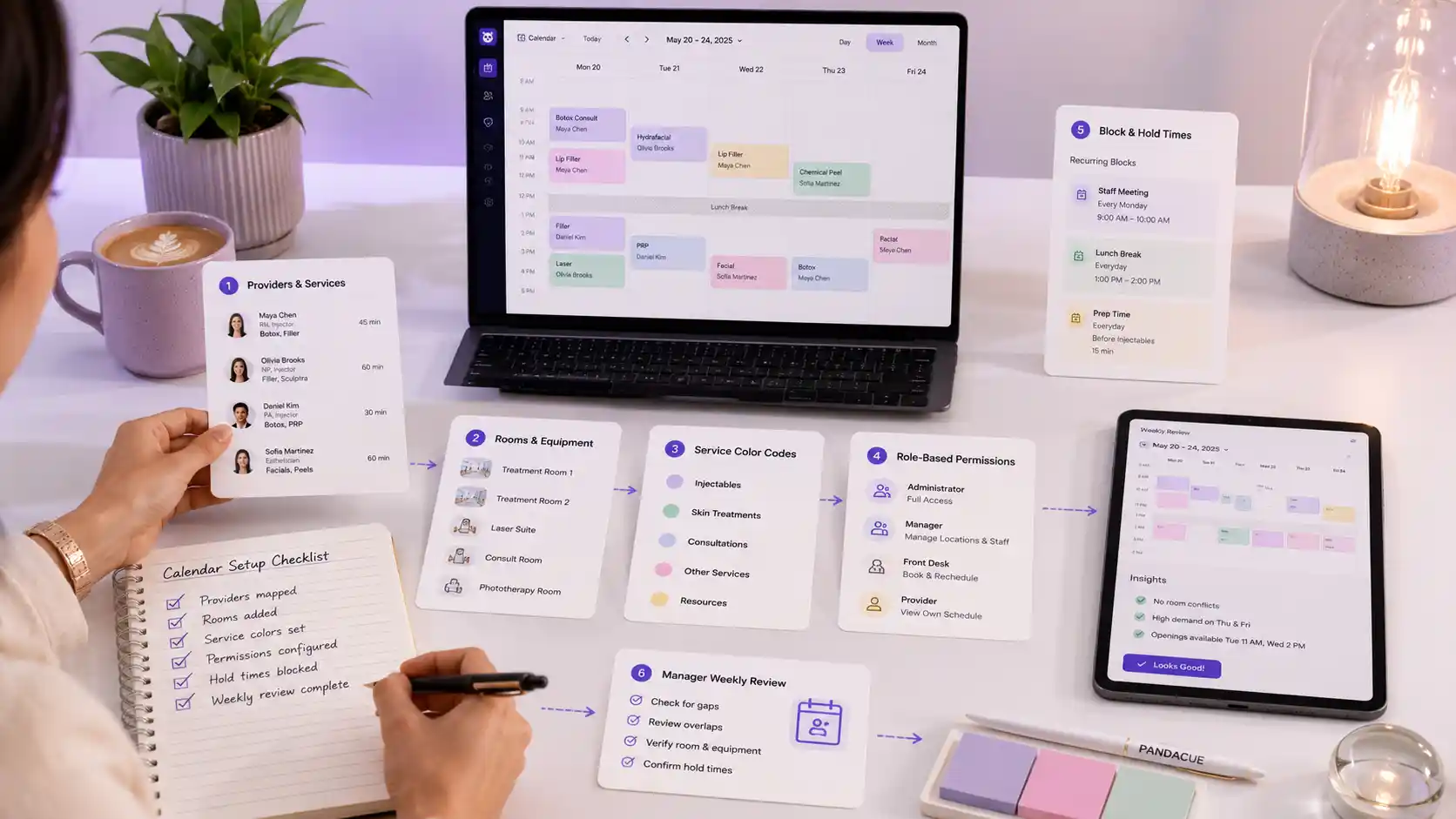
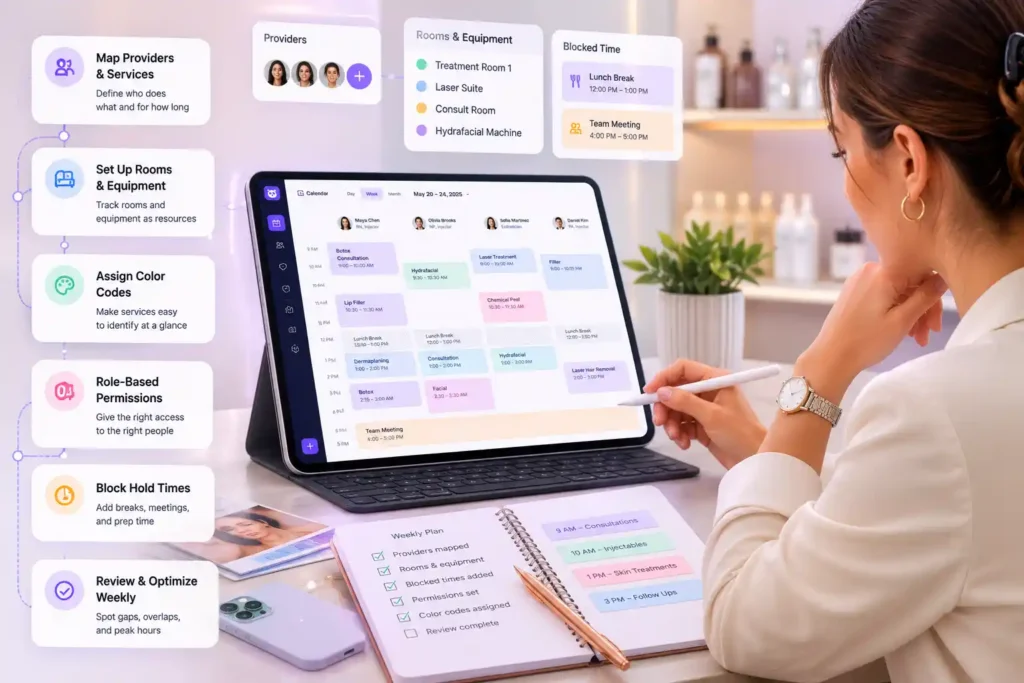
    1. Map your providers and their services. List who performs what, and how long each service takes, including buffer time for cleanup or notes.
    2. Set up your rooms and equipment as resources. Anything that can only be used by one person at a time should be tracked, not just staff.
    3. Assign color codes by service type. Keep it simple. Injectables, facials, and consultations are usually enough categories to start.
    4. Build role-based permissions. Decide who can book, who can reschedule, and who can cancel before your team starts using the system daily.
    5. Block recurring hold times. Add staff meetings, lunch breaks, and prep windows so they can’t be booked over by accident.
    6. Review the week from the manager view. Look for gaps, overlaps, and peak hours before they cause a problem, not after.

    FAQs

    What’s the difference between a calendar tool and full scheduling software?

    A basic calendar just shows appointments. Scheduling software also tracks staff permissions, rooms, equipment, and real-time changes across every device your team uses.

    Can front desk staff be limited to only booking, not canceling?

    Yes. Role-based permissions let you decide exactly what each staff member can do, so front desk teams can book and confirm without touching cancellations or refunds.

    How does multi-location scheduling work?

    You can filter the calendar by location, staff, or service type, and switch between day, week, and month views without opening separate systems for each site.

    Does the calendar prevent double-booking a treatment room?

    Yes. Rooms and equipment are tracked as resources, so the system blocks a second booking for a space or machine that’s already in use.

    What happens if two staff members edit the schedule at the same time?

    Changes sync in real time across every device, so everyone sees the same updated calendar within seconds, no matter who made the edit or where they’re working from.

    Is this only useful for large Salon & spas?

    No. Even a single-provider clinic benefits from color coding and hold times. The bigger the team, the more valuable multi-staff views and permissions become, but the core features help clinics of any size.

    Practical Advice Before You Switch Systems

    Don’t just look at how a calendar looks. Test how it handles your busiest day. Book overlapping appointments on purpose during a demo and see if the system catches the conflict before you do.

    That’s the real test of whether a scheduling tool will hold up once your front desk is under pressure.

    If your clinic is still juggling a spreadsheet, a paper book, and a separate booking widget, moving everything into one calendar and scheduling system tends to save the most time in the first two weeks, simply because staff stop re-checking three different places before confirming an appointment.

    Ready to see it running with your own staff and services?

    Book a live demo or try PandaCue free for 7 days