Blog

  • 1 System, Every Location: Manage Multi-Sites

    1 System, Every Location: Manage Multi-Sites

    Opening a second location changes everything about how you run your business. Suddenly you’re not managing one calendar, one team, and one set of numbers.

    You’re managing several, and they all need to talk to each other.

    PandaCue’s multi-location tools let you run every site from a single account One login.

    One client list. One set of reports that roll up across all your locations, with the detail to drill down into any one of them.

    Why Multi-Location Gets Complicated Fast

    A single-location salon or spa is simple to run by feel. You know your regulars, your staff, and your numbers without much effort.
    Why Multi-Location Gets Complicated Fast

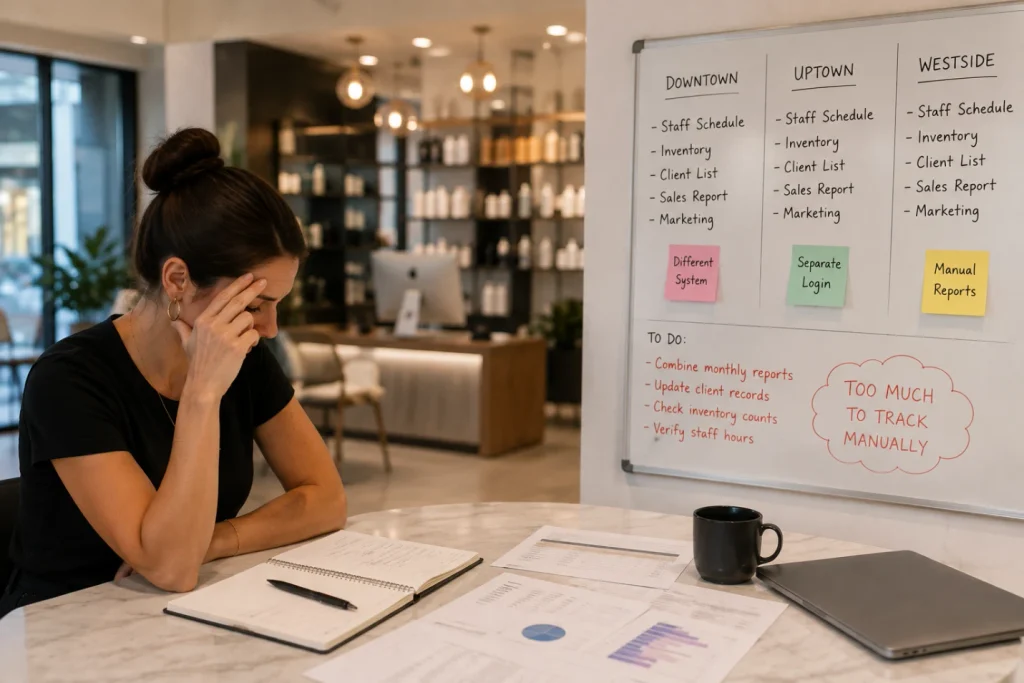
    Add a second address and that intuition stops working. Clients book at whichever location is closer to them that week. Staff sometimes cover shifts at both sites.

    Inventory sits in two stockrooms instead of one, and nobody’s quite sure which location is actually more profitable until someone builds a spreadsheet to find out.

    Most salon software wasn’t built for this.

    It treats each location as its own separate account, which means separate logins, separate client records, and separate reports that someone has to manually stitch together every month.

    What Actually Needs to Connect Across Locations

    Not every part of a multi-site business needs to be shared. Some things should stay local. Others need to be unified, or the whole operation gets harder to run, not easier.
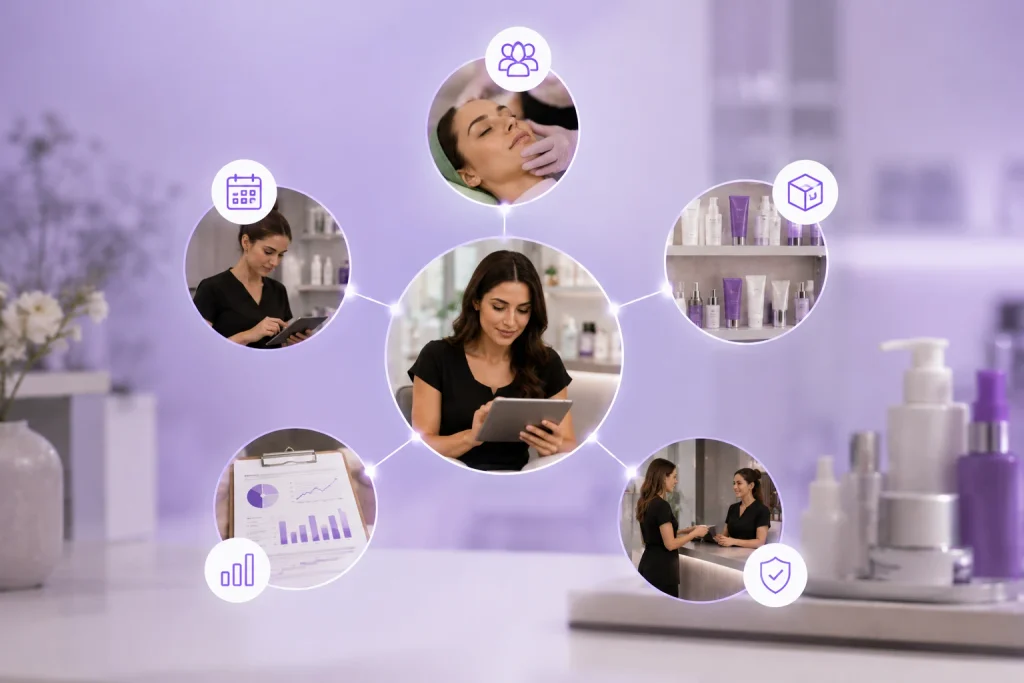
    What Actually Needs to Connect Across Locations

    Client profiles. A client who visits your downtown location and later books at your uptown one should be recognized instantly, with her full visit history, notes, and preferences intact.

    She shouldn’t have to explain her allergy history twice because the system treated her as a new person.

    Staff and scheduling. If a stylist or injector splits time between two locations, their calendar should reflect both without double-booking.

    Front desk teams need to see availability across sites when a client asks, “Do you have anything sooner at the other location?”

    Inventory. Each location holds its own stock, but owners need visibility across all of them. If one site is overstocked on a retail product while another is out, that’s a transfer waiting to happen, not a reorder.

    Reporting. This is where most systems fall short. Owners need a combined view of revenue, retention, and staff performance across the whole business, plus the ability to isolate any single location’s numbers when something looks off.

    Permissions. A location manager should see and manage their own site. A regional or company-level owner should see everything.

    PandaCue’s role-based access handles this without forcing every staff member into an all-or-nothing view of the business.

    How PandaCue Handles Multi-Location in Practice

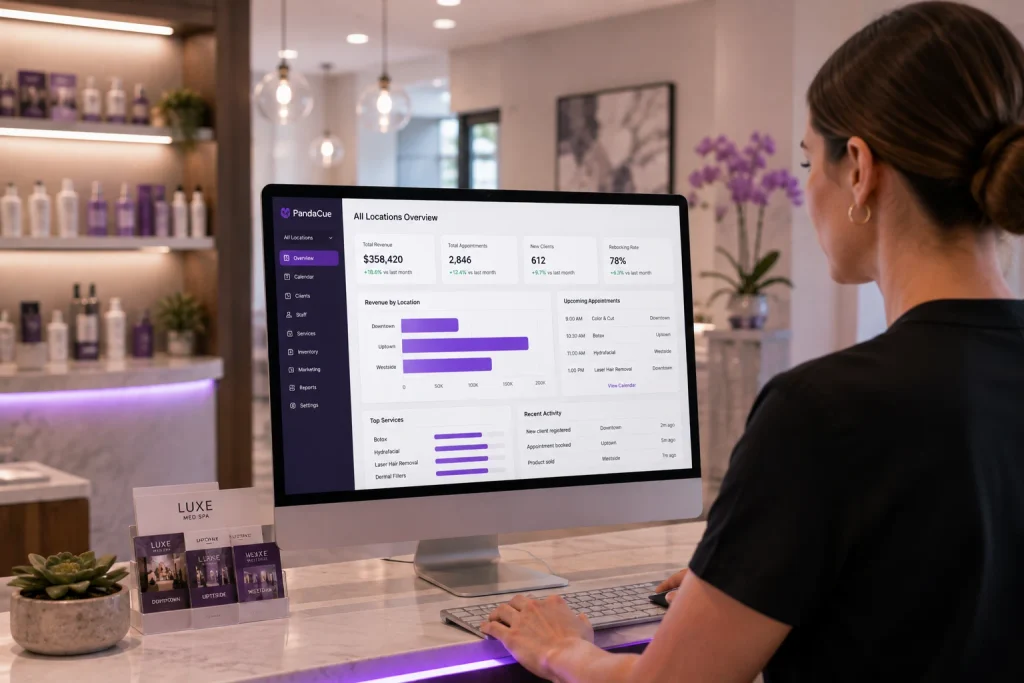
    Inside PandaCue, locations live under one account instead of being set up as separate businesses.
    How PandaCue Handles Multi-Location in Practice

    Clients, staff, and services are shared across the group, but each location keeps its own calendar, inventory, and hours.

    A client can book at whichever location works for them through online booking, and the system recognizes them either way.

    Staff who work at more than one site get one login and one schedule that reflects both locations, so nobody’s double-booked by accident.

    For reporting, owners get a combined dashboard across all locations plus the option to filter down to one site at a time.
    best salon and spa management software for multi site businesses

    That means you can compare rebooking rates between locations, spot which site is carrying the group on retail sales, and catch a staffing gap before it turns into lost revenue.

    Marketing and automated flows can run group-wide or target a single location.

    A birthday campaign might go out to your whole client base, while a “we miss you” flow only fires for clients tied to the location they haven’t visited in 90 days.

    A Quick Scenario

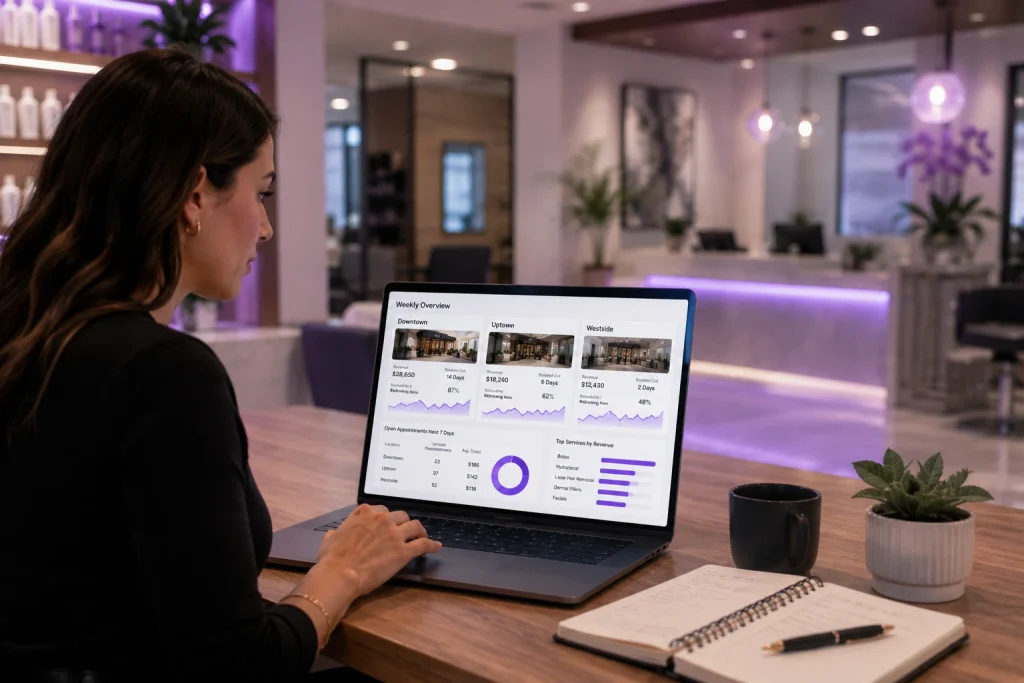
    Say you run three locations and one of them consistently books out two weeks in advance while another has open slots most days.
    A Quick Scenario - try best salon and spa management software for multi site businesses

    Without a combined view, you’d only notice this if someone happened to compare calendars manually.

    With unified reporting, it shows up in your weekly numbers, and you can shift a technician’s hours or promote the slower location to fix it before it becomes a pattern.

    FAQs

    Do clients need separate accounts for each location?

    No. A client’s profile, history, and preferences follow them to any location in your group.

    Can staff work at more than one location?

    Yes. Staff can be scheduled across locations from one login, with their availability reflected everywhere they’re set up to work.

    Can I see reports for just one location?

    Yes. You get a combined view across all locations and the option to filter down to a single site.

    Do all locations have to use the same services and pricing?

    No. Each location can set its own service menu and pricing while still sharing the same client and staff records.

    Is inventory shared across locations?

    Each location tracks its own stock. Owners can see inventory across all sites to spot transfer opportunities or shortages.

    Does this work for a growing group, not just med spas?

    Yes. Multi-location tools apply the same way to salons, spas, and med spas running more than one site.

    Ready to see what running your locations from one system looks like?

    Book a PandaCue demo or explore how staff management and reporting work across your whole business.
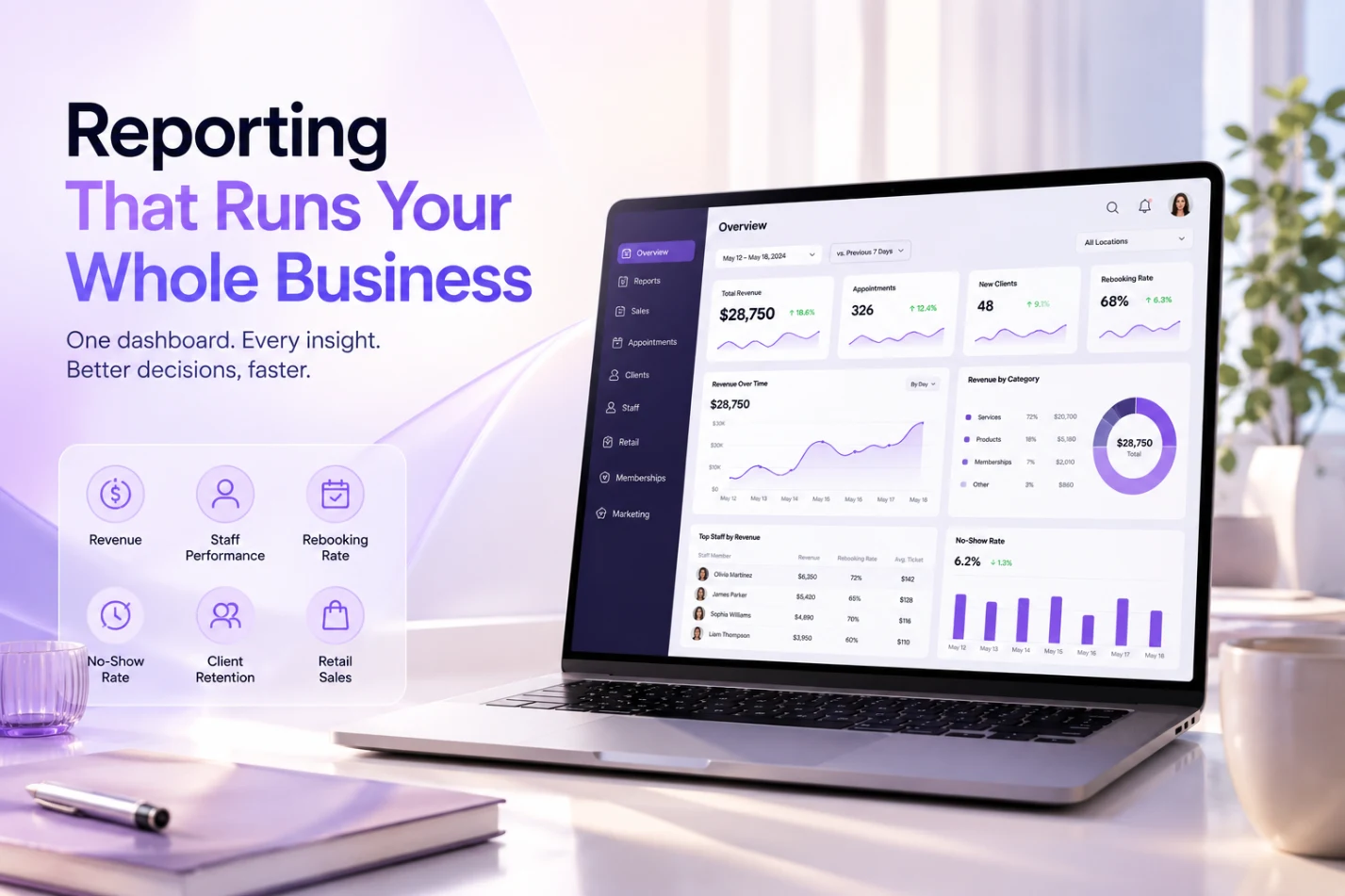
  • PandaCue Reporting: One Dashboard for Your Whole Business

    PandaCue Reporting: One Dashboard for Your Whole Business

    Running a salon, spa, or med spa means juggling numbers from a dozen directions. Bookings come from one system. Payments come from another.

    Staff hours live in a spreadsheet. Retail sales get checked at the end of the week, if they get checked at all.

    PandaCue Reporting takes all of it bookings, payments, staff performance, retail, memberships and puts it in one place you can actually read.

    You don’t export five files and stitch them together in Excel on a Sunday night.

    You open a dashboard and see what happened yesterday, last week, or last quarter, broken down the way you need it.

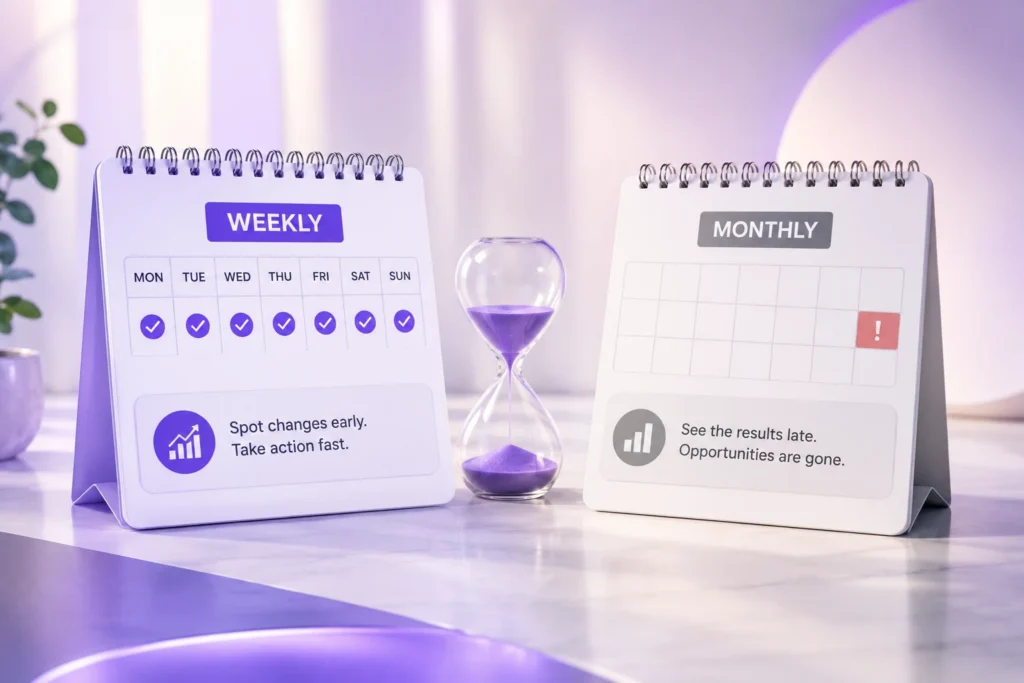
    Why Weekly Reporting Beats Monthly Reporting

    A month-end report tells you what already happened. A weekly report tells you what’s happening right now, while you can still do something about it.

    Why Weekly Reporting Beats Monthly Reporting

    Say a stylist’s rebooking rate drops from 70% to 40%. On a monthly report, you’d notice this after four weeks of lost clients.

    On a weekly report, you catch it after week one and can ask what changed before it becomes a pattern.

    This is the real value of reporting software. It’s not about generating pretty charts. It’s about shrinking the time between “something’s wrong” and “we know something’s wrong.”

    The 6 Reports That Actually Matter

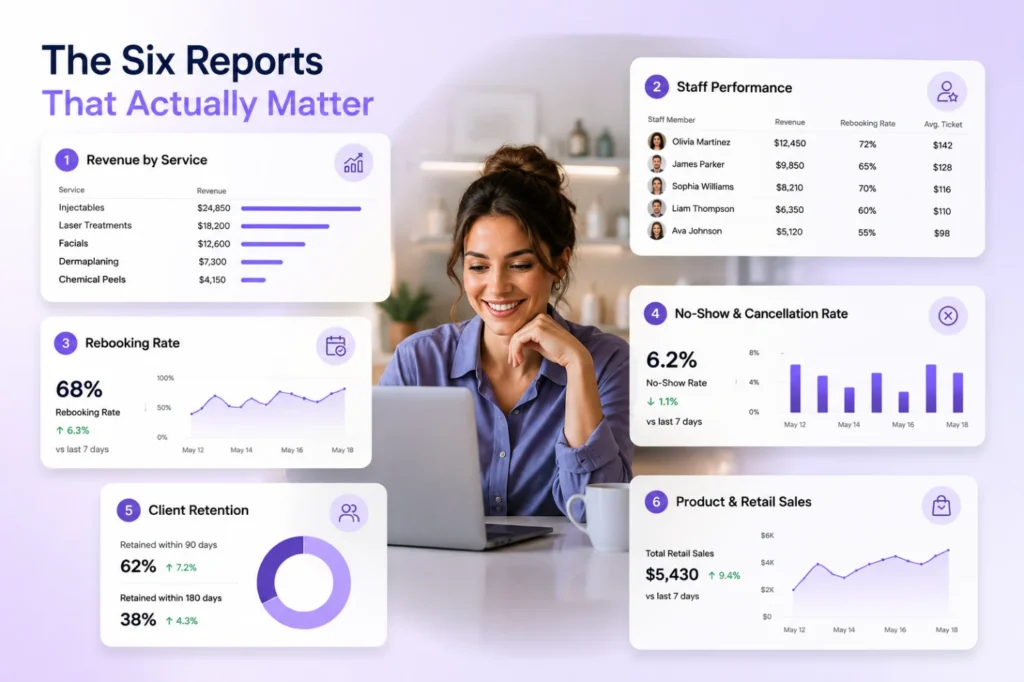
    Not every report deserves your attention. Here are the six that tell you the most, in the order most owners should check them.

    The 6 Reports That Actually Matter

    1. Revenue by service

    Shows which services bring in the most money and which ones are quietly losing you money once you account for time and product cost.

    A 90-minute facial that books at $80 might be worth less per hour than a 30-minute brow service at $35.

    2. Staff performance

    Tracks revenue, rebooking rate, and average ticket size per staff member.

    This is the fastest way to spot who needs coaching and who deserves a raise, without relying on gut feeling.

    3. Rebooking rate

    The percentage of clients who book their next appointment before leaving. This one number predicts your future revenue better than almost anything else on your books.

    4. No-show and cancellation rate

    Every no-show is a chair that sat empty and could have been filled.

    Tracking this by day, time slot, and even by staff member shows you exactly where you’re losing revenue to empty chairs.

    5. Client retention

    How many first-time clients come back for a second visit, and how many regulars haven’t been in for 60 or 90 days. New client marketing is expensive.

    Keeping clients you already have is nearly free.

    6. Product and retail sales

    Retail is often the most neglected report, and often the most profitable.

    A salon that sells $500 a week in product on top of services is running a different business than one that doesn’t.

    How PandaCue’s Reporting Works Day to Day

    PandaCue pulls these numbers automatically from every booking, checkout, and staff schedule in the system, so nobody has to build a spreadsheet by hand.

    How PandaCues Reporting Works Day to Day PandaCue Reporting: One Dashboard for Your Whole Business

    Reports update in real time, which means the number you see at 2 PM reflects the client who just checked out at 1:58.

    Owners running more than one location can view each location separately or roll everything into one combined dashboard.

    This matters most for spotting which location is actually driving growth and which one needs attention, instead of averaging performance across locations and missing the real story.

    Setting Up Reports That Fit Your Business

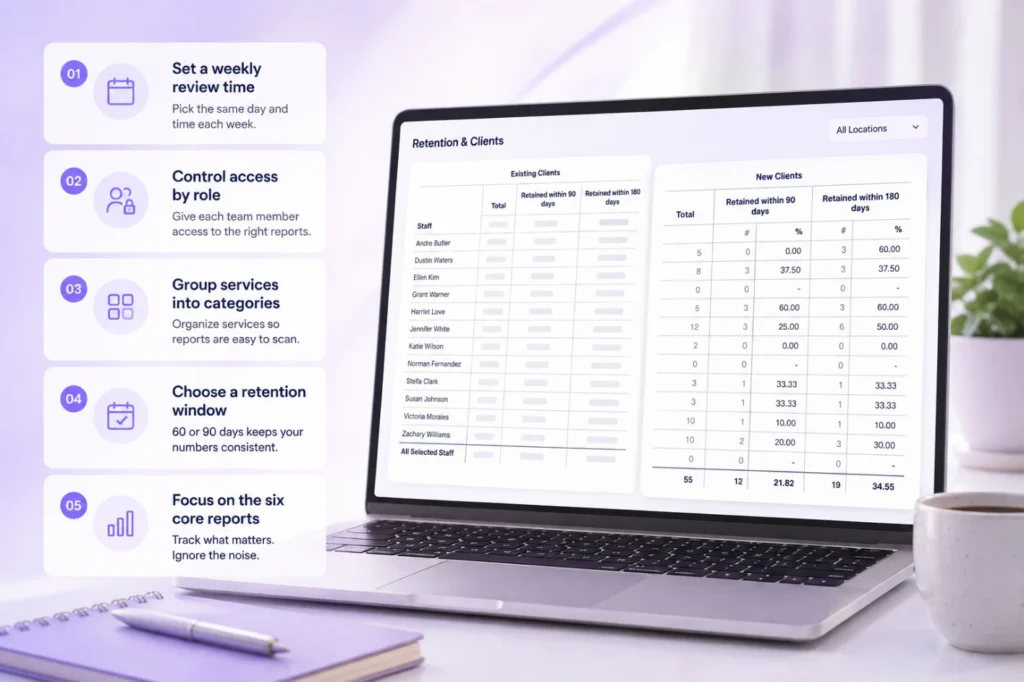
    Getting useful reports out of any system takes a few decisions up front.

    Setting Up Reports That Fit Your Business PandaCue Reporting: One Dashboard for Your Whole Business
    • Set a weekly time to review the six core reports, ideally the same day and time every week
    • Decide which reports each role can see, so staff aren’t overwhelmed with numbers that aren’t theirs to act on
    • Group services into categories (hair, skin, injectables, body) so revenue by service is easier to scan
    • Pick a retention window, usually 60 or 90 days, and stick with it so the numbers stay comparable month to month

    FAQs

    How often should a salon or spa owner check reports?

    Weekly, at minimum. Revenue and staff performance reports are worth a quick daily glance, but a full weekly review is enough to catch most problems early.

    What’s a good rebooking rate for a salon or spa?

    Most healthy salons and spas land between 60% and 75%. Below 50% usually means staff aren’t consistently asking clients to book their next visit before checkout.

    Why does my revenue report look different from my bank deposits?

    Revenue reports usually reflect the day a service was rendered, while bank deposits reflect when the payment actually settles. These rarely match day to day, and that’s normal.

    Can front desk staff see the same reports as the owner?

    It depends on the permissions set up in your software. PandaCue lets owners control exactly which reports each role can view.

    What’s the difference between retention and rebooking?

    Rebooking measures whether a client books their next visit before leaving. Retention measures whether they actually come back within a set window, whether or not they pre-booked.

    Do I need separate reports for each location?

    Yes, alongside a combined view. Location-level reports show you what’s actually happening on the ground; a combined report can hide a struggling location behind a strong one.

  • 1 Staff Hub for Scheduling, Payroll & Tips

    1 Staff Hub for Scheduling, Payroll & Tips

    A solo stylist or one injector can track their own hours in their head. Add five providers, two front desk staff, and a part-time esthetician, and that stops working.

    Most clinics end up with three disconnected systems: a booking calendar, a spreadsheet for commission math, and payroll software that needs everything typed in by hand.

    Every extra system is another place for a number to get copied wrong.

    The real cost shows up on payday. Someone spends an afternoon reconciling tips, service commissions, and product sales by hand.

    Mistakes creep in, and staff notice fast when their check is off, even by a few dollars.

    How PandaCue Connects Scheduling, Commissions, and Payroll

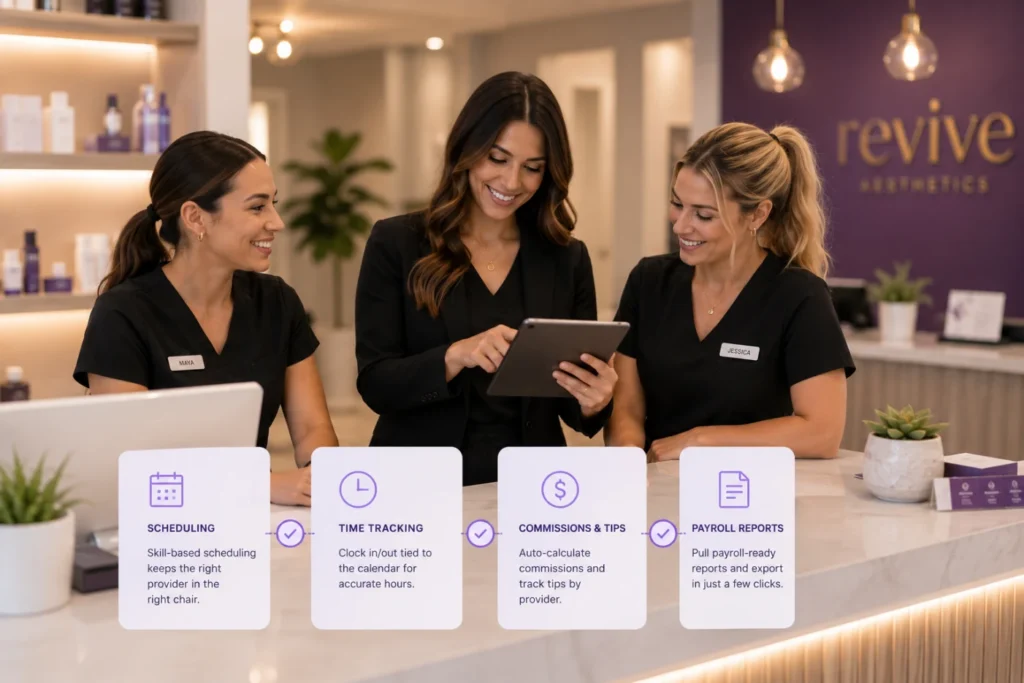
    PandaCue’s staff management tools sit on top of the same calendar used for booking, so a provider’s schedule, their service assignments, and their pay all come from one source instead of three.

    How PandaCue Connects Scheduling, Commissions, and Payroll

    Scheduling by skill and license

    You set which services each staff member is qualified to perform, so a client booking a chemical peel or a filler appointment only sees providers who can actually do that service.

    This matters even more for med spas, where a service might legally require a specific license or a supervising provider on record.

    Time tracking tied to the calendar

    Staff clock in and out from the same system that holds their appointments, so you can compare scheduled hours against actual hours without cross-checking two apps.

    Commission and tip tracking by provider

    When a service or retail sale happens in PandaCue’s point of sale, the commission calculates automatically based on rules you set.

    Tips get attributed to the provider who earned them, not split evenly by guesswork.

    Payroll-ready reporting

    Instead of retyping numbers, you pull a report that shows hours, commissions, and tips by staff member for the pay period, ready to hand off to payroll or export.

    Role-based access

    Front desk staff, providers, and managers see different things. A receptionist doesn’t need to see another provider’s commission rate, and a provider doesn’t need admin settings.

    This keeps sensitive pay data limited to the people who should see it.

    Why This Matters More for Multi-Provider and Multi-Location Clinics

    A single-owner studio can get by with rough math. A clinic with multiple providers, or multiple locations, can’t.

    Commission structures often differ by provider level, by service type, or by location.

    Why This Matters More for Multi-Provider and Multi-Location Clinics

    A senior injector might earn a different rate than a new hire.

    Without a system tracking this automatically, owners either simplify their commission plan more than they’d like, or accept that payroll takes hours every cycle.

    Multi-location clinics add another layer. An owner needs to see staffing levels and labor cost across every location, not just one.

    PandaCue’s staff management gives that view without pulling separate reports from each site.

    Setting Up Staff Management Without the Guesswork

    Getting this right from the start saves you from fixing commission errors after the fact.

    Start with staff profiles.

    Add each team member, their role, and which services they’re licensed or trained to perform. This step is what makes skill-based booking work correctly later.

    Setting Up Staff Management Without the Guesswork

    Set commission rules next.

    Decide if commission is a flat percentage, tiered by revenue, or different for services versus retail. Enter these rules once so the math runs itself going forward.

    Connect time tracking to your actual schedule.

    Make sure staff are clocking in through the same system holding their appointments, not a separate app, or you’ll end up with two versions of the truth.

    Review your first payroll report before you rely on it.

    Check one or two providers by hand against the report to confirm the commission math matches what you expect, then trust it going forward.

    An Example of What This Looks Like Day to Day

    Picture a spa with four estheticians and two front desk staff.

    Before switching to a connected system, the owner spent every other Friday afternoon adding up tips from receipts and commission from a separate spreadsheet.

    An Example of What This Looks Like Day to Day

    After moving scheduling, time tracking, and commission rules into one system, that Friday afternoon task became a five-minute report pull.

    The owner also noticed something the spreadsheet never showed clearly: one esthetician’s actual hours were consistently running higher than her scheduled shift, which led to a conversation about staffing that fixed a real overtime issue.

    This is an illustrative example built to show how the features work together, not a documented case study.

    FAQs

    Does staff management work for both service providers and front desk staff?

    Yes. You can set different roles and permission levels for providers, front desk staff, and managers, so each person sees only what’s relevant to their job.

    Can I set different commission rates for different services?

    Yes. Commission rules can be set by service type, provider level, or a flat rate, depending on how your clinic structures pay.

    Does this replace my payroll software?

    No. It tracks hours, commissions, and tips, then gives you a report to send to your payroll provider or accountant.

    Is staff management useful for a single-location salon, or only larger clinics?

    It helps at any size, but the time savings grow with your team. A solo owner mostly benefits from having clean records; a multi-provider team benefits from automated commission math and fewer payday disputes.

    Can front desk staff see other providers’ pay information?

    No, not by default. Role-based access keeps commission and pay details visible only to the provider themselves and to managers or owners.

    How does this connect to scheduling and booking?

    Staff profiles set which services each person can perform, and that same information controls what clients see when booking online. One update to a staff profile updates both.

    Bringing It Together

    Staff scheduling and payroll don’t need three separate tools fighting each other for accuracy.

    When your calendar, time tracking, and commission rules pull from the same data, payday stops being a research project.

    PandaCue’s staff management tools connect to scheduling, payments and point of sale, and reporting.

    So staffing decisions are based on real numbers instead of a spreadsheet someone assembled the night before.

  • Never Run Out from Retail & Inventory with PandaCue

    Never Run Out from Retail & Inventory with PandaCue

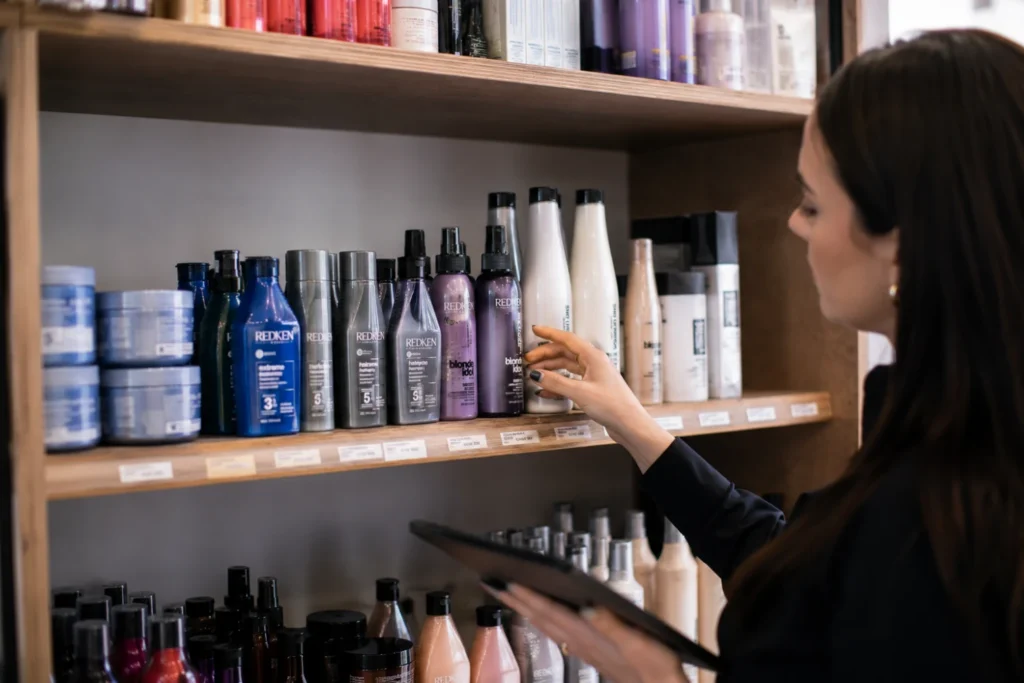
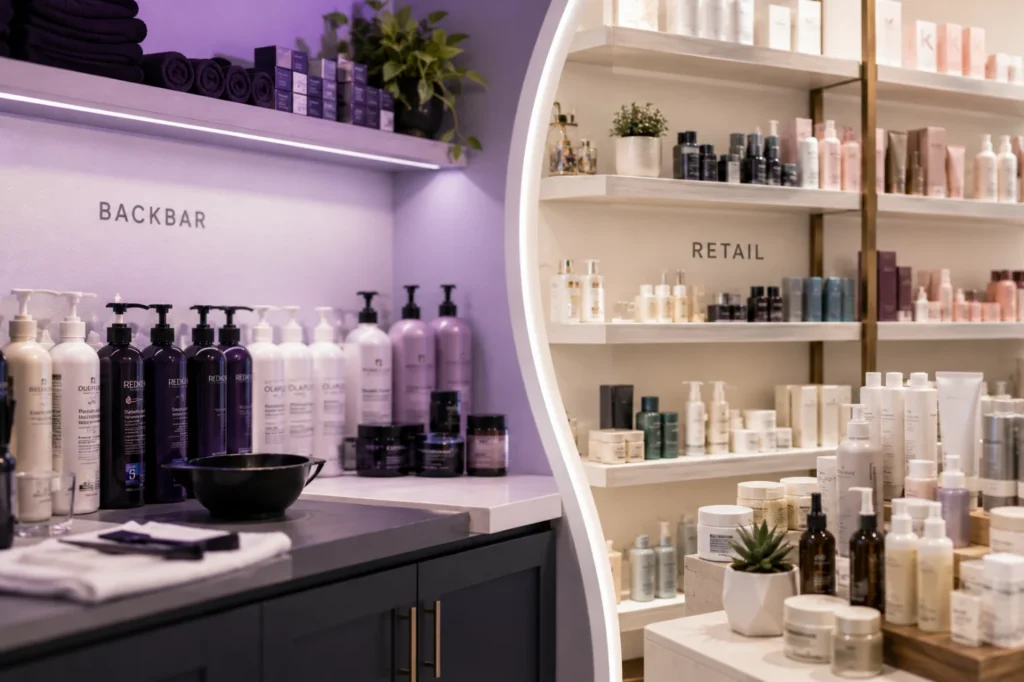
    Inventory in a salon or spa is really two things. There’s backbar product your team uses during services, and retail product sitting on shelves waiting to be sold.

    Most software tracks one of those well and treats the other as an afterthought.

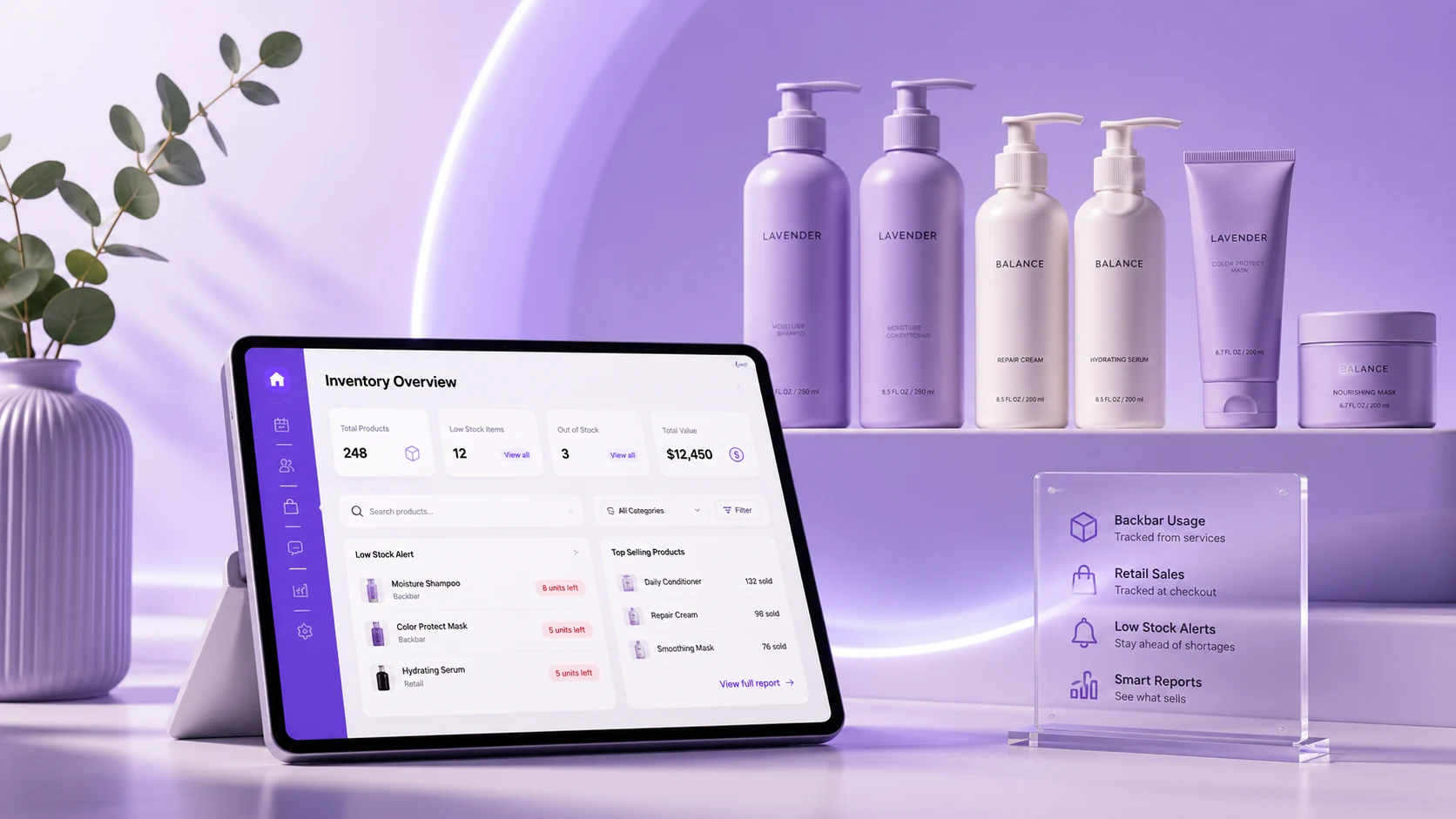
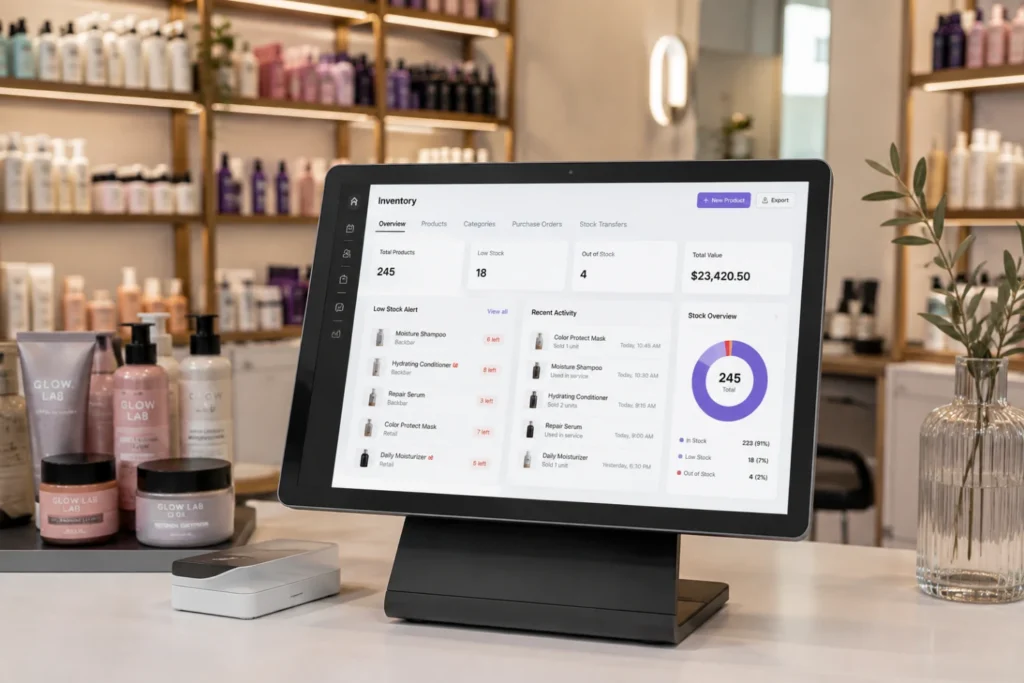
    PandaCue’s Inventory tool tracks both, tying every bottle and unit to the service or sale that used it, so your counts update on their own.

    Why Guessing at Stock Costs You

    A stylist runs out of color mid-formula. An esthetician can’t finish a facial because the serum ran dry.

    These moments feel small, but they lead to rescheduled appointments and clients who notice.

    Why Guessing at Stock Costs You

    On the retail side, the cost runs the other way. A client asks for the product their provider just used, and it’s not on the shelf.

    That sale walks out the door and usually doesn’t come back.

    Overordering has its own price. Products expire.

    Trends shift, A supply closet full of product nobody’s using is money that isn’t moving through your business.

    How PandaCue Keeps Stock Accurate

    PandaCue’s Inventory tool connects to your calendar and your point of sale, so stock changes the moment product actually gets used or sold, not whenever someone updates a spreadsheet.

    How PandaCue Keeps Stock Accurate

    Backbar deduction ties to services.

    When a service is marked complete, PandaCue can deduct the backbar product tied to that formula, so usage reflects what really happened, not an estimate.

    Retail deduction ties to checkout.

    Every item rung up through Payments & Point of Sale comes off your shelf count automatically.

    No manual reconciliation at closing.

    Low-stock alerts catch problems early. You set a threshold for each product.

    PandaCue flags it once stock drops below that line, so your team can reorder before a client asks for something you don’t have.

    Reporting shows what’s actually selling. Inventory reports break down which products move fastest, which sit on the shelf, and what your cost of goods looks like against retail revenue.

    Backbar and Retail Aren’t the Same Problem

    Backbar stock needs to be measured against services performed.

    Retail stock needs to be measured against sales and shelf appeal.

    Backbar and Retail Aren't the Same Problem

    Treating them as one bucket causes real problems, because the reorder logic for each is different.

    PandaCue tracks these as separate categories inside the same tool, so a manager can review backbar usage and retail performance side by side instead of pulling two reports from two systems.

    What Changes for Your Team

    Your front desk stops fielding “do we have that” questions by walking to the shelf.

    What Changes for Your Team

    The system already knows.

    For owners, a physical count every few weeks turns into a dashboard that already flagged what’s low.

    That’s hours back every month, spent running the business instead of counting bottles.

    A Quick Example

    A two-location med spa used to run a full backbar count every other Friday, and retail restocking happened whenever someone noticed an empty shelf, usually too late.

    After setting low-stock thresholds and letting service-based deduction run automatically, the Friday count became a five-minute check of the alerts dashboard.

    Restocking turned proactive instead of reactive.

    FAQs

    Does inventory tracking cover both backbar and retail products?

    Yes. PandaCue treats them as separate categories, so usage and sales are tracked in the right context.

    How does stock update without manual counting?

    Backbar stock adjusts when a linked service is marked complete. Retail stock adjusts automatically at checkout.

    Can I set different low-stock thresholds per product?

    Yes. A high-use item needs a different reorder point than a slow-moving specialty product.

    What if I only use backbar supplies, not retail?

    The tool still works. You’d rely on service-based deduction and low-stock alerts without the POS side.

    Do I still need physical counts?

    Occasional counts are still smart for catching shrinkage or damage, but they shouldn’t be your main way of knowing what’s in stock.

    Getting Inventory Right

    Product waste and stockouts rarely show up as one big number.

    They show up as small moments: a rescheduled appointment, a missed retail sale, a bottle that expired unnoticed.

    None feel urgent alone, which is why they’re easy to ignore until the totals catch up with you.

  • Virtual Waiting Rooms: Skip the Lobby, Save Time

    Virtual Waiting Rooms: Skip the Lobby, Save Time

    PandaCue’s Virtual Waiting Room connects directly to your existing calendar and online booking, so it doesn’t create a separate system to manage.

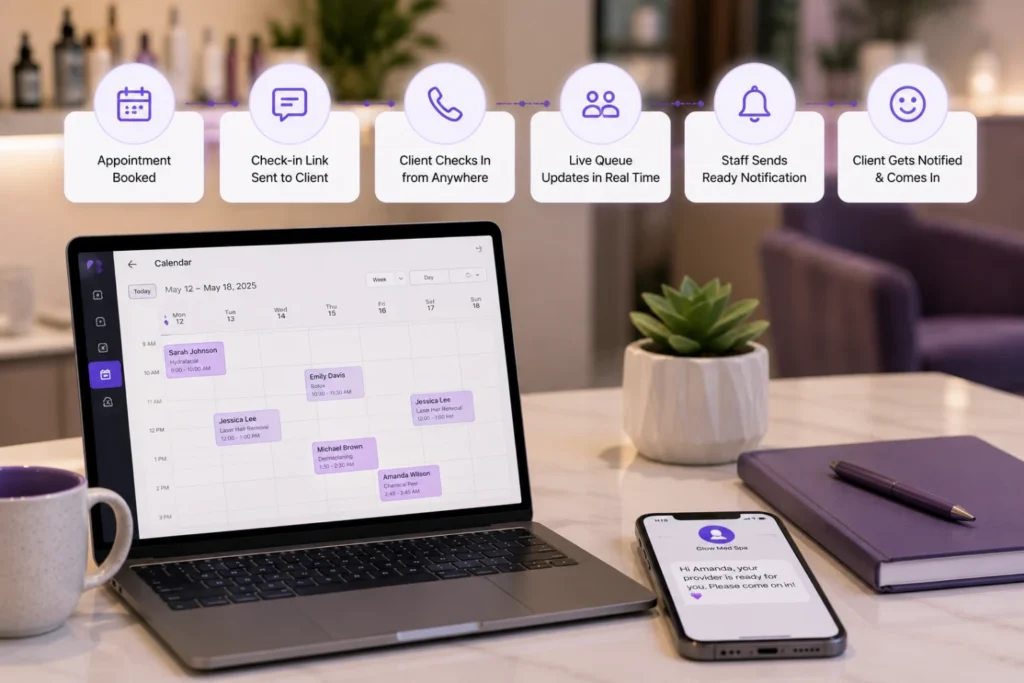
    When an appointment is booked, the client gets a check-in link tied to that visit.

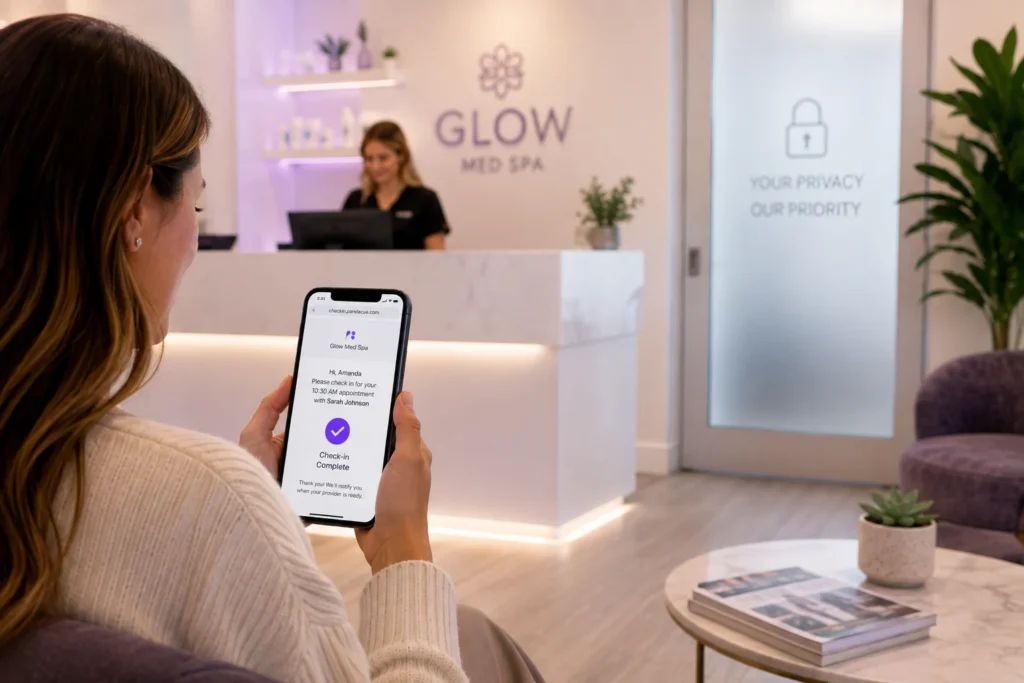
    On the day of the appointment, the client taps the link to confirm they’ve arrived. They can do this from the parking lot, a nearby coffee shop, or their car.

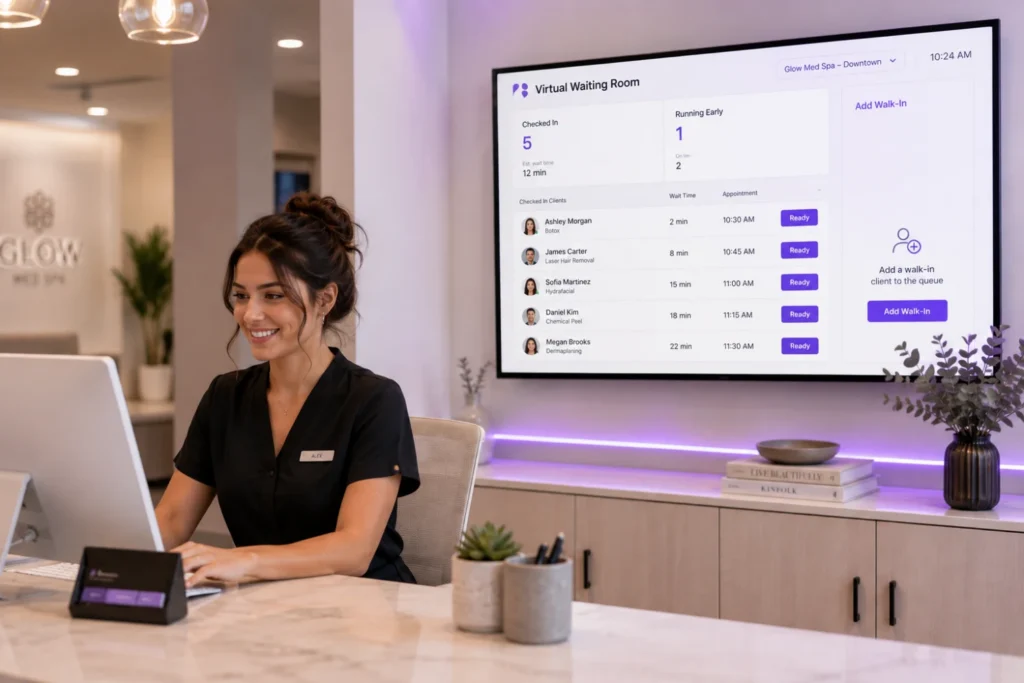
    Your front desk sees a live list of who’s checked in and how long they’ve been waiting, without anyone standing at the counter.

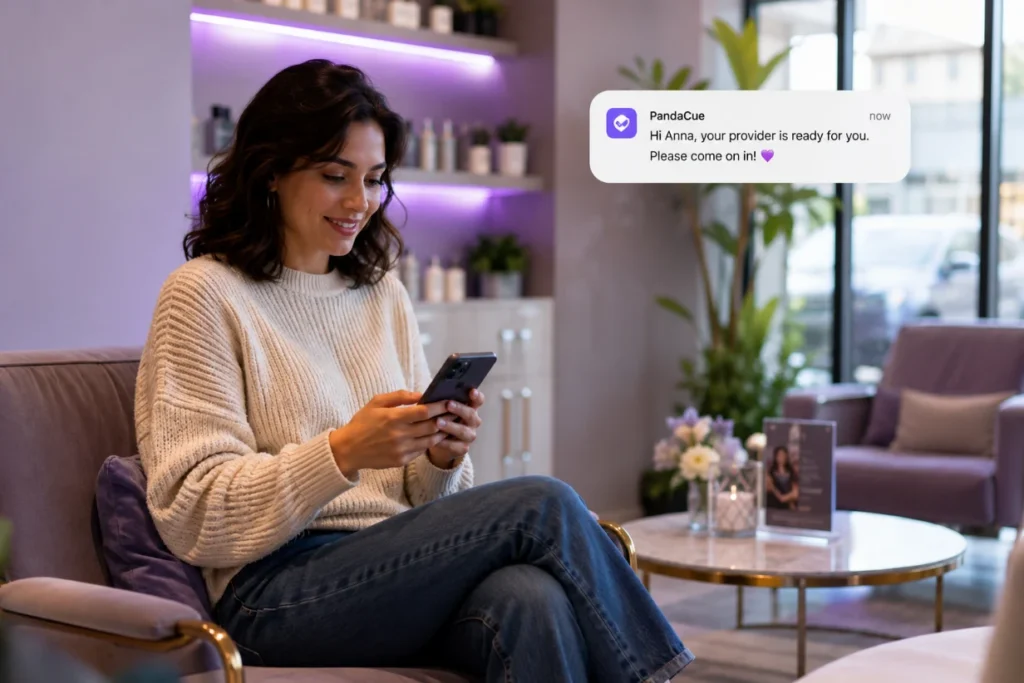
    When the provider is ready, staff send a one-tap “ready” notification. The client gets a text and walks in right as their service starts.

    No lobby small talk, no flipping through old magazines, no guessing when to show up.

    For walk-ins, staff can add someone to the same queue manually, so the front desk still has one view of everyone waiting, whether they booked ahead or not.

    What Changes for Your Front Desk Team

    The biggest shift is fewer interruptions. Instead of managing a room full of people, your team manages a screen.

    What Changes for Your Front Desk Team

    They know exactly who’s waiting, who’s running early, and who needs a heads-up about a delay, and they can send that update with a text instead of an awkward conversation across the counter.

    This matters even more for multi-location businesses.

    A manager can check queue status across every location from one dashboard instead of calling each front desk to ask how backed up they are.

    Why This Matters for Client Experience

    Clients don’t love waiting rooms. They tolerate them. Giving people their time back, even fifteen minutes, changes how they remember the visit.

    A client who gets a text saying “come on in” feels like your business is organized.

    Why This Matters for Client Experience

    A client who sits under fluorescent lights wondering if anyone remembers they’re there does not.

    For a nail salon or barbershop, this means less foot traffic congestion during peak hours.

    For a med spa, it means clients can wait in privacy until their provider is actually ready, which matters when the appointment itself is a sensitive one.

    Setting It Up Without Overcomplicating Things

    You don’t need a separate app or a new device at the counter.

    The Virtual Waiting Room lives inside PandaCue’s existing scheduling and client management tools.

    So check-in links go out the same way appointment confirmations already do.

    Setting It Up Without Overcomplicating Things

    Staff training is mostly just knowing where the live queue lives on their screen.

    Businesses running multiple locations get one added benefit: a consistent check-in experience everywhere, without each front desk building its own process for handling arrivals.

    A Quick Word on Compliance

    For med spas, keeping the check-in process off a shared clipboard or sign-in sheet also supports HIPAA-conscious handling of client information.

    A Quick Word on Compliance with pandacue's software

    Nobody’s name and appointment reason is visible to the next person in line.

    That’s a small detail that matters a lot in a medical setting.

    FAQs

    Does the Virtual Waiting Room work for walk-in clients?

    Yes. Staff can add walk-ins to the same live queue used for scheduled appointments, so front desk has one list to manage instead of two.

    Do clients need to download an app?

    No. Clients check in through a link sent by text or email, tied directly to their appointment.

    Can multiple locations see their own queues separately?

    Yes. Each location manages its own live waiting list, and managers overseeing several locations can check status across all of them from one view.

    Does this replace online booking?

    No. It works alongside it. Online booking gets the appointment on the calendar; the Virtual Waiting Room manages the day-of arrival and check-in.

    Is this useful for a small, single-location salon?

    Yes. Even a small shop benefits from knowing who’s actually arrived versus who’s just on the schedule, especially during busy weekend hours.

    How do clients get notified their appointment is starting?

    Staff send a ready notification with one tap, and the client receives a text letting them know to come in.

  • Offers & Discounts That Don’t Eat Your Margins

    Offers & Discounts That Don’t Eat Your Margins

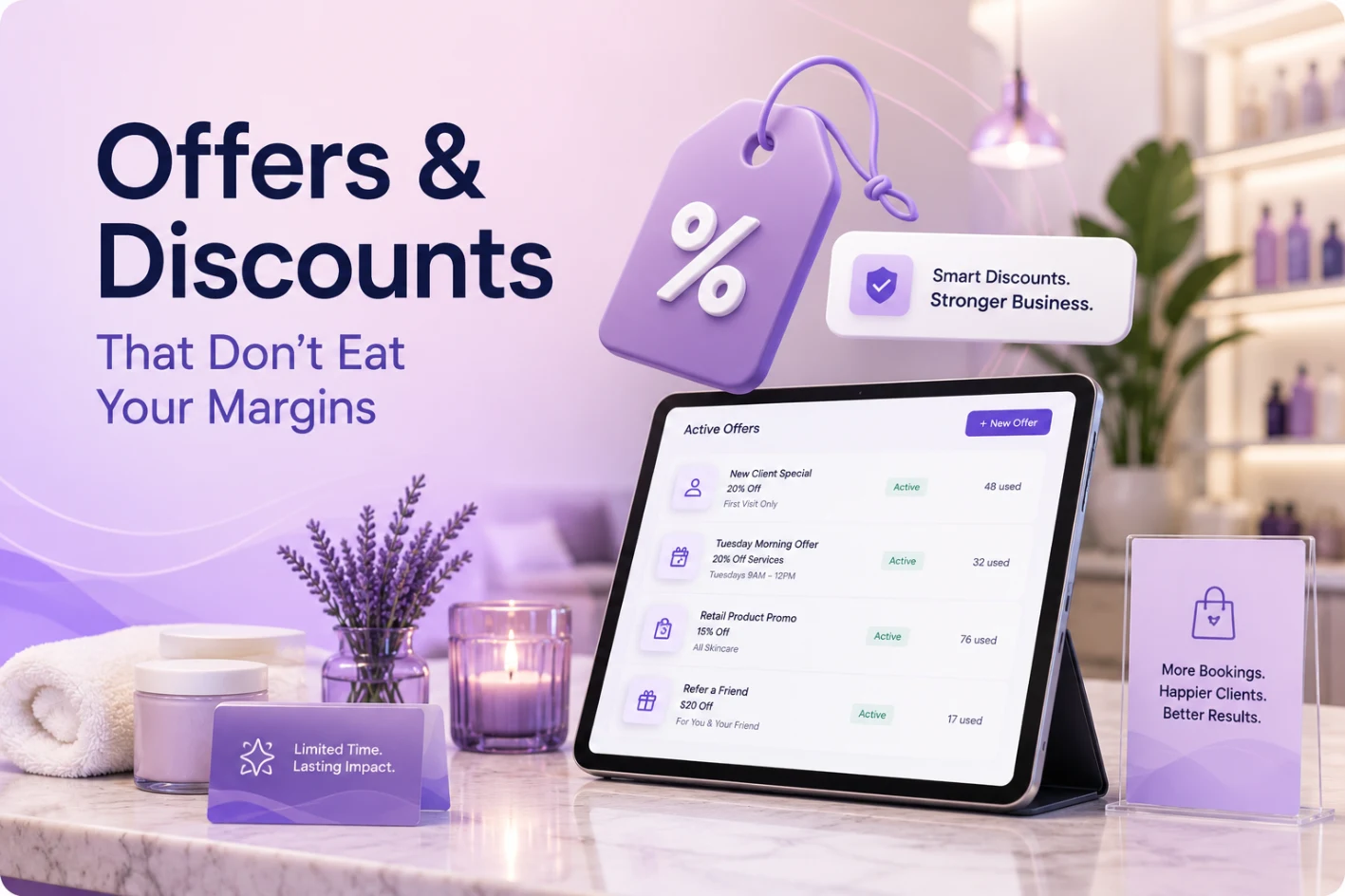
    PandaCue’s Offers & Discounts feature lets salons and spas create, schedule, and control promotions from inside the same system used for booking and checkout.

    Owners set the discount type, the rules around who can use it, and the dates it runs. Front desk staff apply it at checkout with one click. No spreadsheets.

    No sticky notes at the register.

    The point isn’t just running a sale. It’s running one you can actually track and shut off before it costs you money.

    Why Discounts Are Riskier Than They Look

    A 15% off promotion sounds simple. In practice, it touches five different things at once: pricing, staff commissions, inventory, reporting, and client expectations.

    Why Discounts Are Riskier Than They Look

    Most salons and spas don’t lose money on the discount itself.

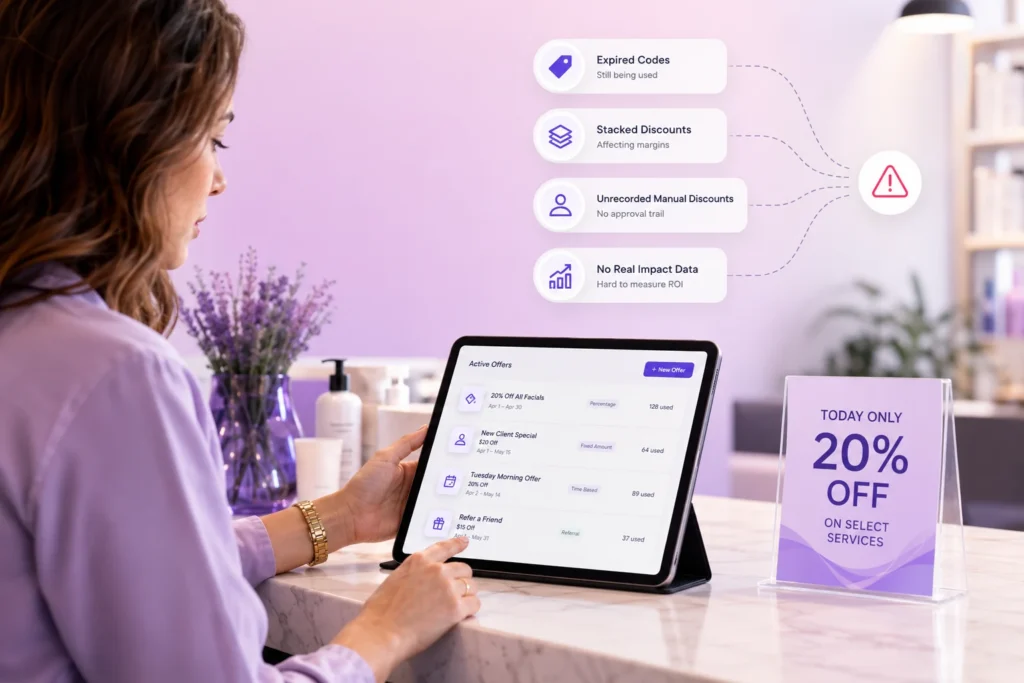
    They lose money on what happens after: a stylist keeps applying an expired code, a client assumes a one-time offer is permanent, or nobody can say afterward whether the promotion actually brought in new business.

    Offers & Discounts exists to close that gap. Every promotion has a start date, an end date, and a record of who used it and when.

    Types of Offers PandaCue Supports

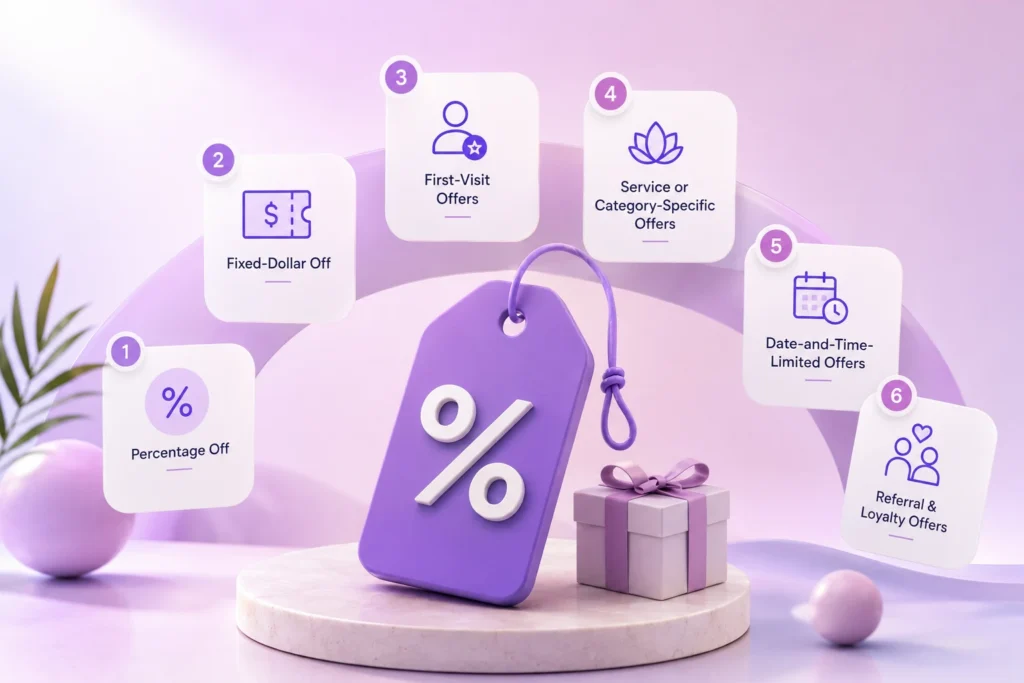
    Different situations call for different kinds of discounts. PandaCue supports the formats salons and spas actually use, not a one-size-fits-all coupon box.

    Types of Offers PandaCue Supports
    • Percentage off — a flat percentage off a service, product, or full ticket.
    • Fixed-dollar off — a set amount off, useful for high-ticket services where a percentage would cut too deep.
    • First-visit offers — a lower price for new clients, capped to one use per client.
    • Service or category-specific offers — discounts that apply only to certain services, like facials or a slow-season treatment, instead of the whole menu.
    • Date-and-time-limited offers — promotions tied to slow hours or a specific week, like a Tuesday-morning discount to fill quiet slots.
    • Referral and loyalty-linked offers — a discount triggered when an existing client refers someone new.

    Each offer can be limited by service, staff member, client type, or location, so a discount meant for one clinic in a multi-location group doesn’t accidentally apply everywhere.

    Common Mistakes Salons Make With Discounts

    Common Mistakes Salons Make With Discounts

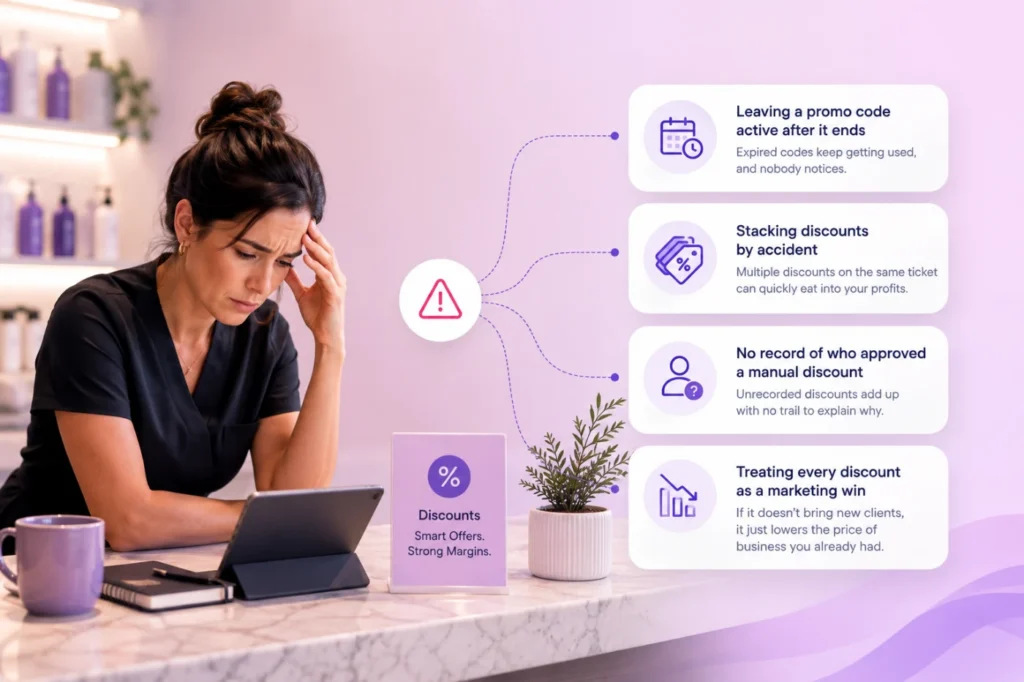
    Leaving a promo code active after it ends

    Without a hard stop date, front desk staff keep honoring an old discount out of habit, and nobody notices until the monthly numbers look off.

    Stacking discounts by accident

    A client with a membership discount also gets a seasonal promo applied on top, and the ticket total is wrong before anyone catches it.

    No record of who approved a manual discount

    A staff member reduces a price at checkout for a regular client. It feels fine in the moment.

    Multiplied across a year, unrecorded manual discounts can quietly erode margin with no paper trail to explain why.

    Treating every discount as a marketing win

    A promotion that only gets used by clients who were already going to book doesn’t grow the business.
    It just lowers the price of business you already had.

    How to Set Up an Offer in PandaCue

    How to Set Up an Offer in PandaCue
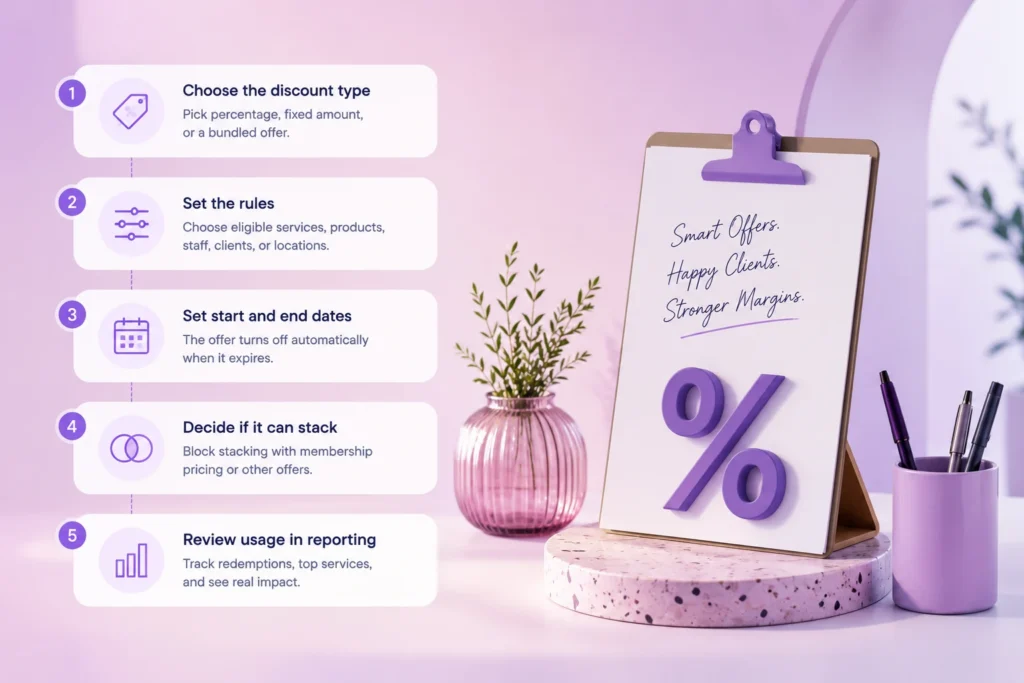
    1. Choose the discount type. Percentage, fixed amount, or a bundled offer tied to a specific service.
    2. Set the rules. Which services or products qualify, which staff can apply it, and whether it’s limited to new clients, members, or a specific location.
    3. Set start and end dates. The offer turns off automatically once it expires. No one has to remember to disable it.
    4. Decide if it can stack. PandaCue lets you block a promo from combining with membership pricing or another active offer, so totals stay accurate.
    5. Review usage in reporting. See how many times an offer was redeemed, which services it applied to, and whether it brought in new clients or just discounted existing ones.

    That last step is the one most salons skip when they run discounts through a generic point-of-sale system.

    Without it, you’re guessing whether a promotion worked.

    Example: A Multi-Location Spa Tests a Slow-Season Offer

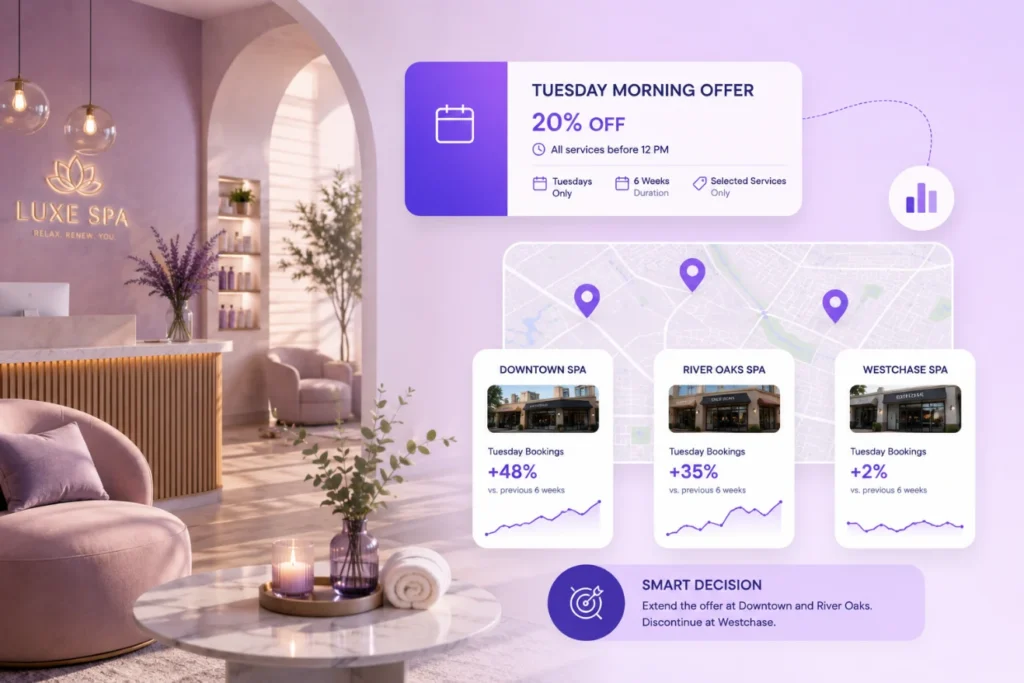
    This example is illustrative, not a real client case. A spa group with three locations noticed Tuesday mornings were consistently quiet across all three sites.

    They set up a 20% off offer in PandaCue, limited to Tuesday appointments before noon, active for six weeks.

    Example A Multi-Location Spa Tests a Slow-Season Offer

    Because the offer was tied to a specific time window and service category, front desk staff didn’t need to manually check eligibility the system only offered it when the booking matched the rules.

    At the end of the six weeks, the reporting showed which location saw the biggest lift in Tuesday bookings and which one saw almost no change.

    so the owner extended the offer at two locations and dropped it at the third instead of guessing.

    Keeping Discounts Under Control

    Discount control isn’t only about the offer itself. It’s about who can touch it.

    Keeping Discounts Under Control with pandacue

    PandaCue lets owners set staff-level permissions on discounts, so a front desk employee can apply an approved promotion but can’t create a new one or discount a ticket past a set limit without manager approval.

    For clinics that also manage memberships and packages, this matters even more, since membership pricing and promotional discounts need clear rules for which one applies when a client has both.

    FAQs

    Can a discount apply to only one location in a multi-location business?

    Yes. Offers can be scoped to a specific location, so a promotion built for one clinic doesn’t apply chain-wide by default.

    Can two discounts be used on the same ticket?

    Only if you allow it. PandaCue lets you block stacking so a membership discount and a promo code don’t combine and undercut your pricing.

    Does the system track who used an offer?

    Yes. Every redemption is logged with the client, the staff member, and the date, so you can see usage without digging through registers.

    What happens when an offer expires?

    It turns off automatically at checkout once the end date passes. Staff can’t apply it by mistake, and you don’t need to remember to remove it manually.

    Can front desk staff create their own discounts?

    Only if you give them that permission. Most clinics limit discount creation to owners or managers and let staff apply pre-approved offers only.

    Do discounts affect staff commission calculations?

    Yes, and it’s worth checking how your commission structure treats discounted services before running a promotion, since a steep discount on a high-commission service changes payout math.

    Before You Launch Your Next Promotion

    A discount is only as good as the rules around it. Set an end date, decide who can apply it, and check whether it actually changed booking behavior once it’s over.

    That’s the difference between a promotion that grows your business and one that just quietly cuts your prices.

    If you’re running offers through spreadsheets or verbal reminders to staff today, PandaCue’s Offers & Discounts feature moves that into one place set the rules once, and the system enforces them at checkout.

  • PandaCue Campaigns: One Tool for Every Message

    PandaCue Campaigns: One Tool for Every Message

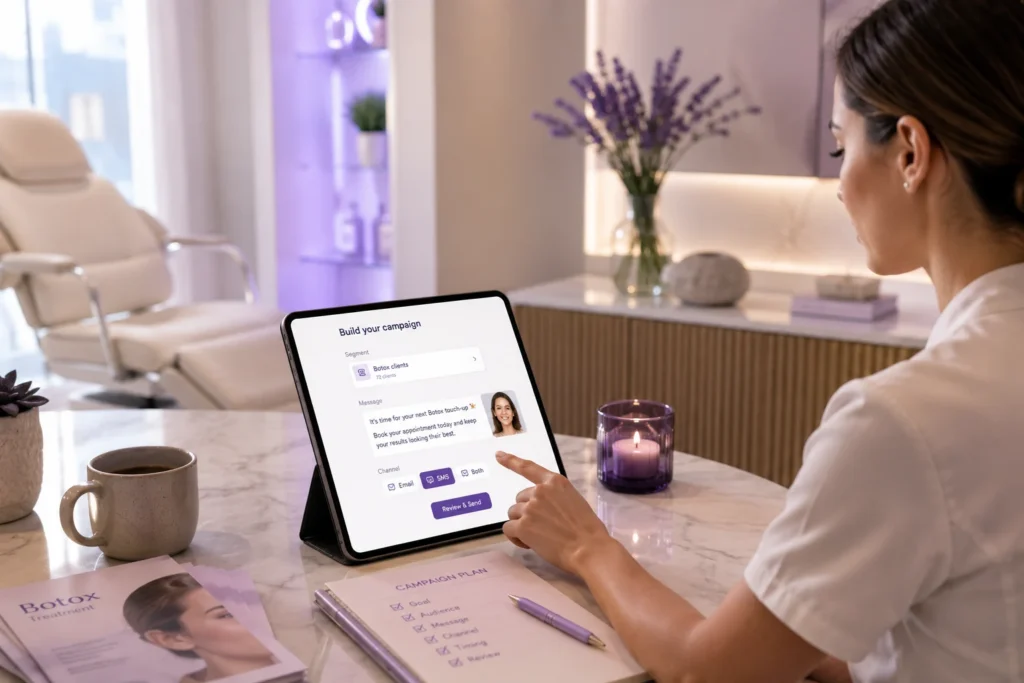
    PandaCue Campaigns is a built-in marketing tool that lets salons, spas send email and text campaigns straight from the same system that holds their client and appointment data.

    You build a campaign, pick who should get it, and PandaCue sends it and tracks what happens next, all without leaving your scheduling software.

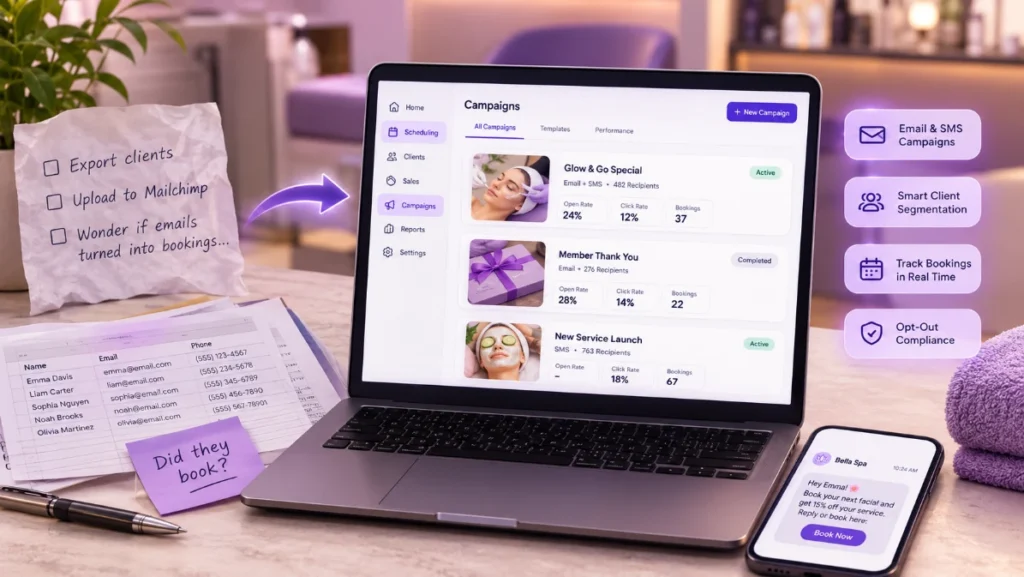
    If you’ve ever exported a client list to a spreadsheet, uploaded it to Mailchimp, then wondered three weeks later whether any of those emails actually turned into bookings, this feature exists to end that guessing game.

    Why Marketing Inside Your Scheduling Software Actually Matters

    Most salons and spas don’t have a marketing team. They have an owner or a front desk manager who’s already juggling bookings, payroll, and inventory.

    Why Marketing Inside Your Scheduling Software Actually Matters

    Adding a separate marketing platform means learning new software, exporting client lists by hand, and hoping the two systems stay in sync.

    That gap is where campaigns quietly fail. A client cancels a membership, but the marketing tool doesn’t know, so she keeps getting renewal emails.

    A client books a facial through a promo, but nobody can tell if the campaign paid for itself, because the booking data and the email data live in two different places.

    What You Can Actually Do With PandaCue Campaigns

    What You Can Actually Do With PandaCue Campaigns software

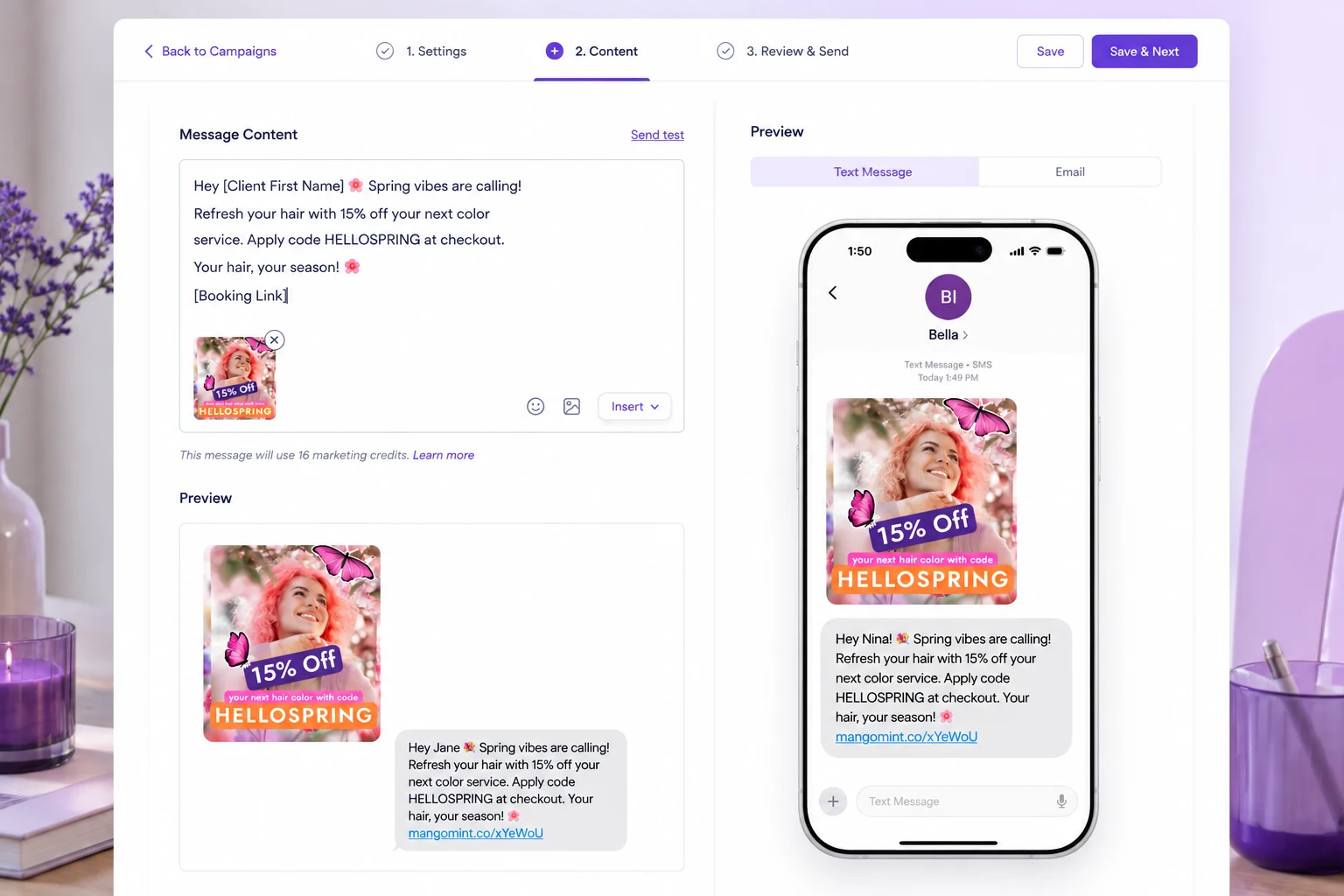
    Send targeted email and SMS campaigns

    Build a message once and send it by email, text, or both, depending on what your clients actually respond to.

    Segment your list without spreadsheets

    Pull segments straight from your client database: service history, last visit date, membership status, spend level, or location, if you run more than one.

    Track results against real bookings

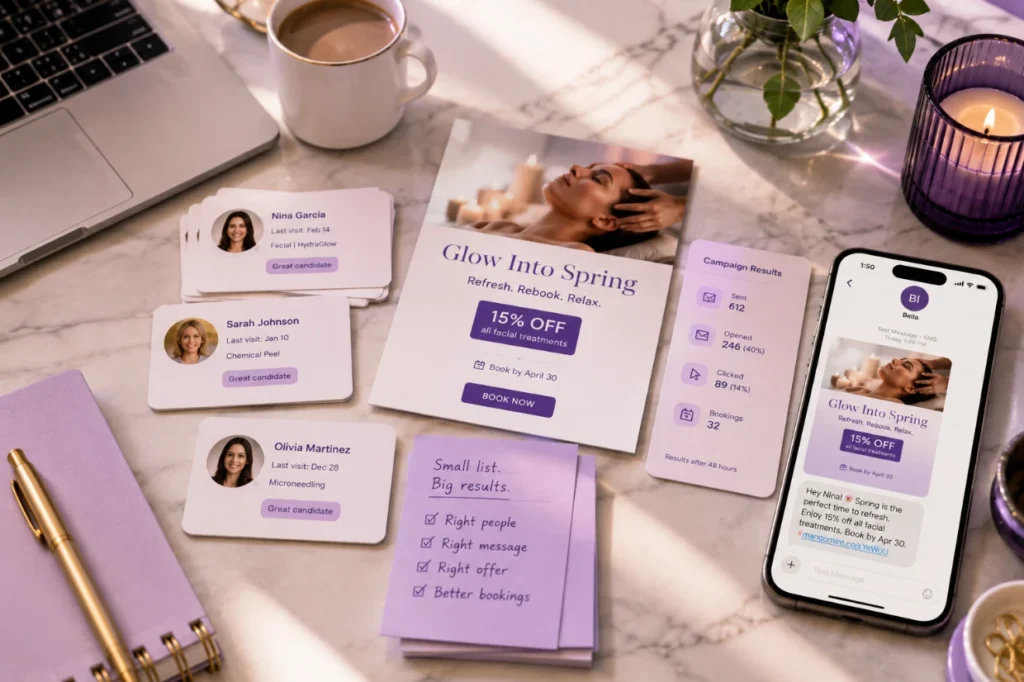
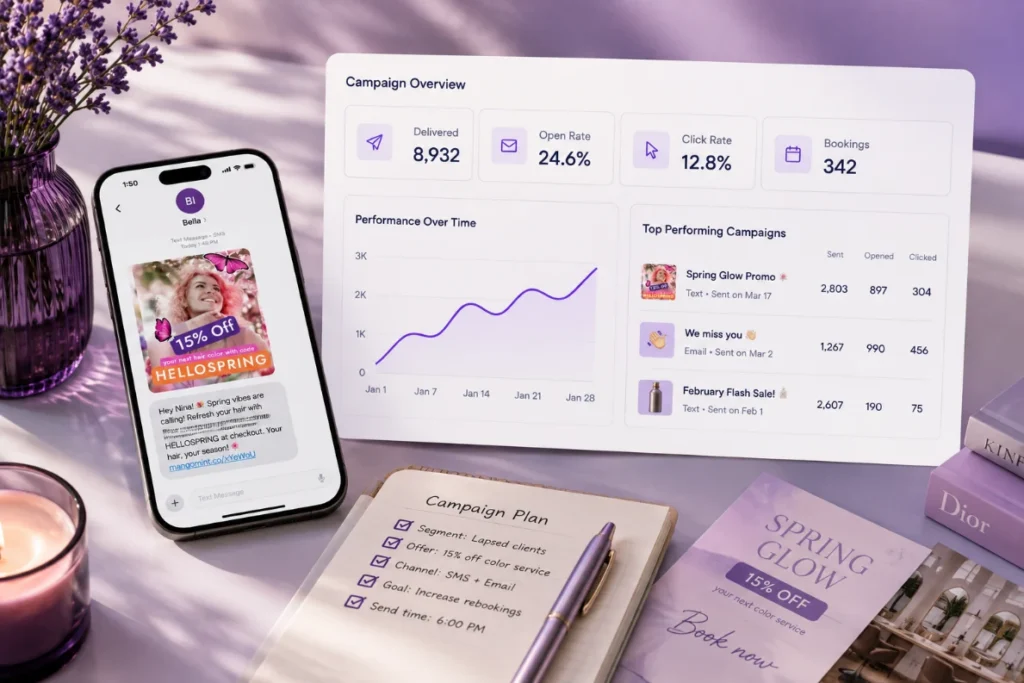
    See opens, clicks, and more importantly how many recipients actually booked an appointment from the campaign.

    Reuse templates

    Save a promotion or announcement as a template so your front desk team can send it again next season without starting from scratch.

    Stay compliant with opt-outs

    Every campaign includes the unsubscribe and opt-out handling required for CAN-SPAM and TCPA compliance, so you’re not manually tracking who asked to be removed.

    Common Mistakes Salons Make With Marketing Campaigns

    Common Mistakes Salons Make With Marketing Campaigns that cost you sales

    Sending to everyone, every time. A client who just booked doesn’t need a “come back and see us” email. Blasting your full list for every promotion trains people to ignore your messages.

    No clear next step. A campaign that shares news but doesn’t ask the reader to book, buy, or reply is a missed appointment. Every campaign needs one obvious action.

    Ignoring the data you already have. Many clinics know exactly which clients are overdue for a refill or a rebook, but never turn that list into a message. That’s the easiest campaign you’ll ever send.

    Texting too often. SMS gets read fast, which makes it tempting to overuse. One or two texts a month keeps opt-out rates low. Weekly texts usually don’t.

    How to Set Up a Campaign in PandaCue

    How to Set Up a Campaign in PandaCue software for your salon marketing purpose
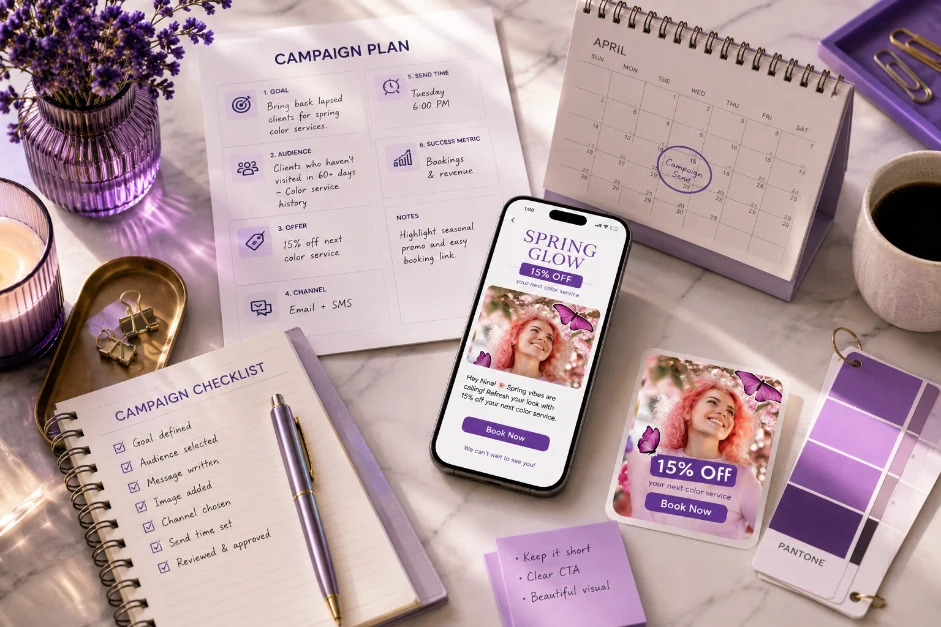
    1. Pick your goal. Decide if this campaign is meant to fill a slow week, bring back lapsed clients, promote a new service, or remind members about a renewal.
    2. Build your segment. Filter clients by last visit, service type, membership status, or spend, using the data already stored in your PandaCue client profiles.
    3. Write the message. Keep it short. Lead with the offer or reason to act, not a long introduction.
    4. Choose the channel. Email works for detailed offers and photos. SMS works for time-sensitive reminders and last-minute openings.
    5. Set the send time. Late morning and early evening tend to get the best response for salon and spa clients, since that’s when people check their phones between tasks.
    6. Review and send. Check the client count, the opt-out list is respected automatically, and confirm the message before it goes out.
    7. Check performance. After 48 hours, look at opens, clicks, and bookings tied to the campaign, then adjust your next one.

    Practical Advice Before You Send Your Next Campaign

    Start small. A segment of 50 highly relevant clients will usually outperform a blast to your full list.

    Write one clear offer per campaign instead of trying to promote three services at once.

    Practical Advice Before You Send Your Next Campaign

    And always check your results before planning the next send, since the data tells you what actually worked, not what you assumed would work.

    Keeping campaigns manual gets harder as a clinic grows past a few hundred clients.

    Software like PandaCue keeps your segments current automatically, since they’re built from live booking and client data instead of a list you have to update by hand.

    FAQs

    What’s the difference between a campaign and an automated flow?

    A campaign is a one-time message you build and send, like a holiday promotion. An automated flow triggers on its own, like a birthday message or a rebooking reminder that goes out after a set number of days.

    Can I send both email and text from the same campaign?

    Yes. You can build one campaign and choose email, SMS, or both, depending on which channel fits the message.

    How do I know if a campaign is working?

    PandaCue shows opens, clicks, and bookings tied directly to that campaign, so you can see the real return, not just an open rate.

    Will clients who opted out still receive campaigns?

    No. Opt-outs are tracked automatically and excluded from every future send, which keeps you compliant without manual list management.

    Can I target clients by the service they usually book?

    Yes. Segments can be built around service history, last visit date, spend, membership status, or location.

    Is this safe to use for med spa clients with treatment history?

    Segments built from clinical or treatment data stay inside PandaCue’s HIPAA-aware environment, rather than being exported to outside marketing tools.

  • Automated Flows: Set It Once, Runs Forever

    Automated Flows: Set It Once, Runs Forever

    Automated Flows are PandaCue’s tool for sending the right message to the right client at the right time, without anyone on your team typing it out.

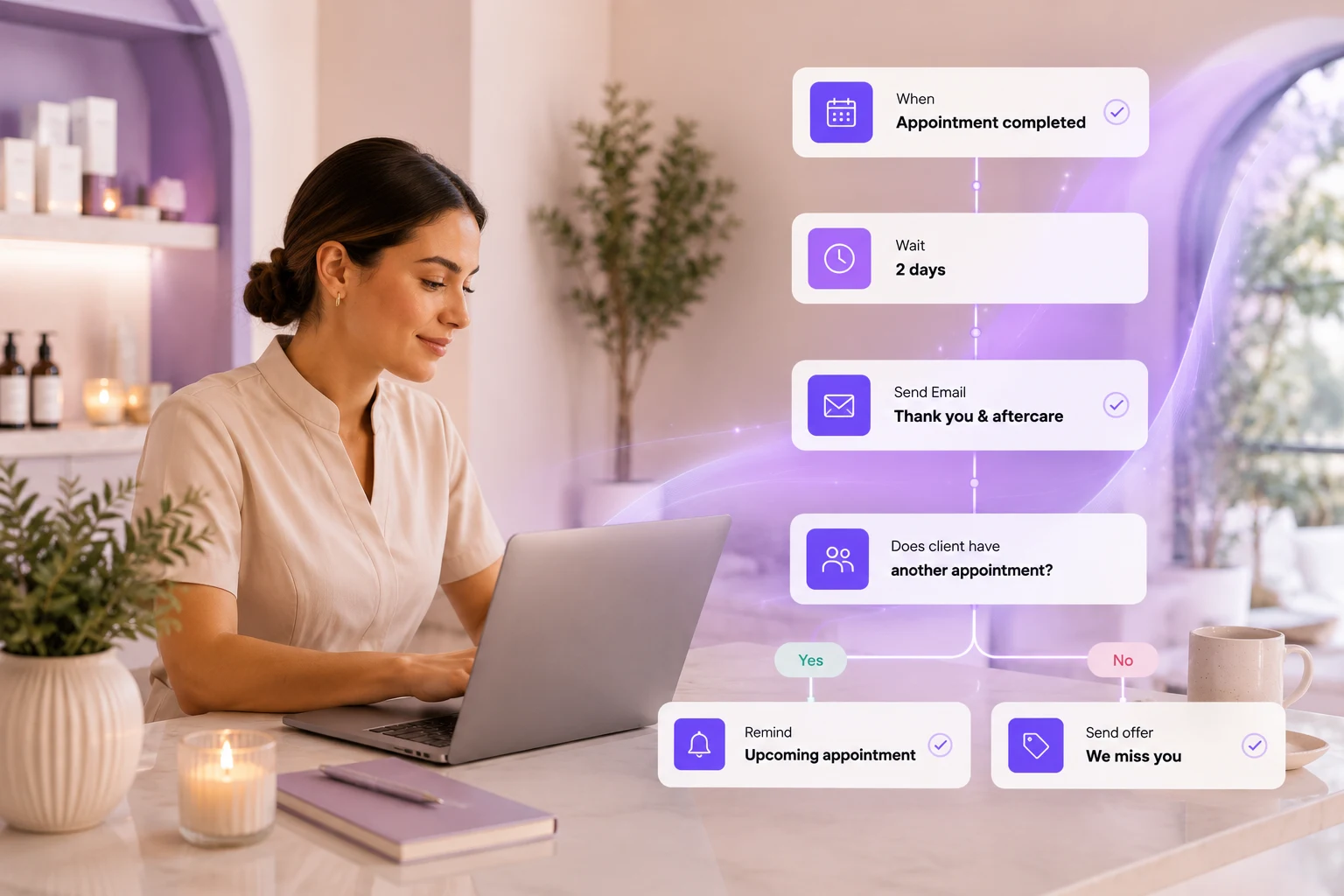
    A flow watches for something that happens in your business. A client books an appointment. A membership is about to expire.
    Someone hasn’t visited in 60 days.

    When that event happens, PandaCue sends a text or email automatically, based on rules you set once.
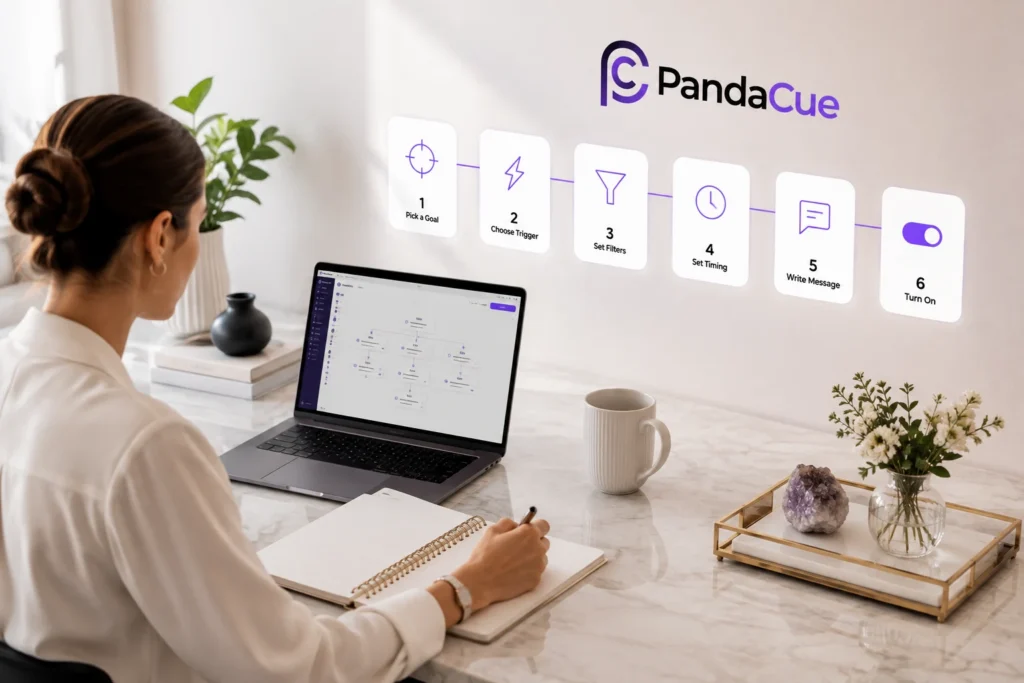
    You build the flow one time. It runs every day after that, for every client who matches.

    Why Spas Need More Than Manual Reminders

    Most front desks already send messages by hand. A birthday text here. A “we miss you” email there. It works fine when you have 50 clients.

    It falls apart at 500.

    Why Spas Need More Than Manual Reminders

    Here’s the problem. Every manual message is a message someone has to remember to send. Busy days mean it gets skipped.

    New staff don’t know the routine.

    Clients slip through, and some of them never come back.

    Salons, spas, and med spas run on repeat visits. A membership renewal missed by three days, a rebooking reminder that never went out, a review request that got forgotten each one is a small leak.

    Automated Flows plug those leaks by making sure the message goes out whether anyone remembers or not.

    How Automated Flows Work

    A flow has four parts. Once you understand them, you can build almost anything.

    How Automated Flows Work Automated Flows: Set It Once, Runs Forever

    Triggers

    A trigger is the event that starts the flow. Common triggers include a completed appointment, a new client signup, a canceled membership, a form submission, or a specific date like a birthday.

    Conditions and Filters

    Conditions narrow down who the flow applies to. You might only want a flow to run for clients who booked a specific service, or clients who haven’t visited in 90 days.

    Filters keep the message relevant instead of blasting everyone with the same text.

    Delays and Timing

    Timing matters as much as the message itself. A post-treatment care text sent two hours after a facial lands differently than one sent two days later.

    Flows let you set exact delays, so each message arrives when it’s actually useful.

    Actions

    The action is what happens once the trigger fires and the conditions are met.

    Usually that’s a text or email, but it can also be an internal alert to your staff, like notifying the front desk when a high-value client books.

    What You Can Automate With Flows

    What You Can Automate With Flows
    • Rebooking reminders sent a set number of days after a client’s last visit
    • Pre-care and aftercare instructions tied to specific services, like chemical peels or injectables
    • Review requests sent a day or two after checkout, while the experience is fresh
    • Birthday and anniversary offers that go out without anyone checking a calendar
    • Membership renewal reminders before a plan expires or a payment fails
    • Waitlist and cancellation alerts letting clients know when a slot opens up
    • Internal staff notifications when a form is submitted or a big sale closes

    Each of these can run as its own flow, with its own trigger, timing, and message.

    A Flow in Action: A Simple Example

    Picture a mid-size day spa with three locations. Their front desk used to track lapsed clients on a spreadsheet, calling anyone who hadn’t booked in two months.

    A Flow in Action A Simple Example

    The list grew faster than they could work through it, and most calls went to voicemail.

    They set up a single flow instead. Trigger: no visit in 60 days. Condition: client has an active phone number and hasn’t opted out of texts.

    Action: a text offering a small discount on their next booking, sent automatically every Monday.

    Within a few weeks, a steady trickle of lapsed clients started rebooking on their own, straight from the text. No calls, no spreadsheet, no one had to remember to run the list.

    This is an illustrative example of how a flow typically works, not a specific customer result.

    How to Build Your First Flow in PandaCue

    How to Build Your First Flow in PandaCue
    1. Pick one goal. Start with a single outcome, like getting more reviews or reducing no-shows on rebooking.
    2. Choose the trigger. Decide what event should start the flow, such as a completed appointment.
    3. Set your filters. Narrow the audience so the message only reaches clients it applies to.
    4. Set the timing. Decide how long after the trigger the message should send.
    5. Write the message. Keep it short, specific, and written the way you’d actually talk to a client.
    6. Turn it on and watch it for a week. Check open rates and replies, then adjust.

    Most salons start with one or two flows, like rebooking reminders and review requests, before adding more.

    FAQs

    Do I need technical skills to build a flow?

    No. Flows are built with simple trigger-and-action rules inside PandaCue, no code required.

    Can I use flows for both texts and emails?

    Yes. Each flow can send a text, an email, or both, depending on what the client has opted into.

    Will clients get too many automated messages?

    Only if you let multiple flows overlap without filters. Setting conditions on each flow keeps messaging spaced out.

    Can flows notify my staff instead of clients?

    Yes. Flows can send internal alerts, like notifying the front desk when a form is submitted or a big sale closes.

    Do flows work across multiple locations?

    Yes. You can run one flow across all locations or build separate flows per location if pricing or services differ.

    What happens if a client opts out of texts?

    PandaCue respects opt-outs automatically. Any client who unsubscribes stops receiving flow messages by text right away.

    Getting Started

    You don’t need every flow running on day one. Pick the one gap that costs you the most, whether that’s lapsed clients, missed reviews, or slow membership renewals, and build a single flow to close it.

    Automated Flows connect to your scheduling, memberships, and online booking data automatically, so once it’s built, it keeps working without anyone checking on it.

    From there, add one flow at a time as you see what your clients respond to.

  • Introducing Salon Gift Cards: Sell 24/7

    Introducing Salon Gift Cards: Sell 24/7

    Most salons treat gift cards as an afterthought. A stack of paper cards behind the counter, a notebook to track balances, and a prayer that nobody loses track of what’s owed.

    That approach breaks down fast. A busy spa can sell dozens of cards in December alone.

    Without a system, you lose track of who redeemed what, how much balance is left, and when a card expires (if it expires at all).

    Gift cards also carry a business reality owners often miss: unredeemed balances are a liability on your books, not free revenue. You owe that service to someone.

    Software that tracks balances automatically keeps you accurate, not just organized.

    How PandaCue’s Gift Cards Feature Works

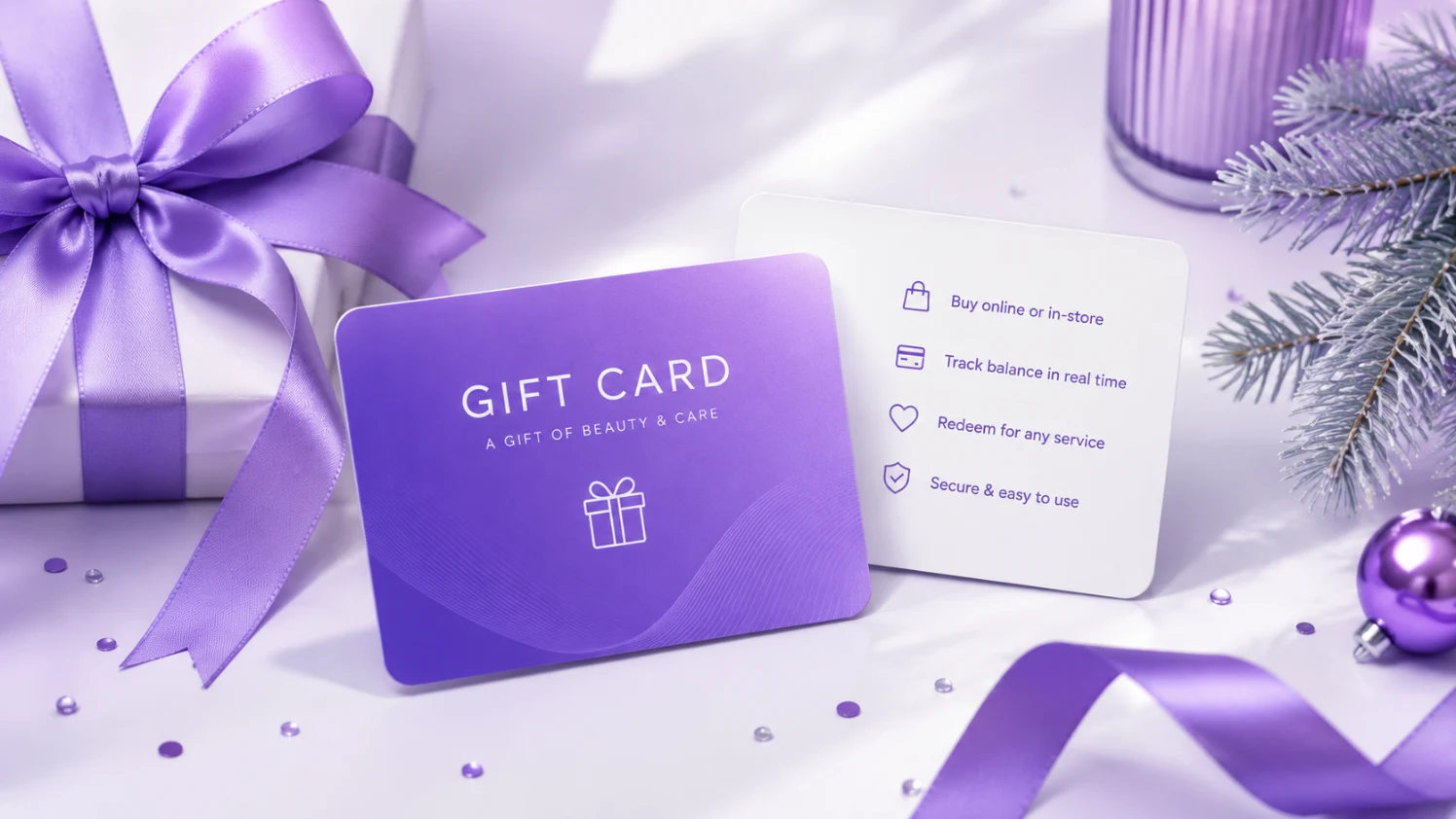
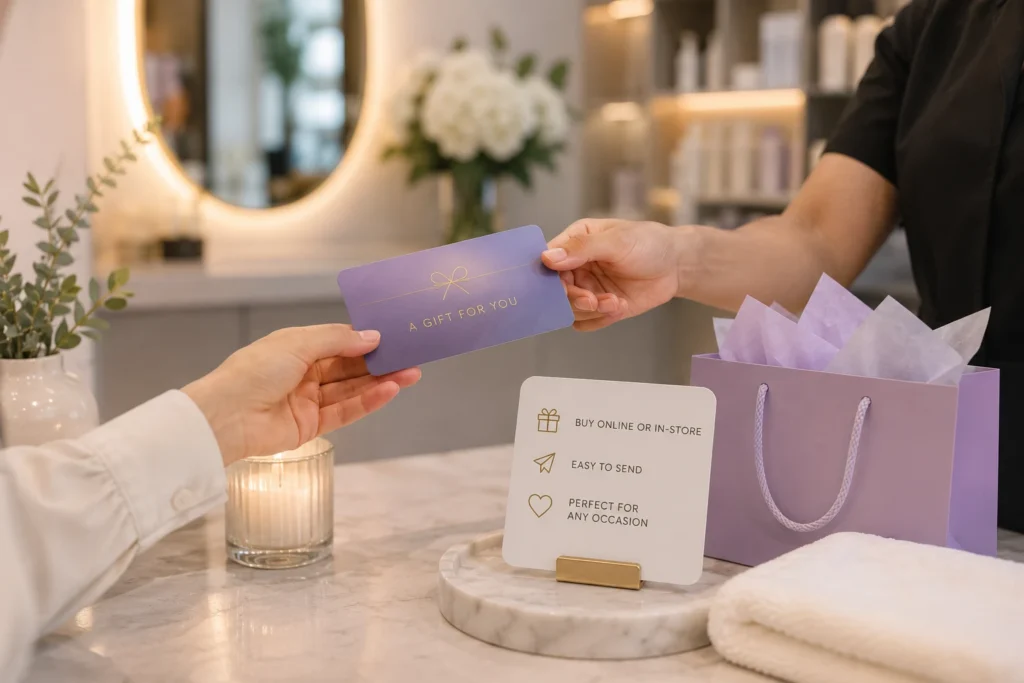
    PandaCue lets you sell, track, and redeem gift cards from one screen, whether the sale happens online, on a mobile app, or at your front desk during checkout.

    How PandaCue's Gift Cards Feature Works

    Digital and physical cards

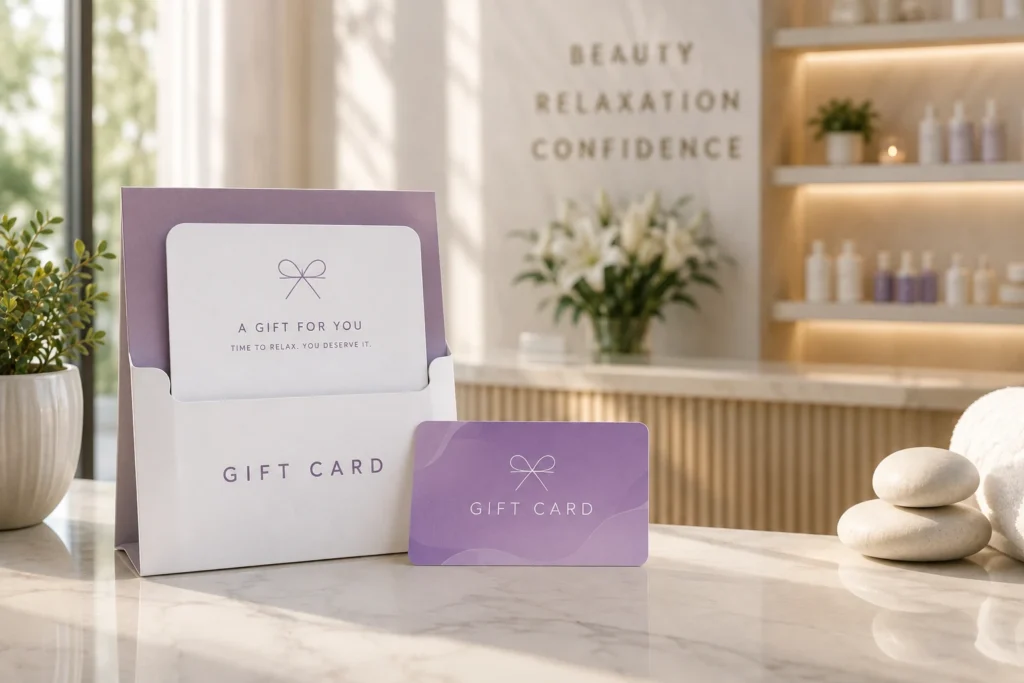
    You can sell an e-gift card that a client can send by text or email the same day, or issue a physical card at the counter. Both draw from the same balance system, so there’s no separate spreadsheet to reconcile.

    Automatic balance tracking

    Every time a card is used, PandaCue updates the remaining balance instantly. Your staff never has to do math at checkout or guess whether a card still has funds.

    No double redemption

    Each card has a unique code tied to your system. It can’t be used twice by accident, and it can’t be redeemed at a location that isn’t yours if you run multiple sites.

    Built-in reporting

    You can see outstanding gift card liability at any time, which matters for accounting and for knowing how much revenue is already “owed” to future visits.

    Works with the rest of your business

    A gift card purchase can trigger a client profile in your CRM, feed into your marketing list, and connect to Online Booking so the recipient can redeem it without a phone call.

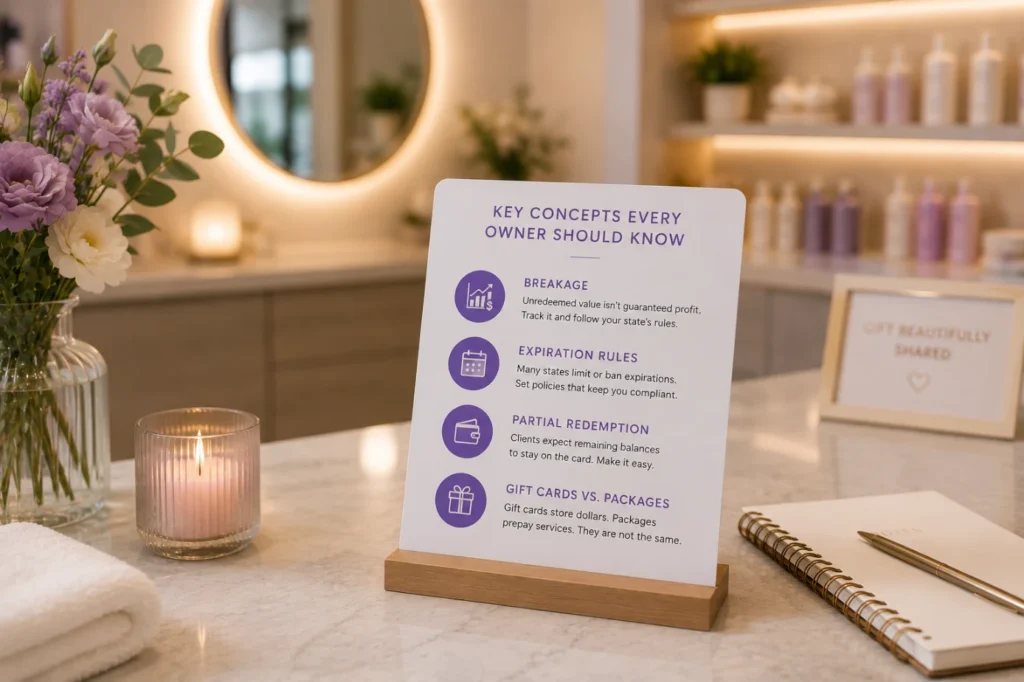
    Key Concepts Every Owner Should Know

    Key Concepts Every Owner Should Know

    Breakage

    This is the industry term for gift card value that never gets redeemed. Some owners assume breakage is pure profit.

    It isn’t guaranteed, and depending on your state, unredeemed balances may need to be reported as unclaimed property after a certain period.

    Track it, don’t assume it.

    Expiration rules

    Many states restrict or ban gift card expiration dates entirely. Check your state’s rules before setting an expiration policy.

    PandaCue lets you configure expiration per your local requirements instead of forcing one rule on every card.

    Partial redemption

    A client with a $150 card who books a $90 service should walk out with a $60 balance, not a used-up card. This sounds obvious, but manual systems get it wrong constantly.

    Gift cards vs. packages

    A gift card is a stored dollar amount. A package is prepaid services, like five facials for one price. They solve different problems, and mixing them up in your system creates confusion for both staff and clients.

    How to Set Up Gift Cards in PandaCue

    How to Set Up Gift Cards in PandaCue
    1. Turn on the Gift Cards feature in your PandaCue dashboard.
    2. Set your card values or let clients choose their own amount.
    3. Choose expiration rules based on your state’s requirements.
    4. Connect gift cards to Online Booking so recipients can redeem without calling.
    5. Review liability reports monthly to stay ahead of accounting surprises.

    Frequently Asked Questions

    Do gift cards expire in PandaCue?

    Expiration is configurable. You can set a policy that matches your state’s laws, or leave cards with no expiration if your state requires it.

    Can clients buy gift cards online without calling the salon?

    Yes. PandaCue supports e-gift card sales through your booking page, so clients can purchase and send a card any time, day or night.

    What happens if a client only uses part of the balance?

    The remaining amount stays on the card automatically. There’s no manual recalculation needed at checkout.

    Do gift cards work across multiple locations?

    If you run more than one location under one PandaCue account, gift cards can be set up to work at all of them or restricted to a single site, depending on your policy.

    Is unredeemed gift card money considered profit?

    Not automatically. It’s typically treated as a liability until redeemed, and in some states, unclaimed balances after a certain time may need to be reported. Check with your accountant on the specifics for your state.

    Can I track how much I owe in outstanding gift cards?

    Yes. PandaCue’s reporting shows your total outstanding gift card liability so you always know where you stand.

    Bringing It Together

    Gift cards are one of the easiest ways to bring in cash before a service happens and introduce your business to someone new.

    The upside only holds up if the tracking behind it is solid.

  • Forms & Charting: Replaces Paper Intake Sheets

    Forms & Charting: Replaces Paper Intake Sheets

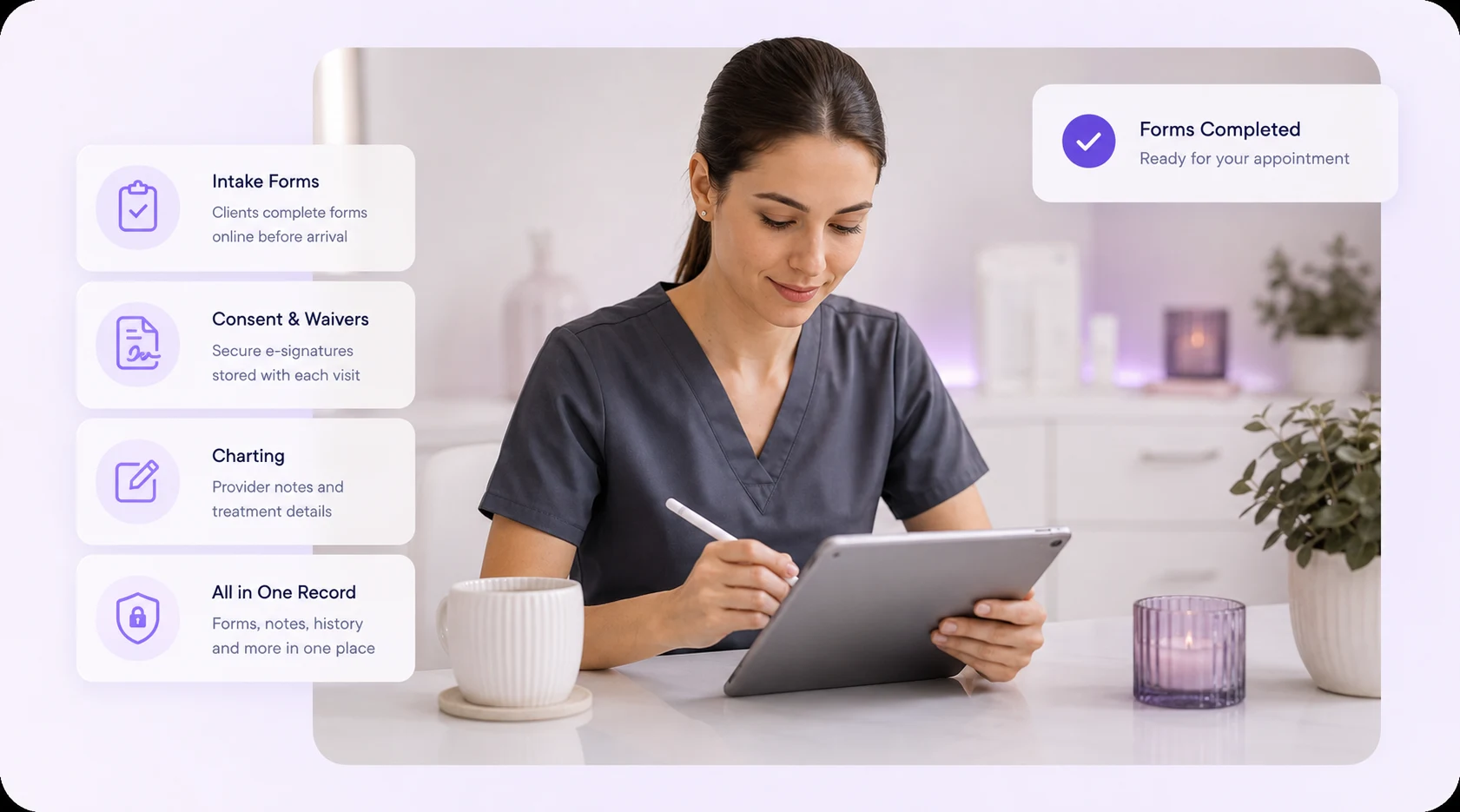
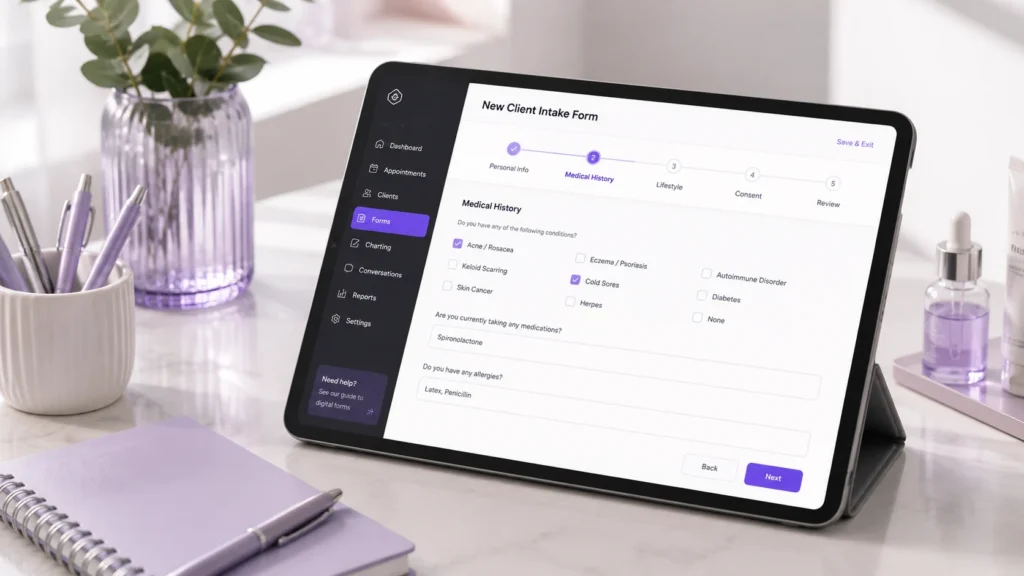
    Forms & Charting is the part of PandaCue where clients fill out intake and consent forms online, and your team records what happened during each visit.

    It replaces the clipboard at your front desk and the loose notes in a client’s file. Everything lives in one digital record tied to that client’s profile.

    If you run a salon, spa, or med spa, you already know the problem. Clients fill out the same health history every time they visit a new location. Staff can’t read old handwriting.

    A consent form goes missing right when you need it for a liability question. Forms & Charting fixes all three.

    What Counts as a “Form” in a Salon or Spa Setting?

    A form is any document a client fills out or signs before, during, or after a service.

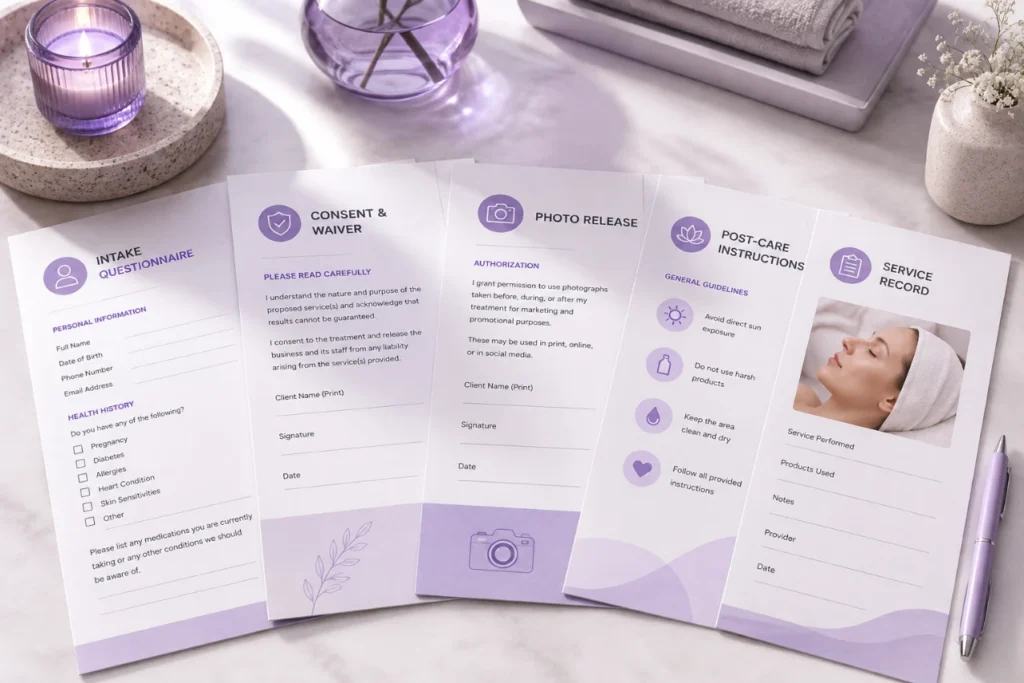
    This includes intake questionnaires, health history sheets, consent and waiver forms, photo release agreements, and post-care instructions.

    What Counts as a "Form" in a Salon or Spa Setting?

    In a med spa, forms often carry more weight. A Botox consent form or a chemical peel waiver protects the business if something goes wrong.

    In a hair or nail salon, forms are usually shorter but still matter for allergy disclosures and patch test records.

    What Is Charting, and Why Does It Apply Beyond Med Spas?

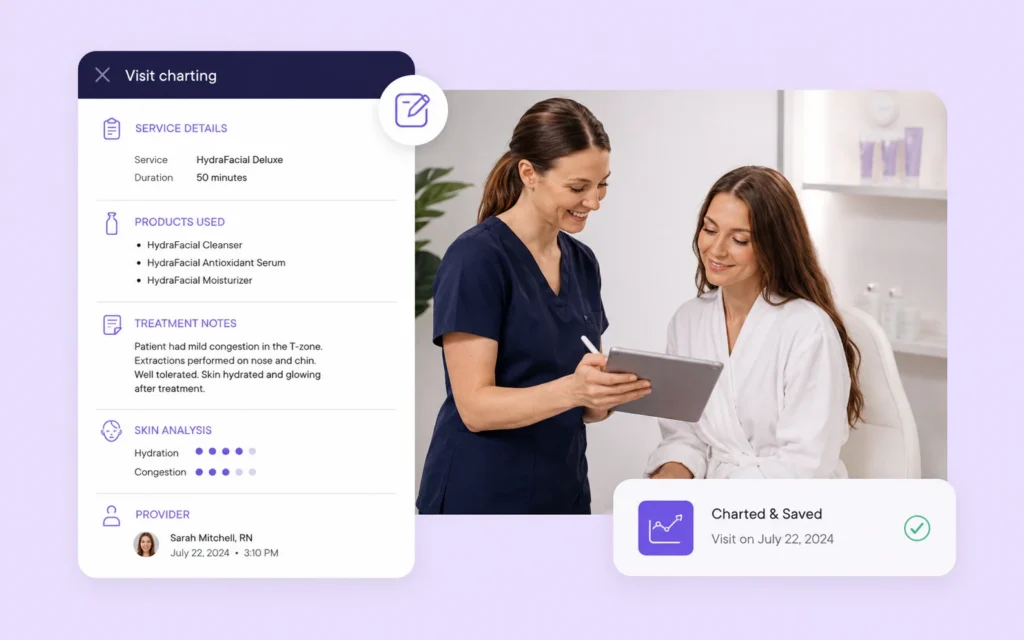
    Charting is the written record of what a provider actually did during an appointment. It answers a simple question: what happened, and what was used to make it happen?

    For a med spa, that might mean the units of neurotoxin injected, the lot number, the injection sites, and any reaction noted afterward.

    What Is Charting, and Why Does It Apply Beyond Med Spas

    For a spa, it might be the peel strength used on a facial or the pressure level in a massage.

    For a salon, it could be the exact color formula mixed for a client’s hair.

    Charting isn’t only a medical requirement. It’s how any business avoids repeating a mistake or forgetting what worked. A stylist who charts a color formula saves 20 minutes on the next visit.

    A med spa that charts injection sites protects both the client and the practice.

    Why Paper Forms and Notebooks Cause Real Problems

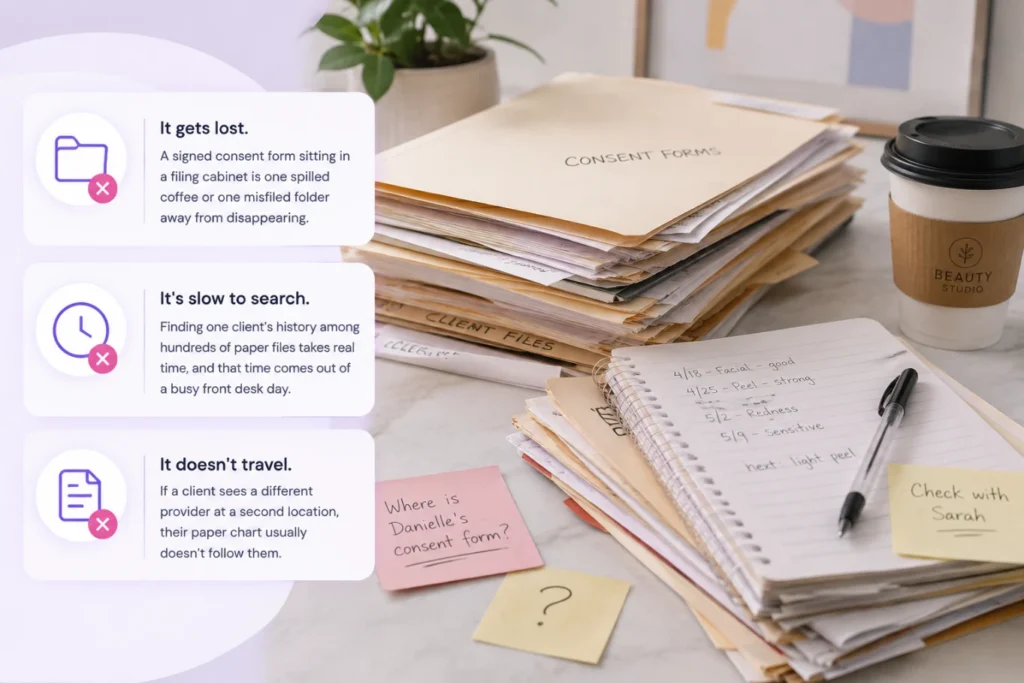
    Paper breaks down in three predictable ways.

    Why Paper Forms and Notebooks Cause Real Problems
    • It gets lost. A signed consent form sitting in a filing cabinet is one spilled coffee or one misfiled folder away from disappearing.
    • It’s slow to search. Finding one client’s history among hundreds of paper files takes real time, and that time comes out of a busy front desk day.
    • It doesn’t travel. If a client sees a different provider at a second location, their paper chart usually doesn’t follow them.

    None of these are dramatic failures on their own.

    They just add friction, appointment after appointment, until someone finally asks why the front desk is buried in paperwork.

    How PandaCue Handles Forms & Charting

    PandaCue lets clients fill out intake and consent forms online before they arrive, so the form is already attached to their profile by the time they sit in the chair.

    How PandaCue Handles Forms & Charting

    Staff can build custom forms for different service types, and each signed form stays linked to the exact appointment it belongs to.

    For charting, providers add notes directly to the client’s record after a service.

    That note stays in the same place as their booking history, payment history, and past forms, so anyone on the team can pull up a full picture of a client in seconds instead of digging through paper.

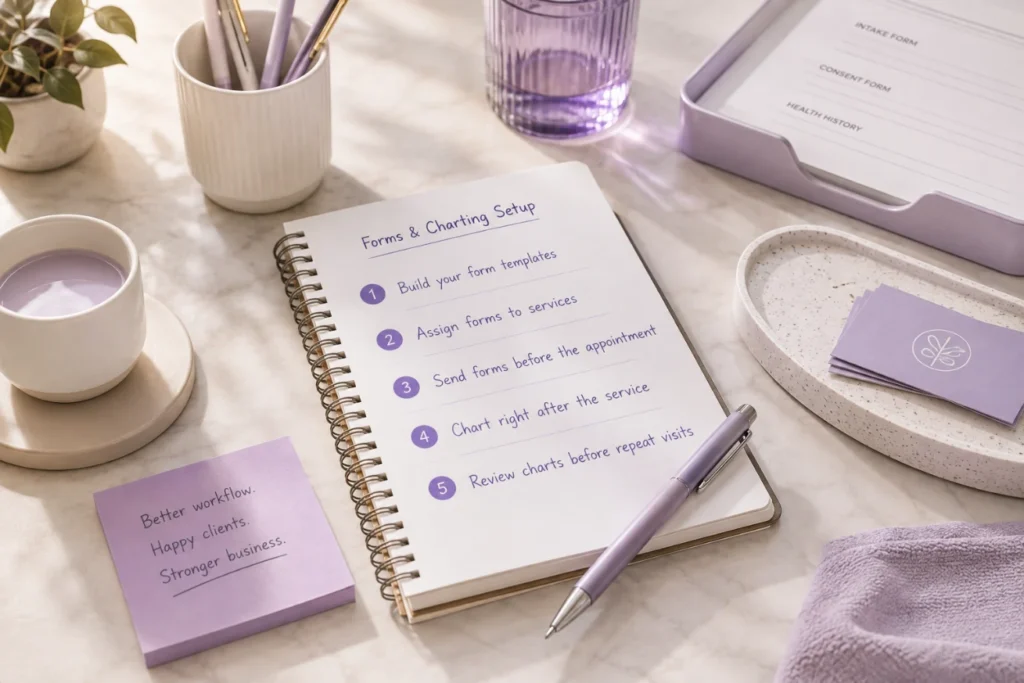
    Setting Up Digital Forms and Charting: A Simple Walkthrough

    Setting Up Digital Forms and Charting A Simple Walkthrough
    1. Build your form templates. Start with the forms you use most: general intake, consent for your highest-risk service, and a basic health history.
    2. Assign forms to specific services. A Botox consultation and a manicure don’t need the same paperwork. Match the form to the service.
    3. Send forms before the appointment. Clients fill them out on their phone before they walk in, which cuts front desk wait time.
    4. Chart right after the service. Providers log what was done while the details are still fresh, not at the end of a long shift.
    5. Review charts before repeat visits. A quick look at the last note tells a provider what worked and what to avoid.

    HIPAA and Compliance Considerations for Med Spas

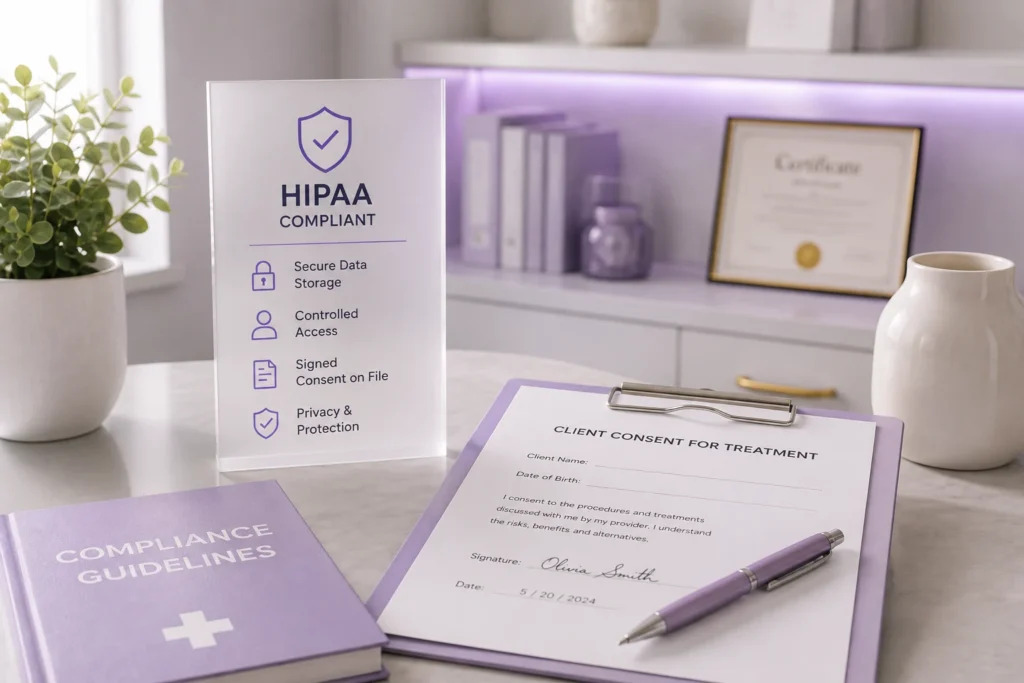
    Med spas that perform injectables, laser treatments, or other medical-adjacent services should treat client charts the way a medical office does.

    HIPAA and Compliance Considerations for Med Spas

    That means secure storage, controlled staff access, and a clear signed consent on file before any treatment.

    Salons and day spas usually don’t fall under HIPAA, but storing client health notes securely is still good practice.

    A client who discloses an allergy or a skin condition deserves to know that information is protected, not sitting in an unlocked drawer.

    FAQs

    Do all salons need digital consent forms, or is this only for med spas?

    Any business performing a service with risk, like chemical treatments, waxing, or injectables, benefits from a signed consent form. It protects both the client and the business if a reaction happens.

    How long should a treatment chart note be?

    Long enough to answer “what did we use and what happened.” A few sentences with product names, settings, and any client reaction is usually enough.

    Can clients fill out forms on their phone before arriving?

    Yes. Digital forms sent ahead of time let clients complete paperwork from home, which shortens the check-in process at the front desk.

    What happens if a client doesn’t finish their form before the appointment?

    Most digital form systems flag incomplete forms so front desk staff can prompt the client to finish before their service starts.

    Do digital charts replace the need for provider judgment?

    No. Charts record what happened, but a provider still needs training and judgment to decide what’s safe for each client. Charts just make that decision easier the next time.

    Is charting only useful for legal protection?

    Legal protection is one reason, but the bigger daily benefit is consistency. Providers repeat what worked and avoid what didn’t, without relying on memory.

    Getting Started

    Paper forms and handwritten notes were never built to keep up with a growing salon, spa, or med spa. Every client visit that gets recorded properly today saves your team time on every visit after it.

    If you’re ready to see how digital Forms & Charting fits into the rest of your business, from scheduling to client management, PandaCue’s team can walk you through it.